

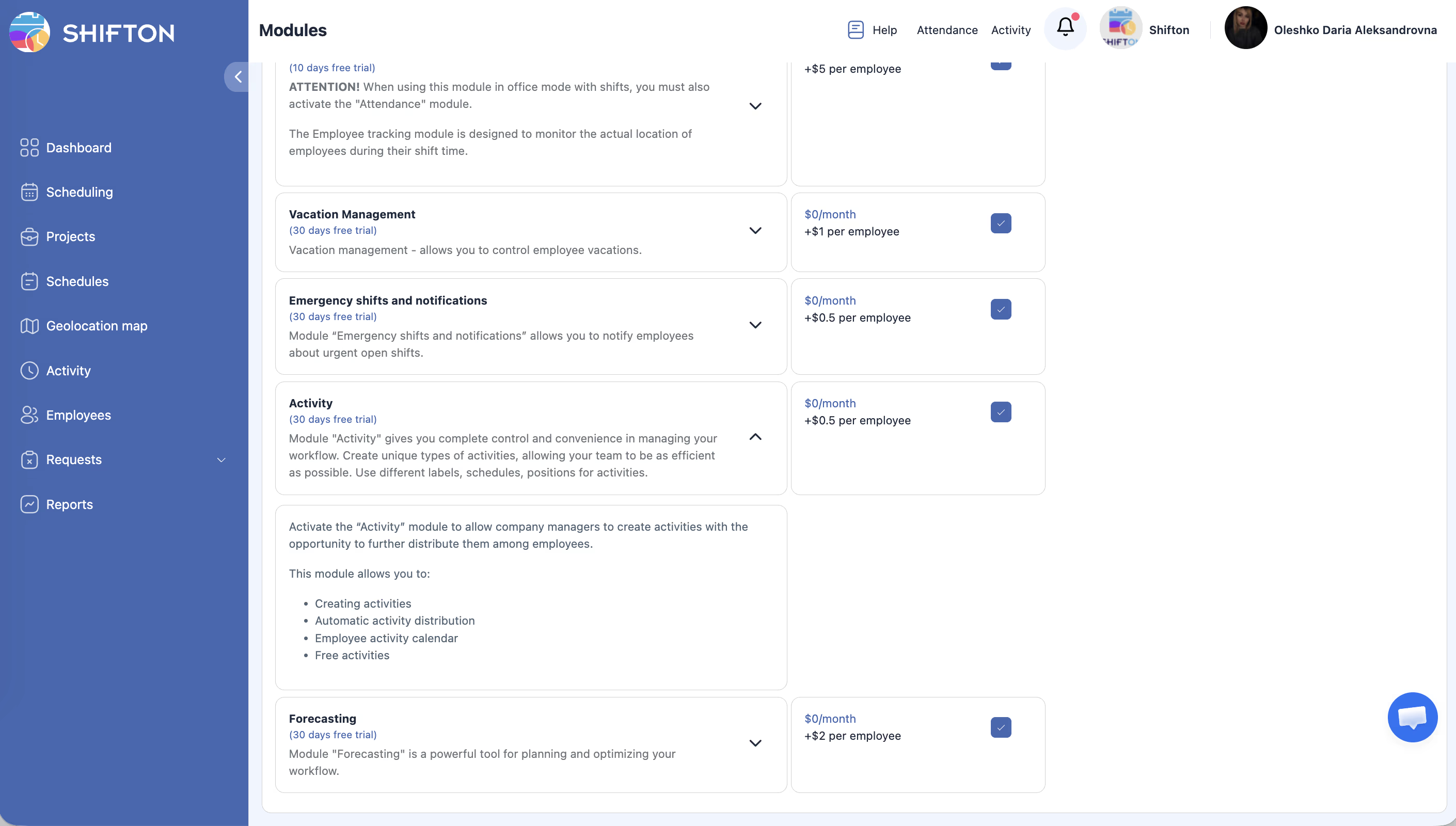
Track specific tasks and activities within employee shifts for detailed productivity and time allocation reporting.
What Is This?
The Activity module adds a layer of task-level tracking on top of shift-based attendance. While the Attendance module records when employees start and end shifts, the Activity module tracks what they are doing during those shifts. Employees can log individual activities (tasks, assignments, job types) with start and end times, giving managers granular visibility into how time is spent.
This is especially valuable for teams that handle multiple task types during a single shift, such as cleaning crews, maintenance teams, customer service representatives, or healthcare workers.
Prerequisites
How to Enable/Disable
Module Settings
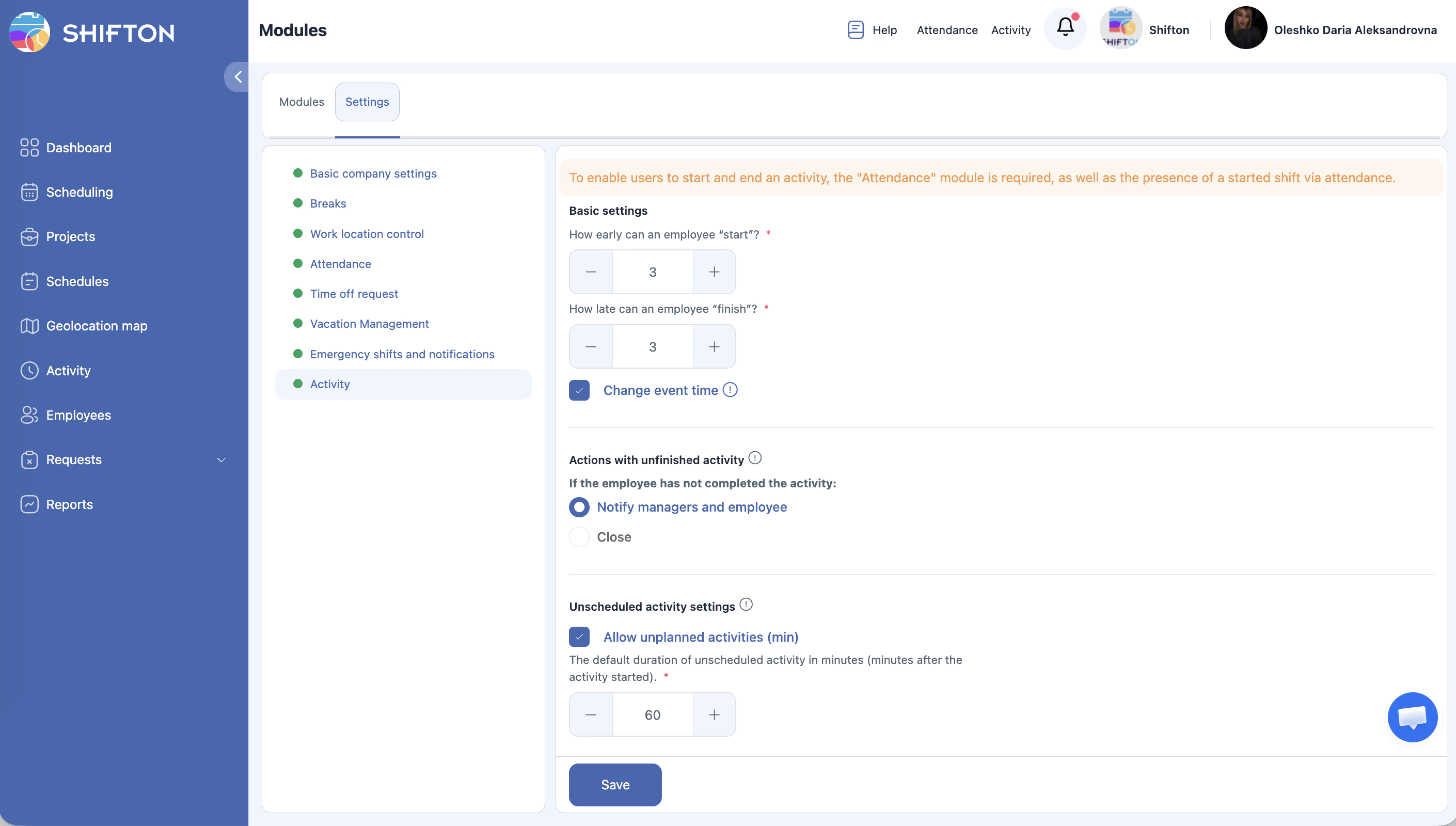
Navigate to Modules > Settings > Activity to configure the following:
| Setting | Description | Default |
|---|---|---|
| How early can activity start (minutes) | The number of minutes before the scheduled activity start time that an employee is allowed to begin the activity. | 3 minutes |
| How late can activity finish (minutes) | The number of minutes after the scheduled activity end time that the system waits before flagging the activity as overdue. | 3 minutes |
| Change event time | Allows the system or manager to adjust the recorded start/end time of an activity. | Enabled / Disabled |
| Actions with unfinished activity | Determines what happens when an employee starts a new activity or ends their shift while a previous activity is still open. | Notify — send a notification to the manager about the unfinished activity. Close — automatically close the previous activity when a new one starts or the shift ends. |
| Unscheduled activity | Controls whether employees can start activities that are not pre-scheduled. | Enabled / Disabled |
| Default duration (minutes) | The default duration for an unscheduled activity. | 60 minutes |
Step-by-Step Usage Guide
Configuring Activity Settings
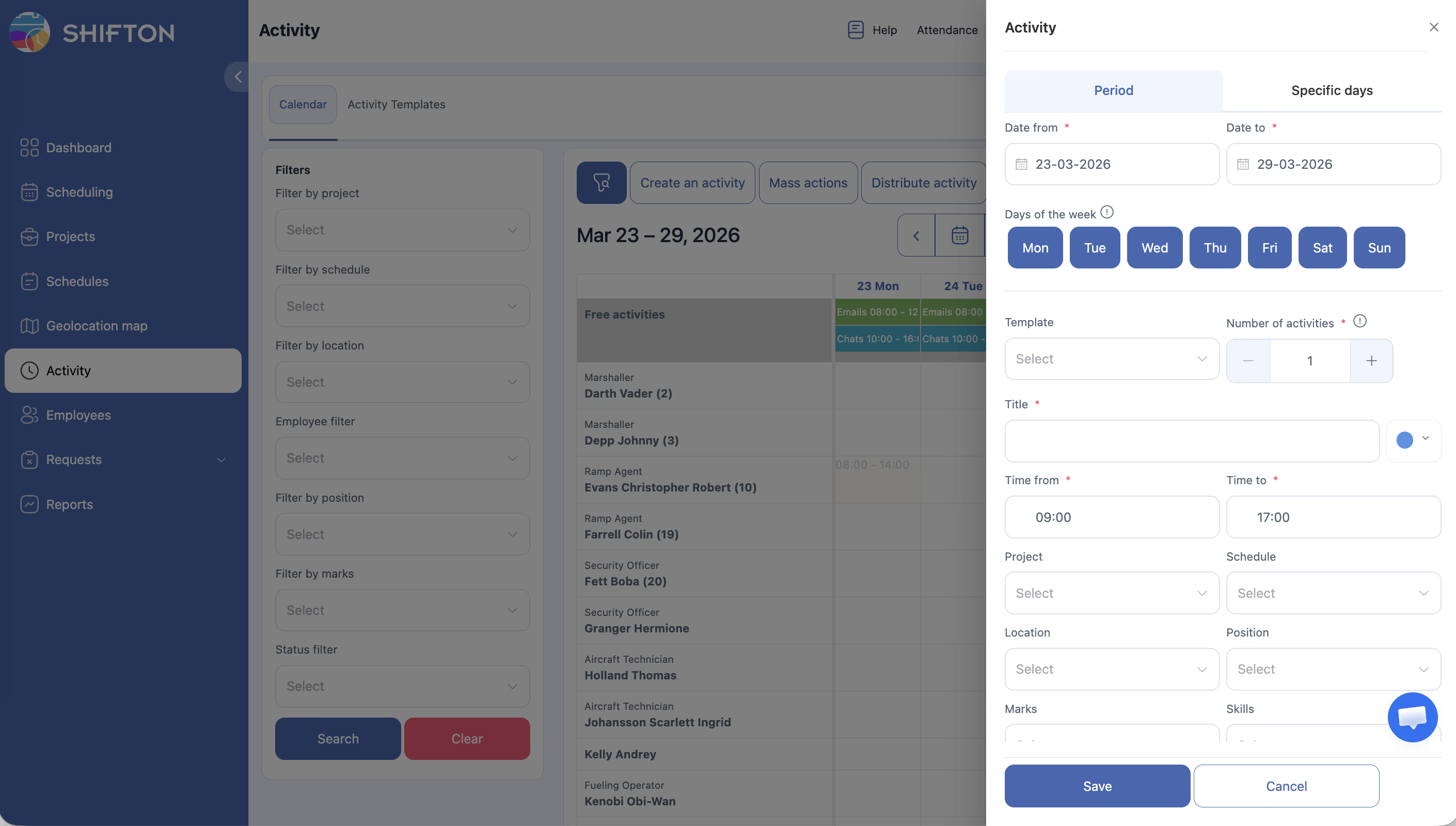
Creating Scheduled Activities
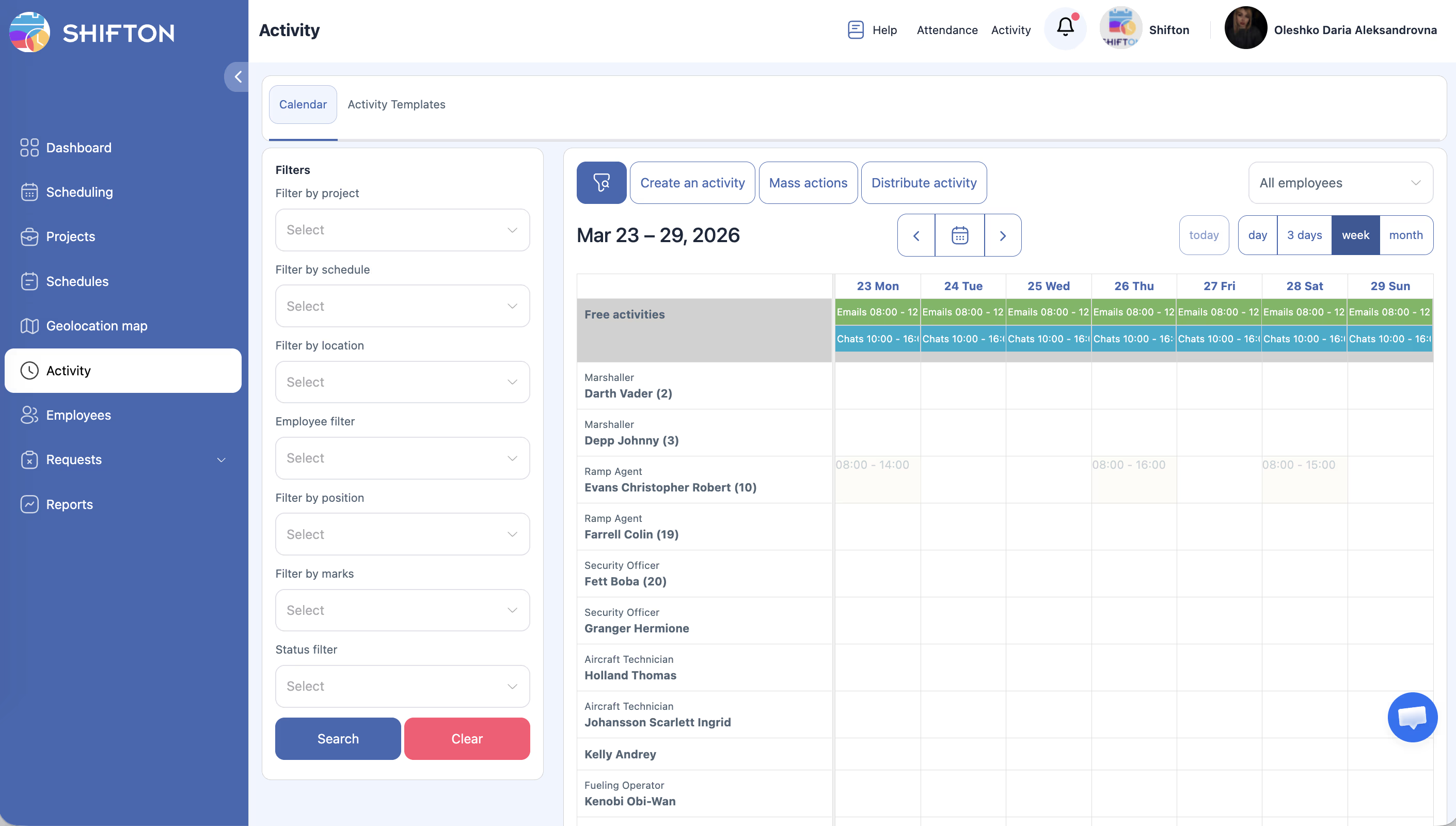
How Employees Log Activities
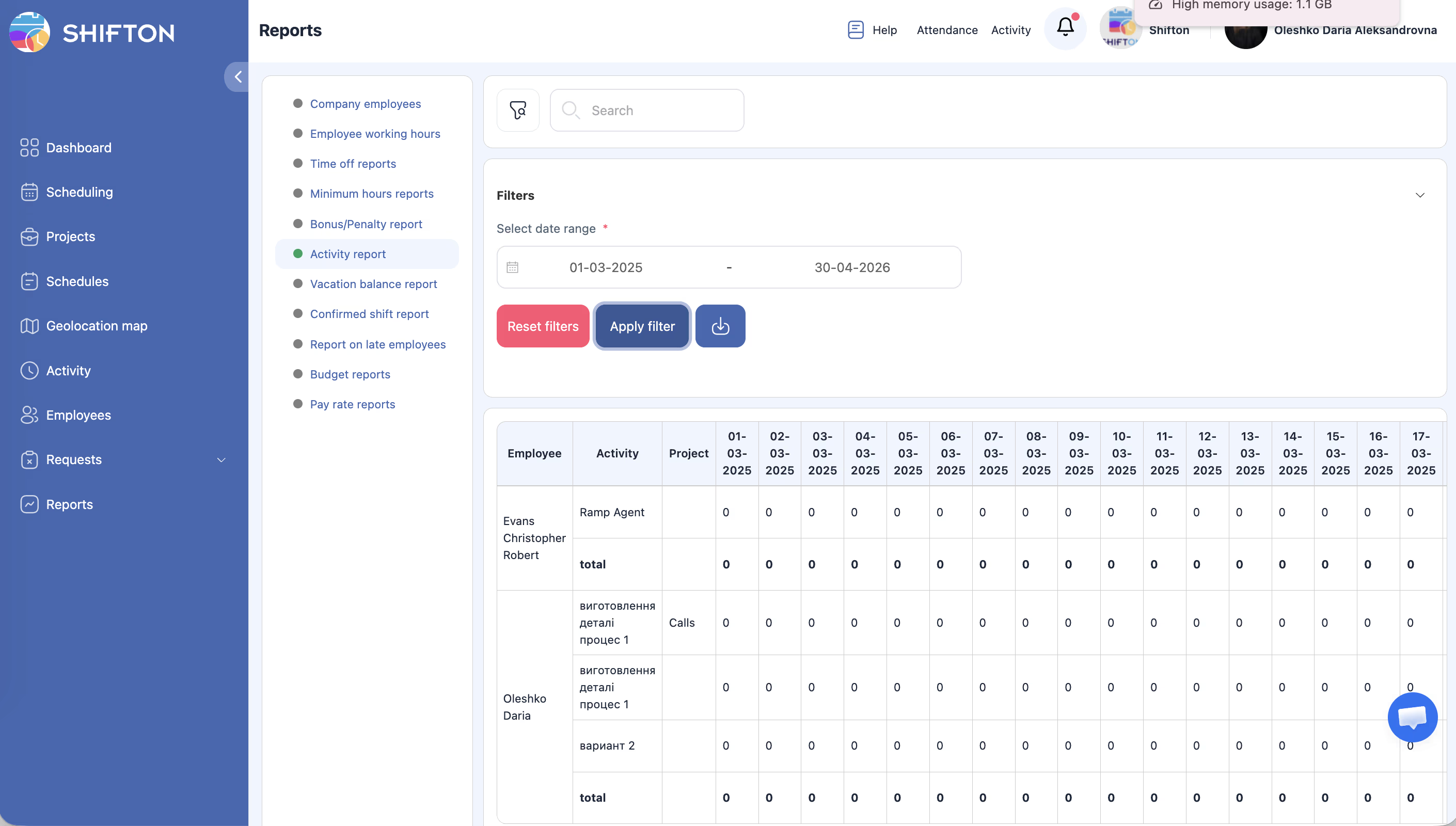
Reviewing Activity Reports
Pricing Info
| Component | Cost |
|---|---|
| Monthly module fee | $0/month |
| Per-employee fee | $0.50/employee/month |
For example, a company with 15 employees would pay: $0 + (15 x $0.50) = $7.50/month.
Access Permissions
| Role | Configure Settings | Create Activities | Start/End Own Activities | View Team Activities | View All Activities |
|---|---|---|---|---|---|
| Owner | Yes | Yes | Yes | Yes | Yes |
| Admin | Yes | Yes | Yes | Yes | Yes |
| Manager | No | Assigned projects | Yes | Assigned projects | No |
| Employee | No | No | Yes | No | No |
FAQ
Q: What is the difference between the Attendance module and the Activity module?
A: The Attendance module tracks shift-level events (clock in, clock out, breaks). The Activity module tracks task-level events within a shift — what the employee is actually working on during their hours.
Q: What happens when an employee forgets to end an activity?
A: It depends on your settings. If set to “Notify,” the manager is alerted about the open activity. If set to “Close,” the system automatically ends the activity when the next one starts or the shift ends.
Q: Can employees start activities before their shift begins?
A: No. Activities are tied to active shifts. The employee must be clocked in before they can start logging activities.
Q: Is there a limit to how many activities can be in one shift?
A: There is no hard limit. Employees can log as many activities as needed during their shift.
Q: Can I use this module without pre-scheduling activities?
A: Yes. If Unscheduled activity is enabled, employees can log ad-hoc activities during their shifts without them being pre-defined in the schedule.
Possible Issues and Solutions
| Issue | Cause | Solution |
|---|---|---|
| Activity button not visible for employees | Module is not enabled or Attendance module is missing | Enable both the Attendance and Activity modules. |
| Employee cannot start activity early | “How early can activity start” is set to 0 or a very small value | Increase the early start tolerance (default is 3 minutes). |
| Open activities accumulating without being closed | “Actions with unfinished activity” is set to Notify instead of Close | Switch to “Close” if you want automatic cleanup, or train employees to end activities manually. |
| Unscheduled activity option not available | “Unscheduled activity” is disabled in settings | Enable unscheduled activity in the Activity module settings. |
| Activity times do not match actual work | Event time changes are disabled | Enable “Change event time” to allow managers to correct activity records. |