

The Attendance module tracks clock-ins, clock-outs, breaks, and activities — via browser and mobile app.
Shifts receive statuses: Planned → Active → Completed (or Missed). Managers receive notifications about late arrivals, and the system can apply late deductions.
This module is a required dependency for Work Location Control and Activity, as well as for unscheduled breaks.
How to Enable/Disable
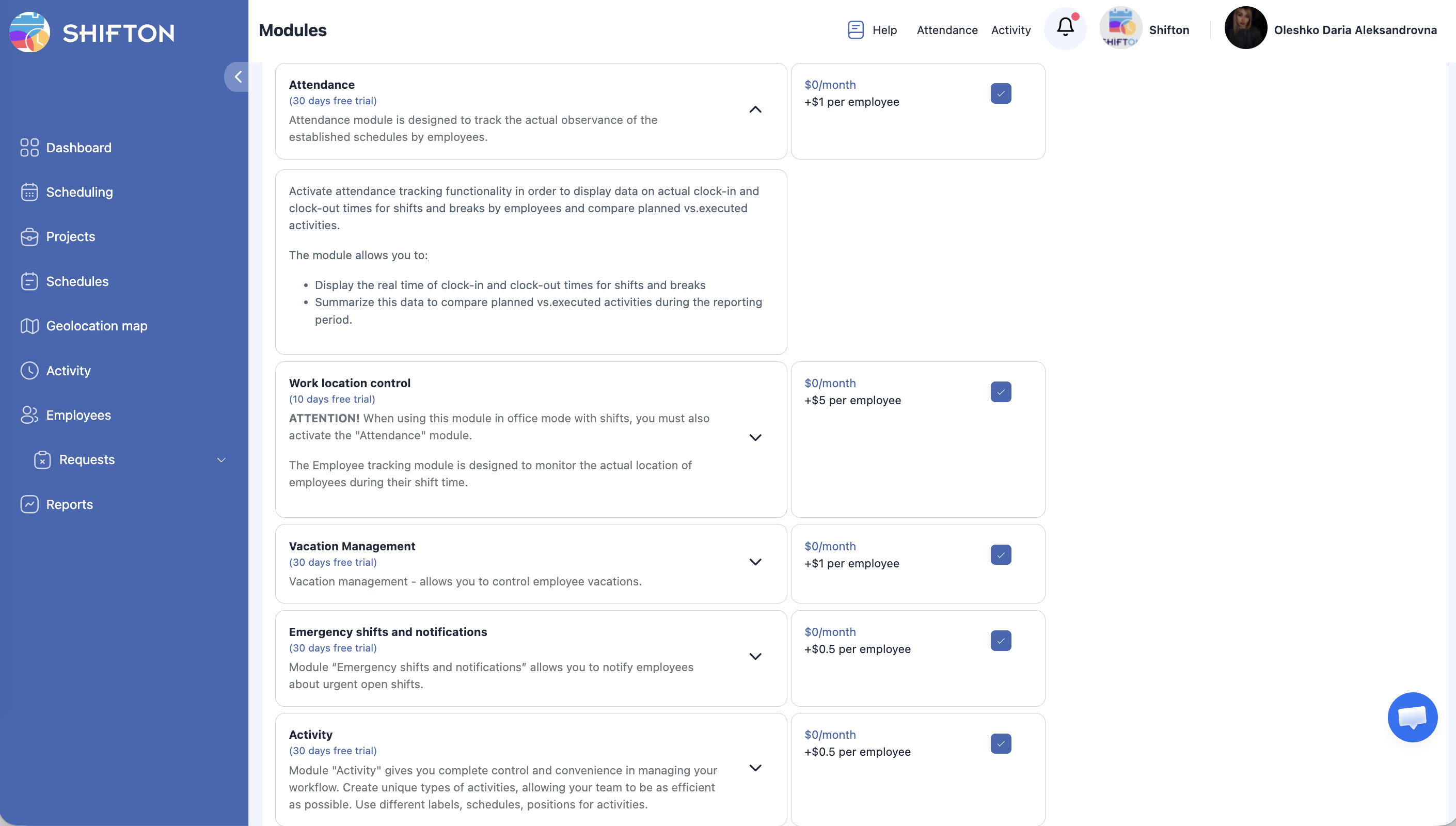
Modules → Attendance → toggle the switch.
Module Settings
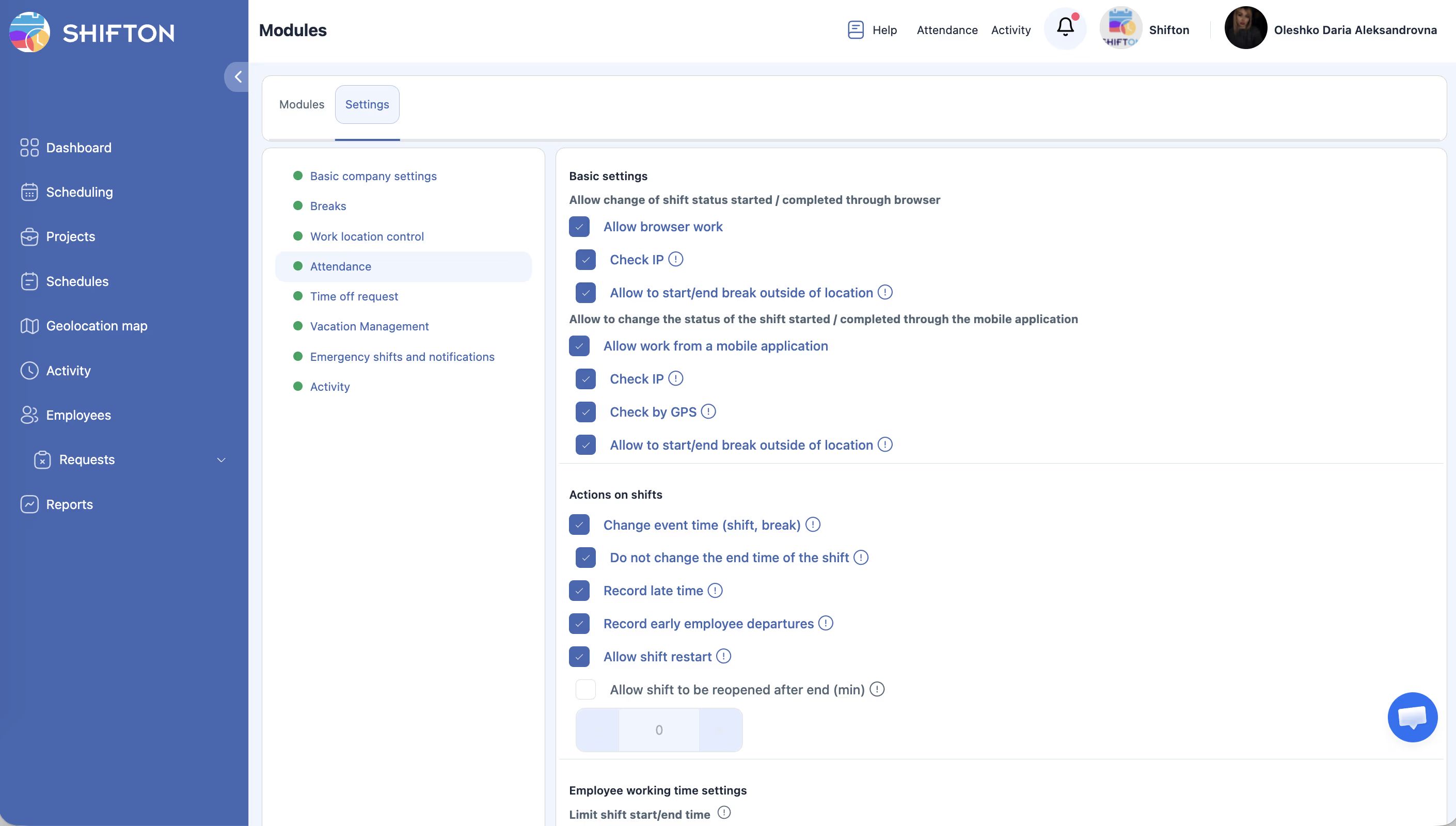
Go to Modules > Settings > Attendance:
Browser
| Setting | Description |
|---|---|
| Allow browser work | Allow clock-in/out via browser |
| Check IP | Clock-in only from the location’s network |
| Allow to start/end break outside of location | Breaks can be started outside the location |
Mobile App
| Setting | Description |
|---|---|
| Allow work from mobile | Allow clock-in/out via the app |
| Check IP | Clock-in only from the location’s network |
| Check by GPS | Clock-in only within the geofence |
| Allow to start/end break outside of location | Breaks outside the location |
Actions on Shifts
| Setting | Description |
|---|---|
| Change event time | Actual start/end time is recorded |
| Do not change the end time of the shift | End time is not modified on clock-out |
| Record late time | Late arrivals appear in the Working Hours report |
| Record early employee departures | Early departures are recorded |
| Allow shift restart | Employee can restart the shift |
| Allow shift to be reopened after end (min) | Time after end for restart |
Time Limits
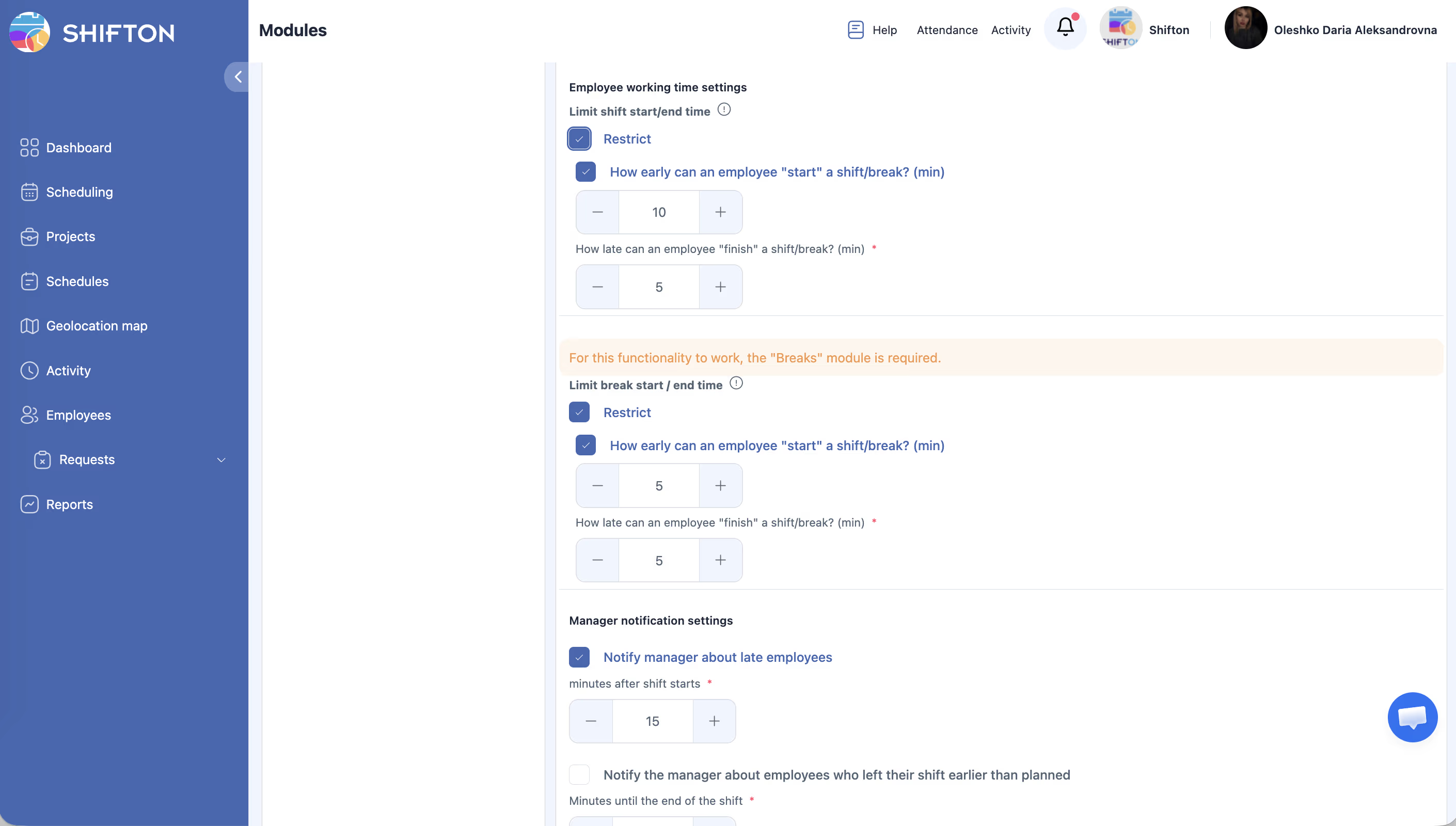
| Setting | Description |
|---|---|
| How early can employee “start”? (min) | How many minutes before the shift start can clock-in |
| How late can employee “finish”? (min) | How many minutes after the shift end |
| Limit break start/end time (min) | Tolerance for break start/end |
Late Deductions
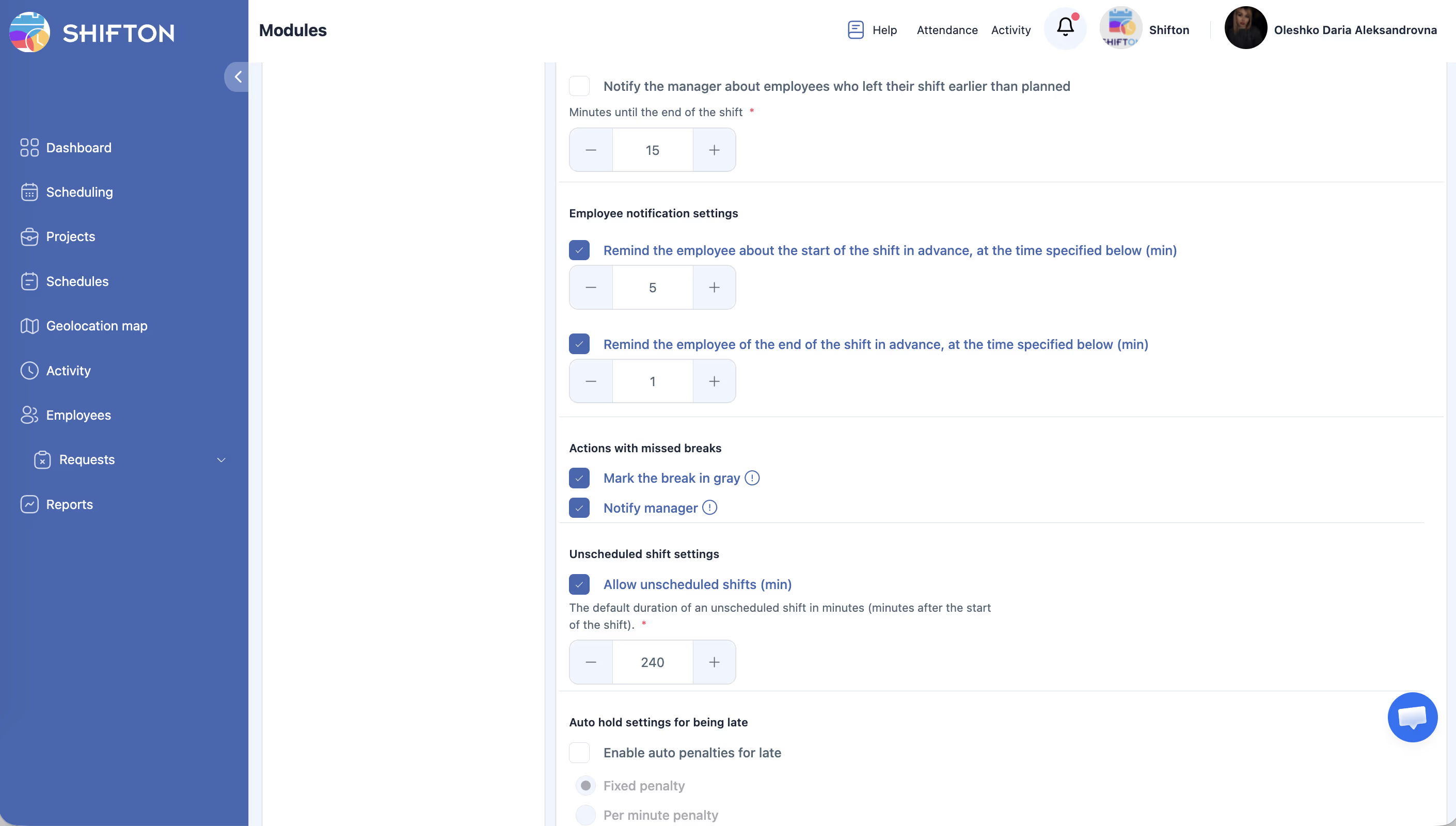
| Setting | Description |
|---|---|
| Allowed number of minutes late | Grace period (e.g., 5 min — no penalty for up to 5 min late) |
| Per-minute hold | Deduction per minute |
| Fixed deductions | Flat deduction |
| Hold amount | Deduction amount |
Pricing
$0/month + $1/employee/month.
For full instructions on starting and ending shifts, see Starting and Ending a Shift — step-by-step actions for browser and mobile app, IP and GPS verification behavior.
FAQ
Q: Can I use Attendance without GPS verification?
A: Yes. GPS verification (Check by GPS) is a separate setting. Attendance works without it: employees simply tap Start shift / End shift.
Q: What happens if an employee fails the IP or GPS check?
A: A red banner appears with an error — starting the shift is impossible. The screen shows a map with directions to the workplace.
Q: An employee was late but no deduction was applied — why?
A: Check the Allowed number of minutes late setting — this is a grace period. If the lateness falls within it, no penalty is applied.
Q: Can I allow employees to start a shift before the scheduled time?
A: Yes. The How early can employee “start”? setting defines how many minutes before the shift start clock-in is allowed.
Q: What is “Allow shift restart”?
A: If enabled, an employee can end and restart the same shift (within allowed time limits). Useful if someone accidentally ends their shift.
Q: Is the Attendance module required for other modules?
A: Yes. Work Location Control and Activity both require an active Attendance module. Unscheduled breaks also depend on it.
Q: How do I configure late deductions?
A: In Modules > Settings > Attendance > Late Deductions: set the grace period, deduction type (per-minute or flat), and the amount.
Q: Where can I view attendance data?
A: In the Working Hours report — it shows actual hours, late arrivals, and early departures.
Q: Can employees start a break outside their location?
A: Only if the Allow to start/end break outside of location setting is enabled (configured separately for browser and mobile app).
Q: Does Attendance work in both browser and mobile app?
A: Yes, both platforms are supported. Settings for each platform are configured separately in Module Settings.