

Add financial bonuses or penalty deductions to employee shifts for accurate payroll calculations.
What Is This?
The Bonuses/Deductions module lets managers attach monetary adjustments to individual shifts. A bonus adds extra pay for outstanding work, overtime incentives, or holiday premiums. A retention (deduction) subtracts an amount for late arrivals, policy violations, or other penalties.
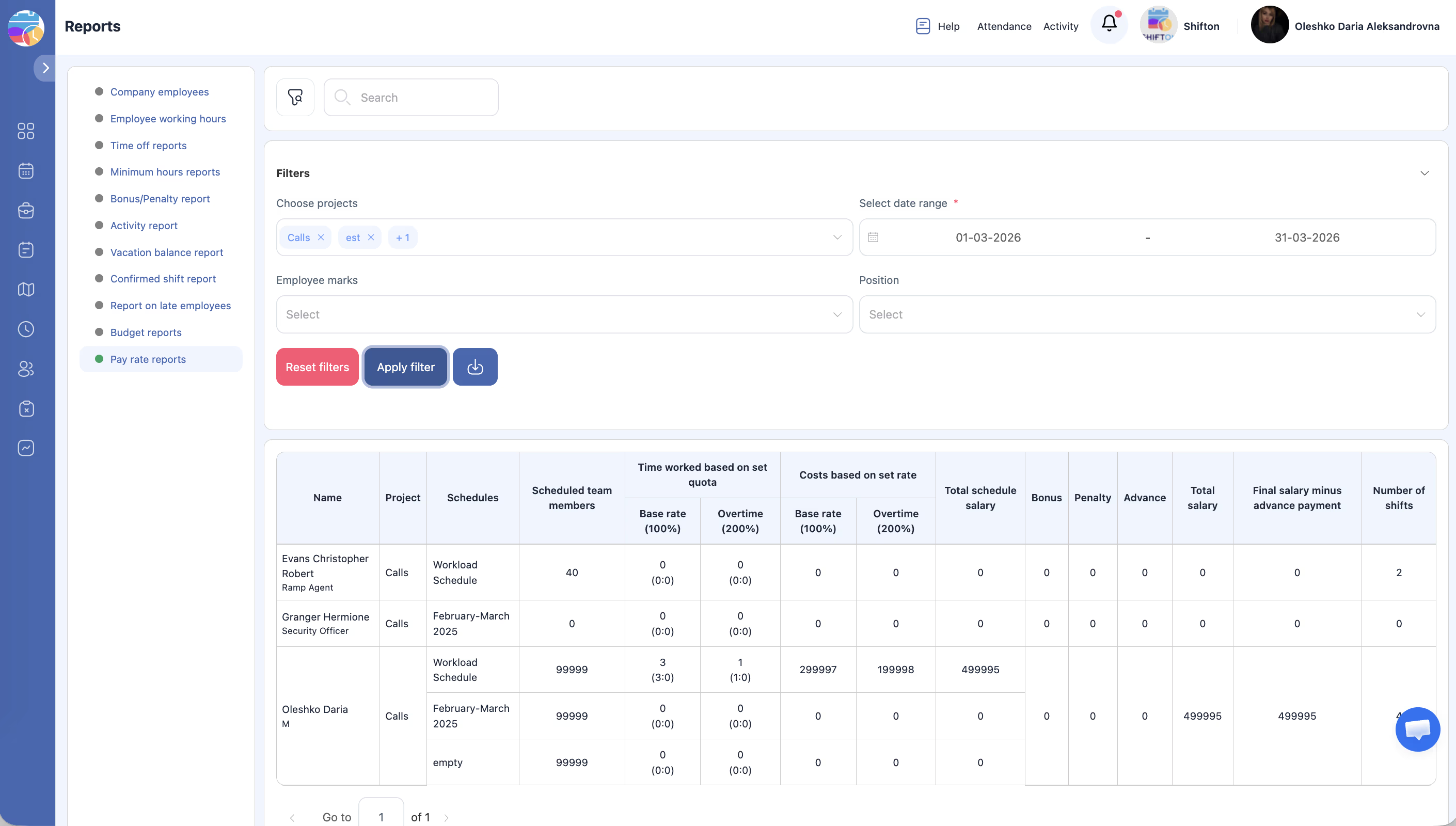
These adjustments flow directly into the Pay Rate report (when the Payroll module is enabled), giving you a complete picture of employee compensation without external tracking.
Prerequisites
How to Enable/Disable
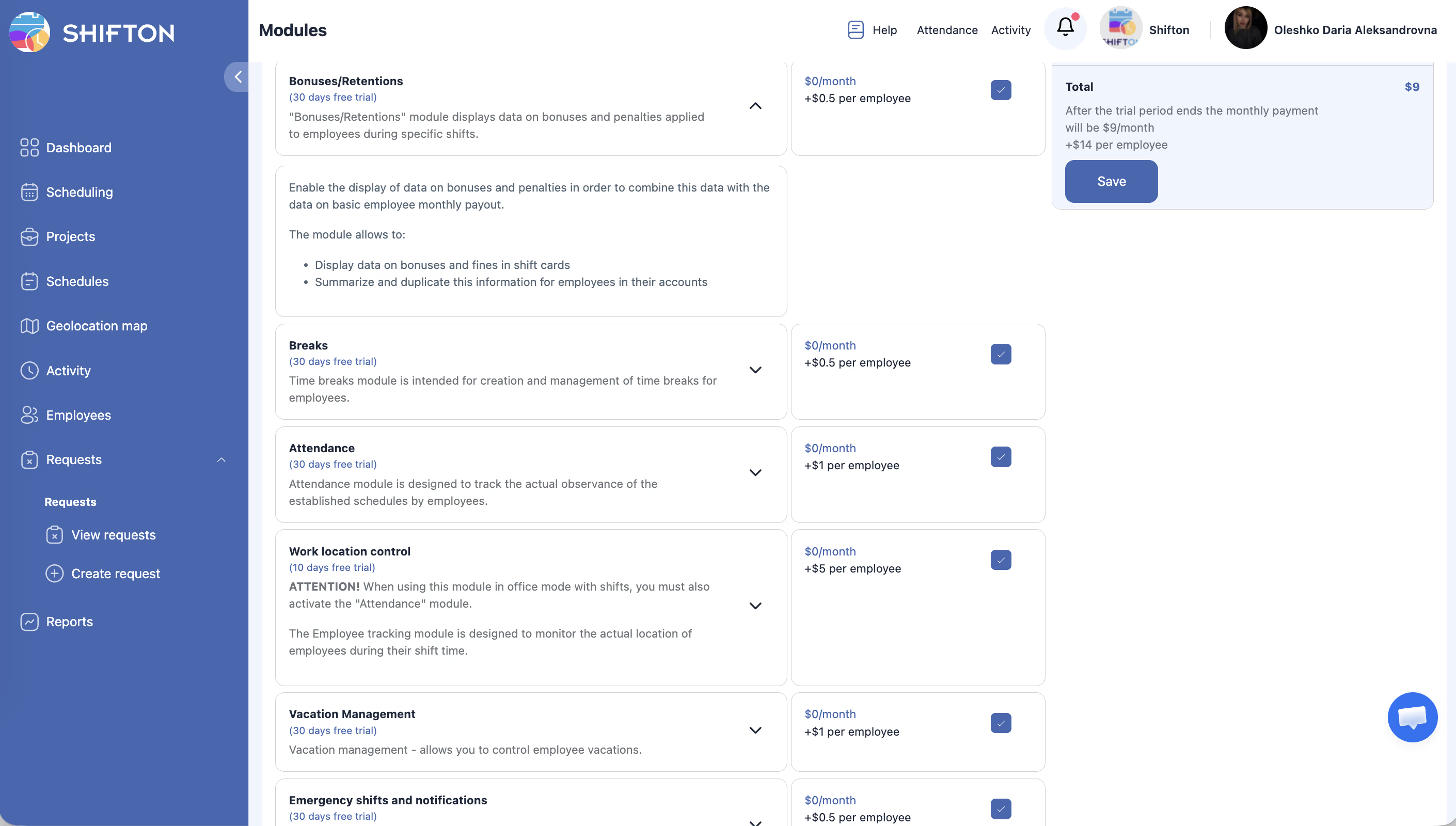
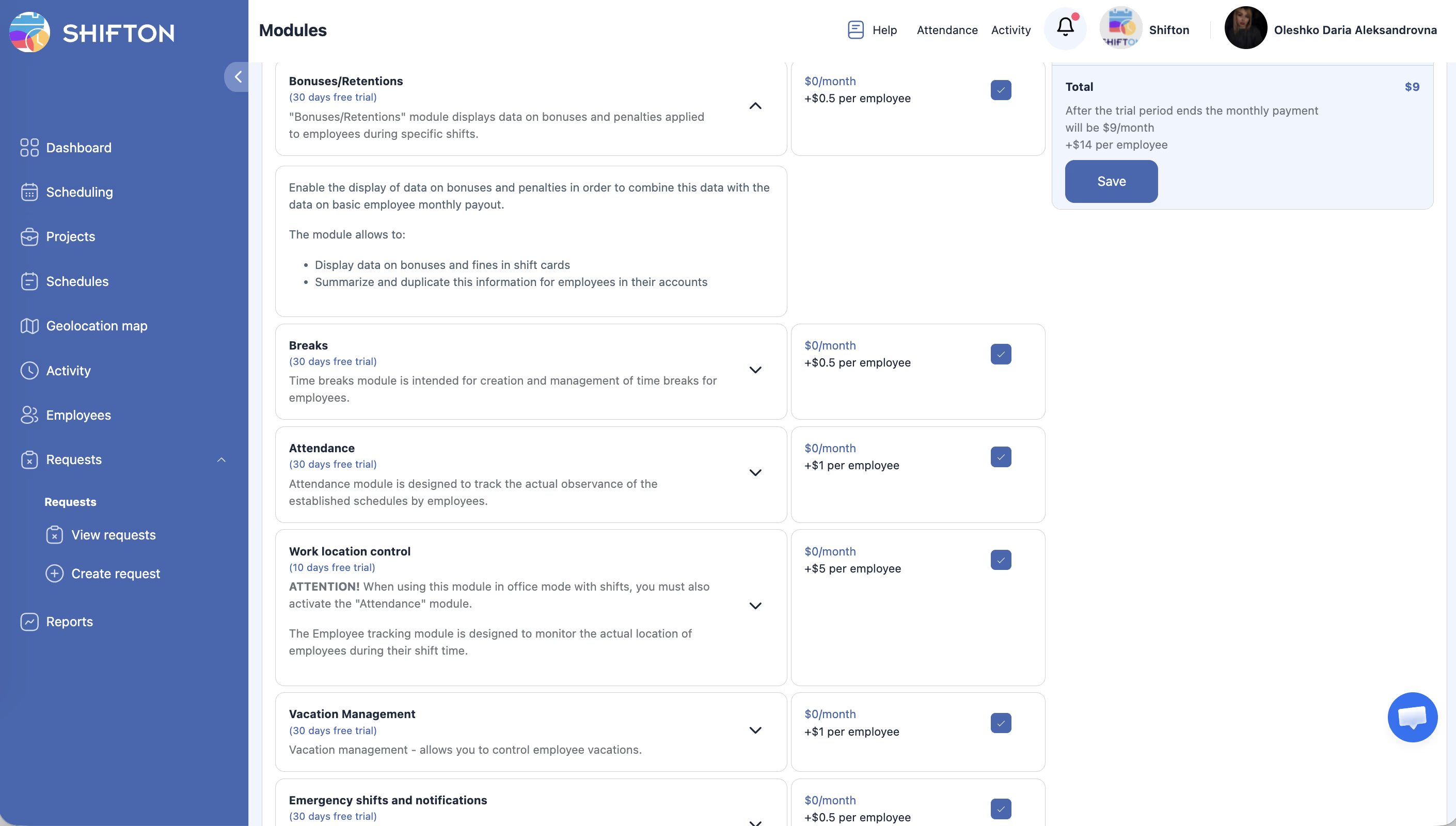
Module Settings
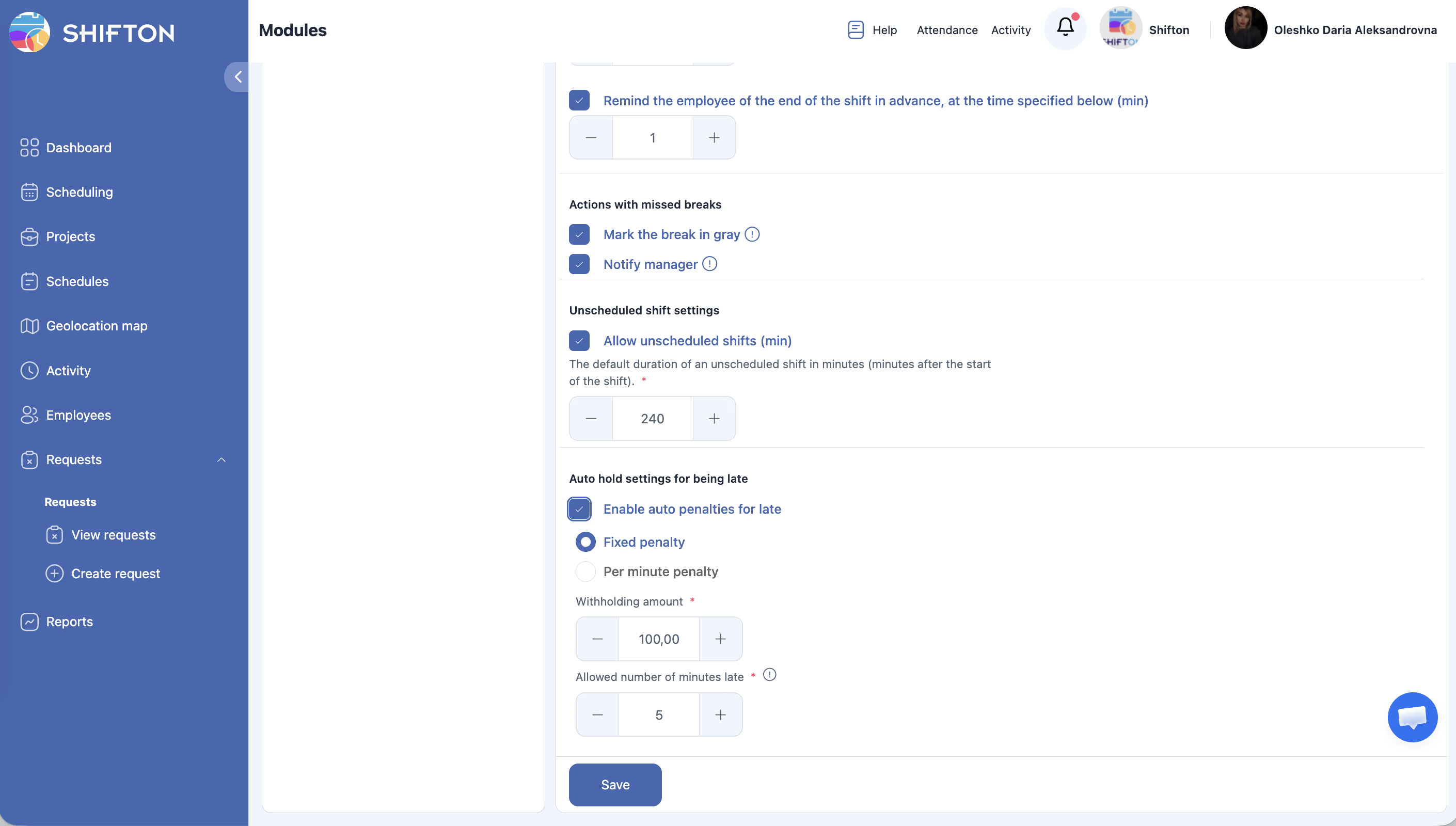
This module does not have a dedicated settings section in the Module Settings tab. Bonuses and retentions are managed directly on individual shifts.
Step-by-Step Usage Guide
Adding a Bonus to a Shift
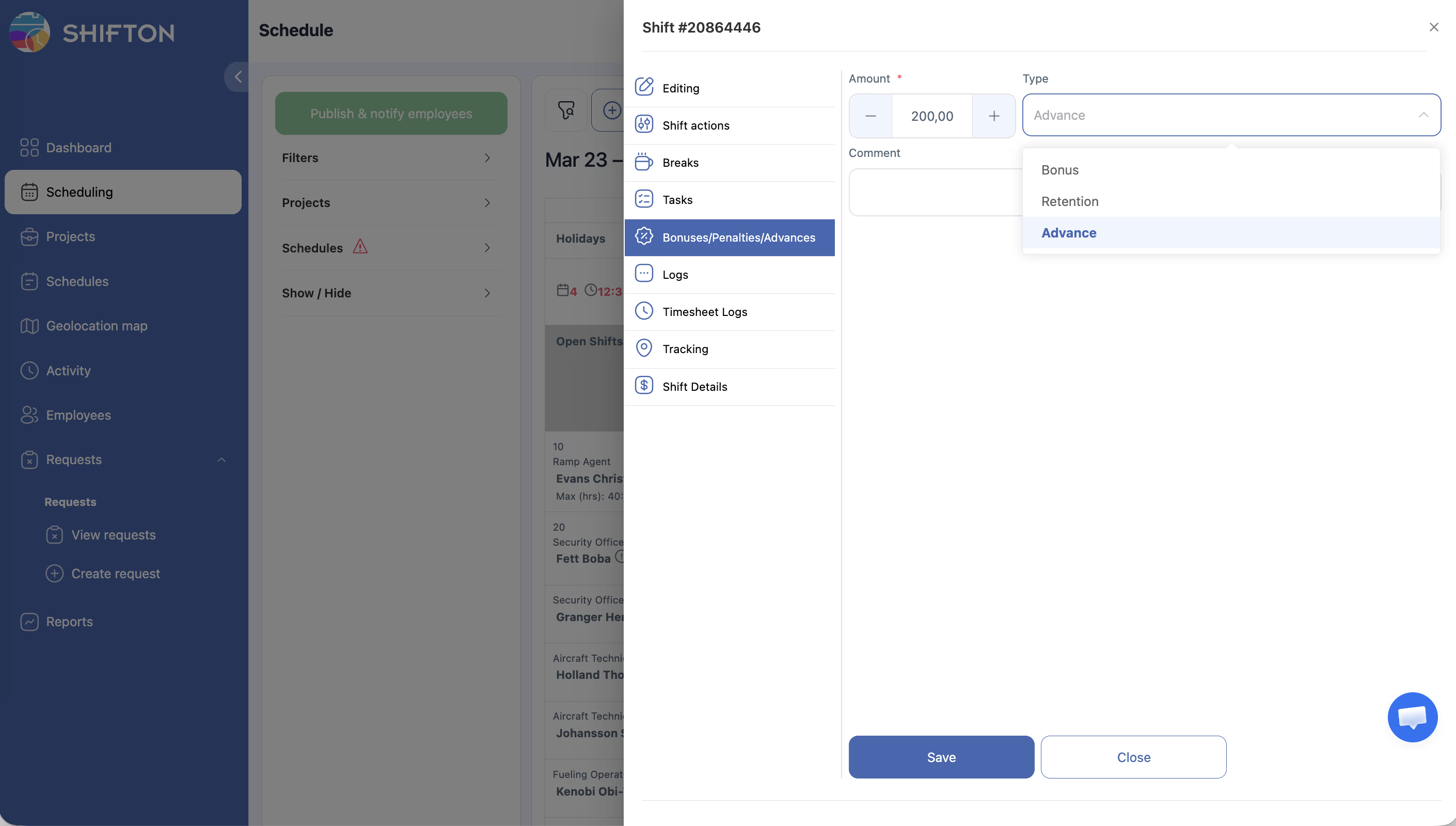
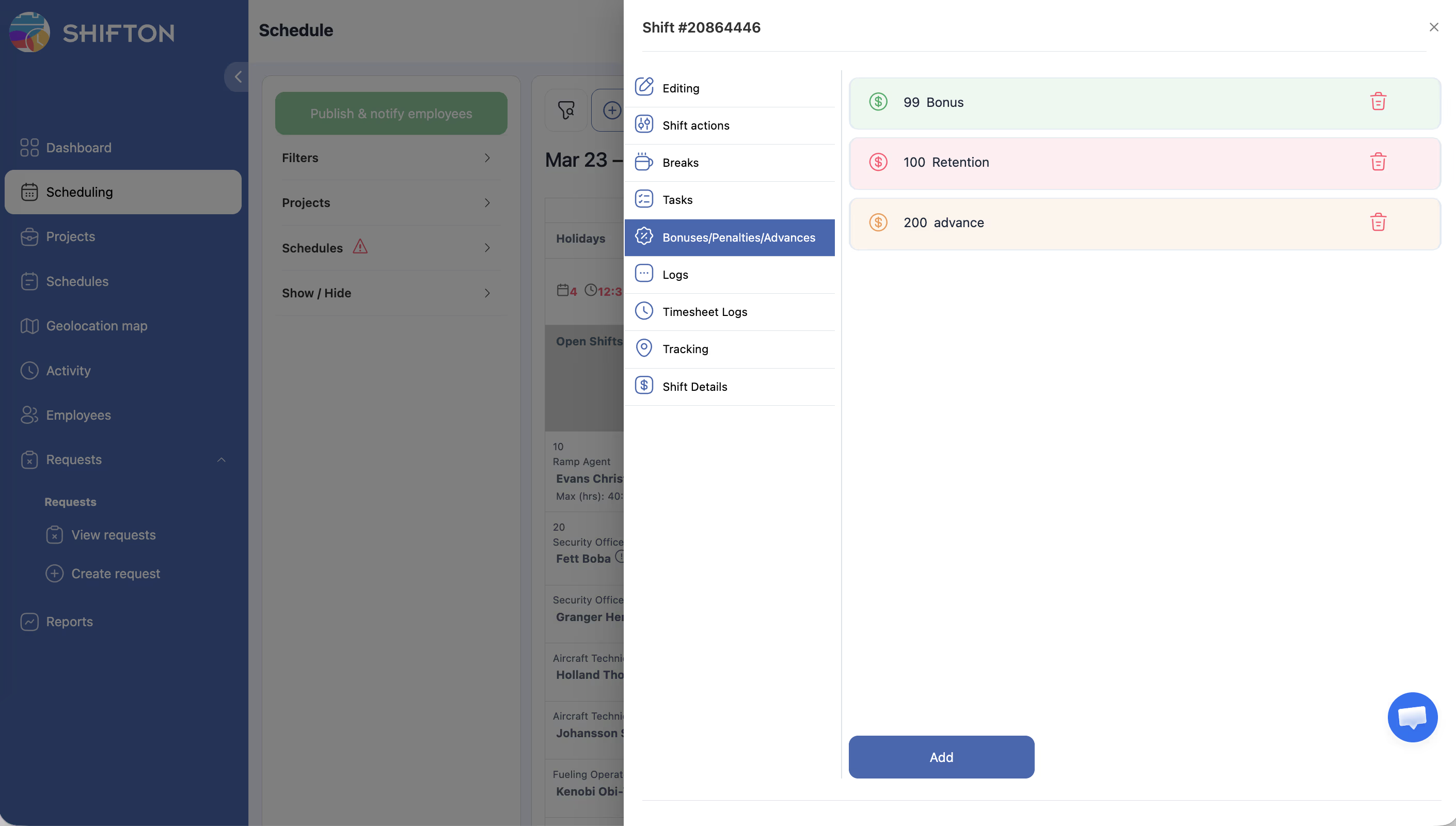
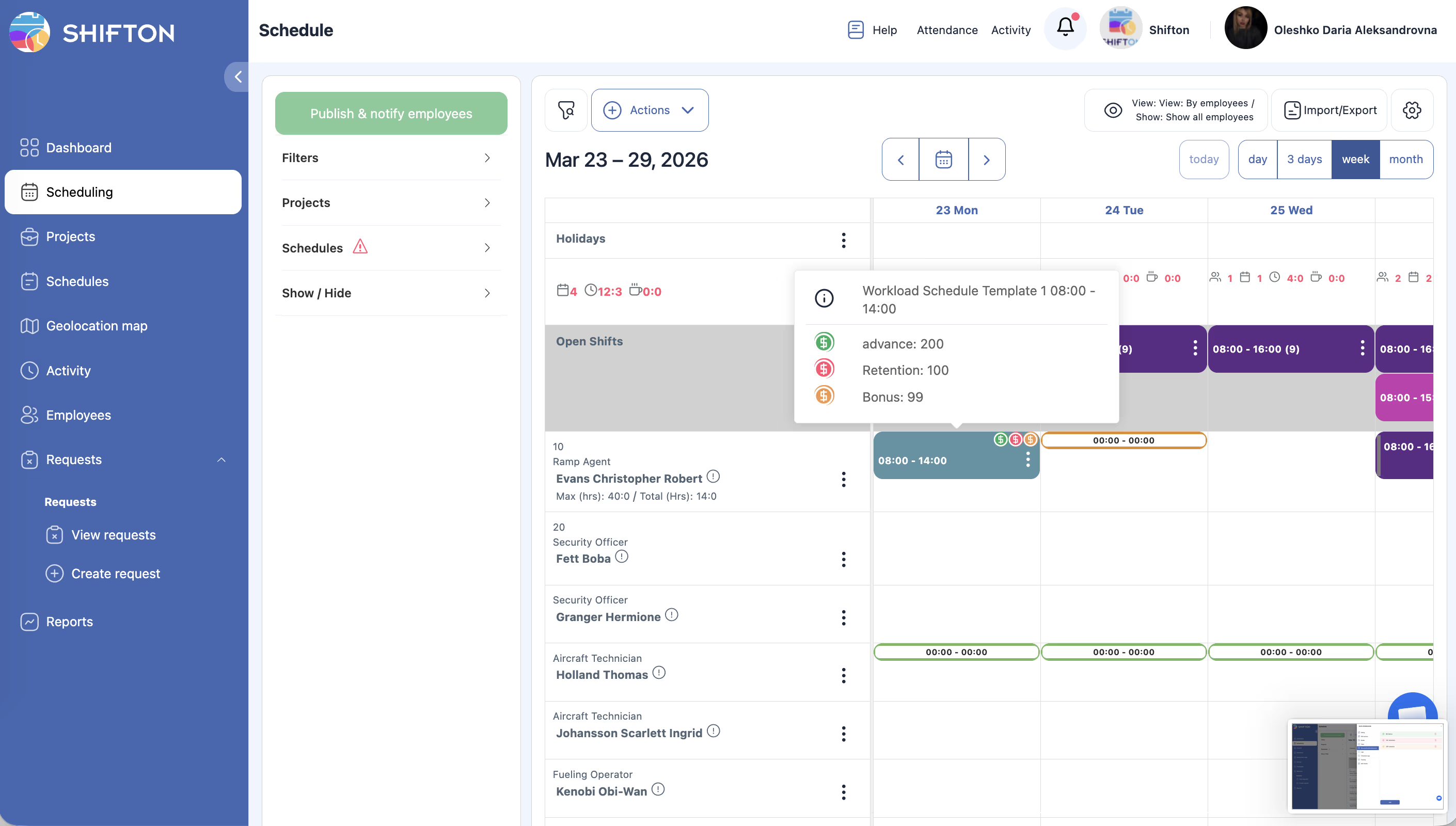
Adding a Retention (Deduction) to a Shift
Viewing Bonuses and Retentions in Reports
Pricing Info
| Component | Cost |
|---|---|
| Monthly module fee | $0/month |
| Per-employee fee | $0.50/employee/month |
For example, a company with 25 employees would pay: $0 + (25 x $0.50) = $12.50/month.
Access Permissions
| Role | Add Bonus/Retention | View Adjustments | Edit Adjustments | Delete Adjustments |
|---|---|---|---|---|
| Owner | Yes | Yes | Yes | Yes |
| Admin | Yes | Yes | Yes | Yes |
| Manager | Assigned projects | Assigned projects | Assigned projects | No |
| Employee | No | Own data only | No | No |
FAQ
Q: Can I add both a bonus and a retention to the same shift?
A: Yes. A shift can have both a bonus and a retention simultaneously. Both will be reflected in the payroll report.
Q: Are bonuses and retentions visible to the employee?
A: Employees can see adjustments applied to their own shifts. They cannot see adjustments on other employees’ shifts.
Q: Can I add a bonus without the Payroll module?
A: Yes. You can add bonuses and retentions to shifts even without the Payroll module. However, they will only appear in salary reports if Payroll is enabled.
Q: Is there a limit to the bonus or retention amount?
A: There is no system-imposed limit. Use your company’s guidelines to determine appropriate amounts.
Q: Can I bulk-add bonuses to multiple shifts at once?
A: Currently, bonuses and retentions are added per shift. For recurring adjustments, consider using pay rate rules in Salary Settings.
Possible Issues and Solutions
| Issue | Cause | Solution |
|---|---|---|
| Bonus/Retention fields not visible on shifts | Module is not enabled | Enable the Bonuses/Deductions module from the Modules page. |
| Adjustments not appearing in Pay Rate report | Payroll module is not enabled | Enable the Payroll module to see bonuses and retentions in salary reports. |
| Manager cannot add adjustments | Manager is not assigned to the project | Assign the manager to the relevant project in the Projects page. |
| Wrong amount applied | Typo during entry | Edit the shift and correct the bonus or retention amount. |
| Employee disputes a retention | No comment was added to explain the reason | Always add comments when applying retentions to maintain transparency. |