

The Breaks module gives you full control over breaks: scheduled and unscheduled breaks, duration limits, and pay settings. Essential for labor law compliance and accurate time tracking.
Unscheduled breaks require an active Attendance module.
How to Enable/Disable
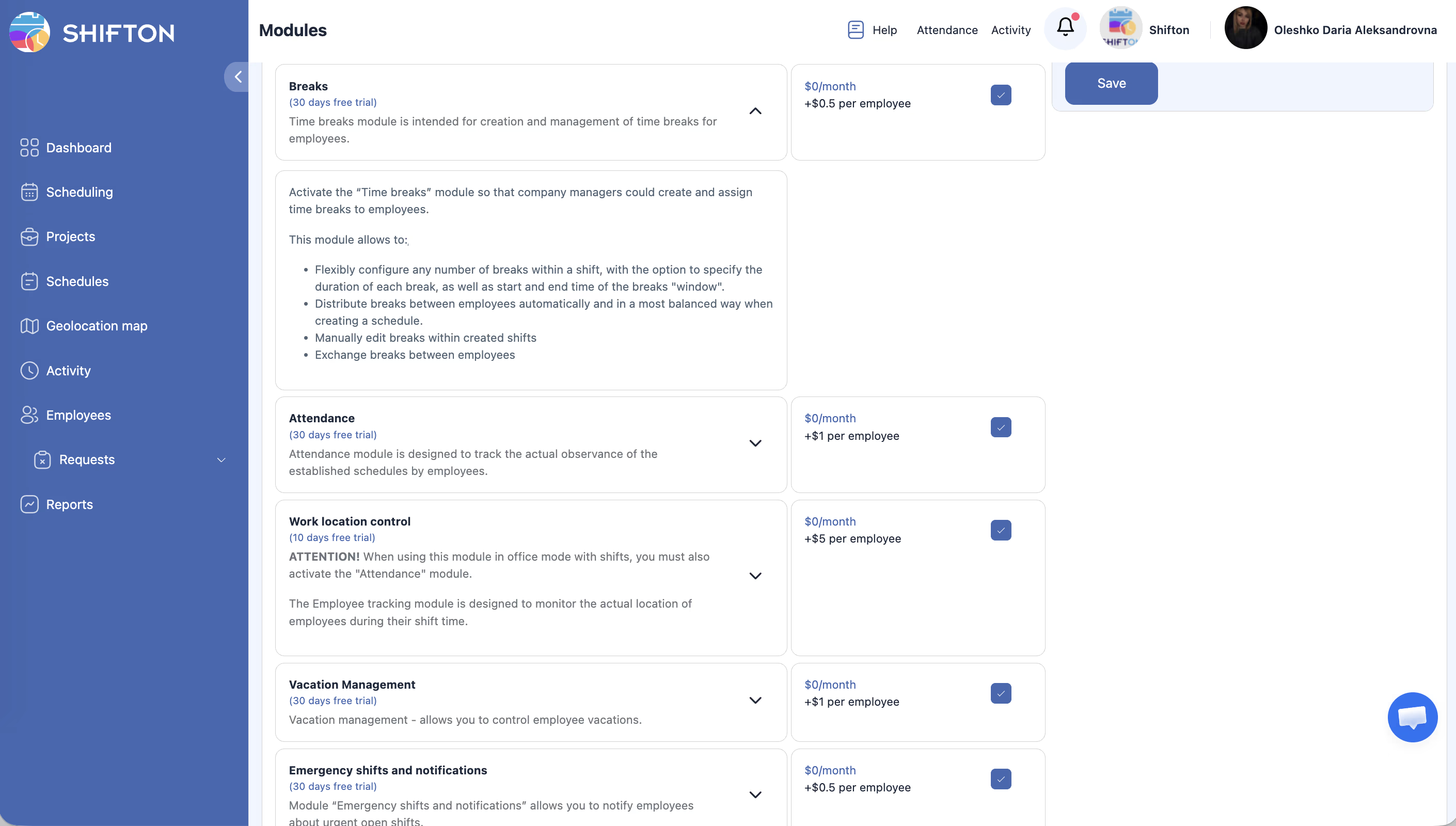
Modules → Breaks → toggle the switch.
Pricing
$0/month + $0.50/employee/month. Trial period: up to 60 days.
Effect on Other Modules
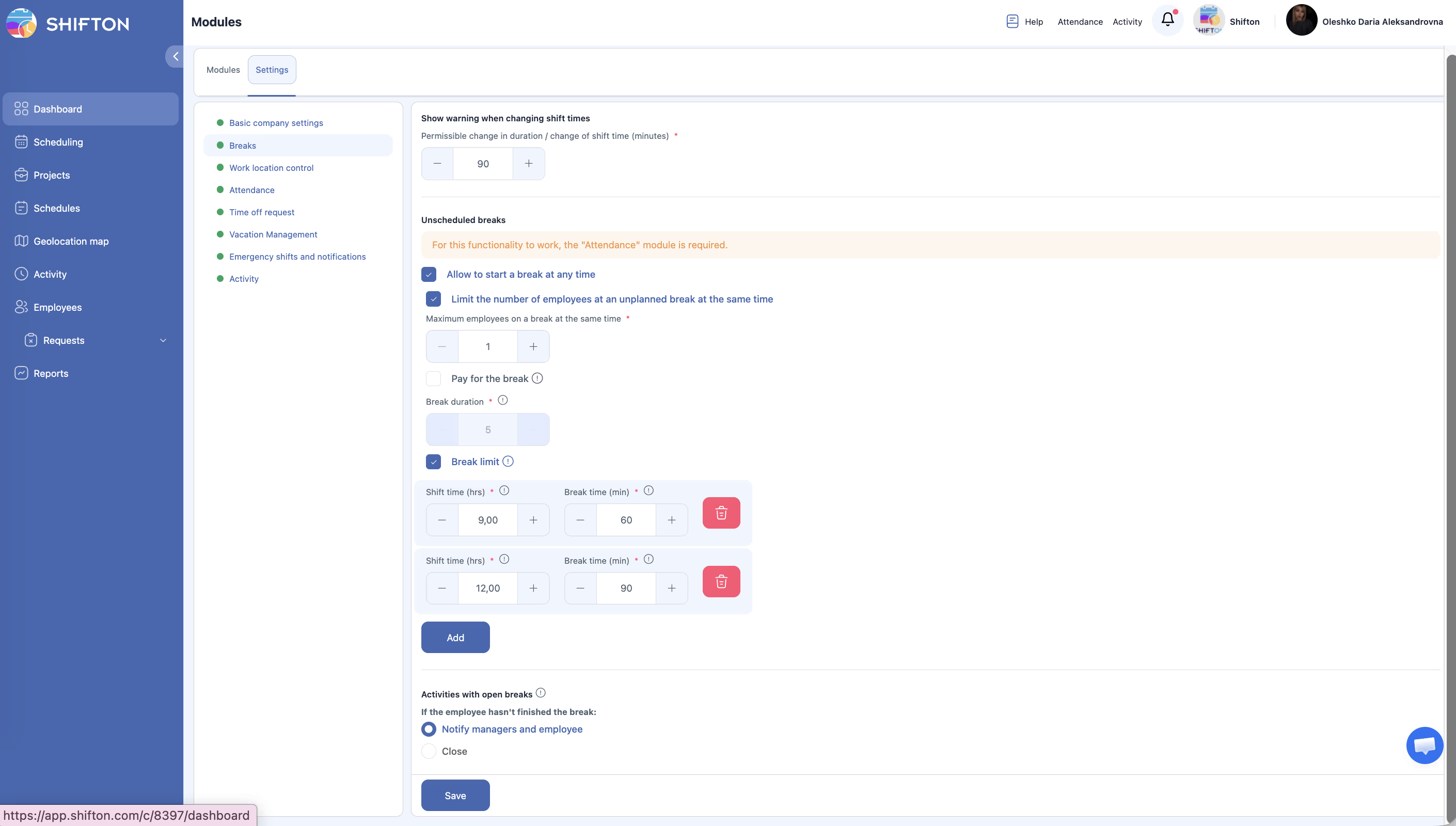
For details on break types, settings, and salary impact, see Break Types.
Related Articles
FAQ
Q: Different rules for different projects?
A: No — settings apply at the company level.
Q: What is the difference between scheduled and unscheduled breaks?
A: Scheduled breaks are built into the shift template and visible in advance. Unscheduled breaks are taken spontaneously by employees. For details, see Break Types.
Q: Is the Attendance module required to use breaks?
A: For scheduled breaks — no. For unscheduled breaks — yes, an active Attendance module is required.
Q: How much does the module cost for 30 employees?
A: $0 + $0.50 x 30 = $15 per month.