

Update your Shifton account password to keep your account secure.
What Is This?
The Change Password feature lets you update your Shifton login password. It is accessible from the user menu in the top-right corner of the screen. You will need to enter your current password and then provide your new password to complete the change.
Prerequisites
| Requirement | Details |
|---|---|
| Account | Active Shifton account |
| Current password | You must know your current password |
Step-by-Step Instructions
Accessing the Change Password Dialog
Changing Your Password
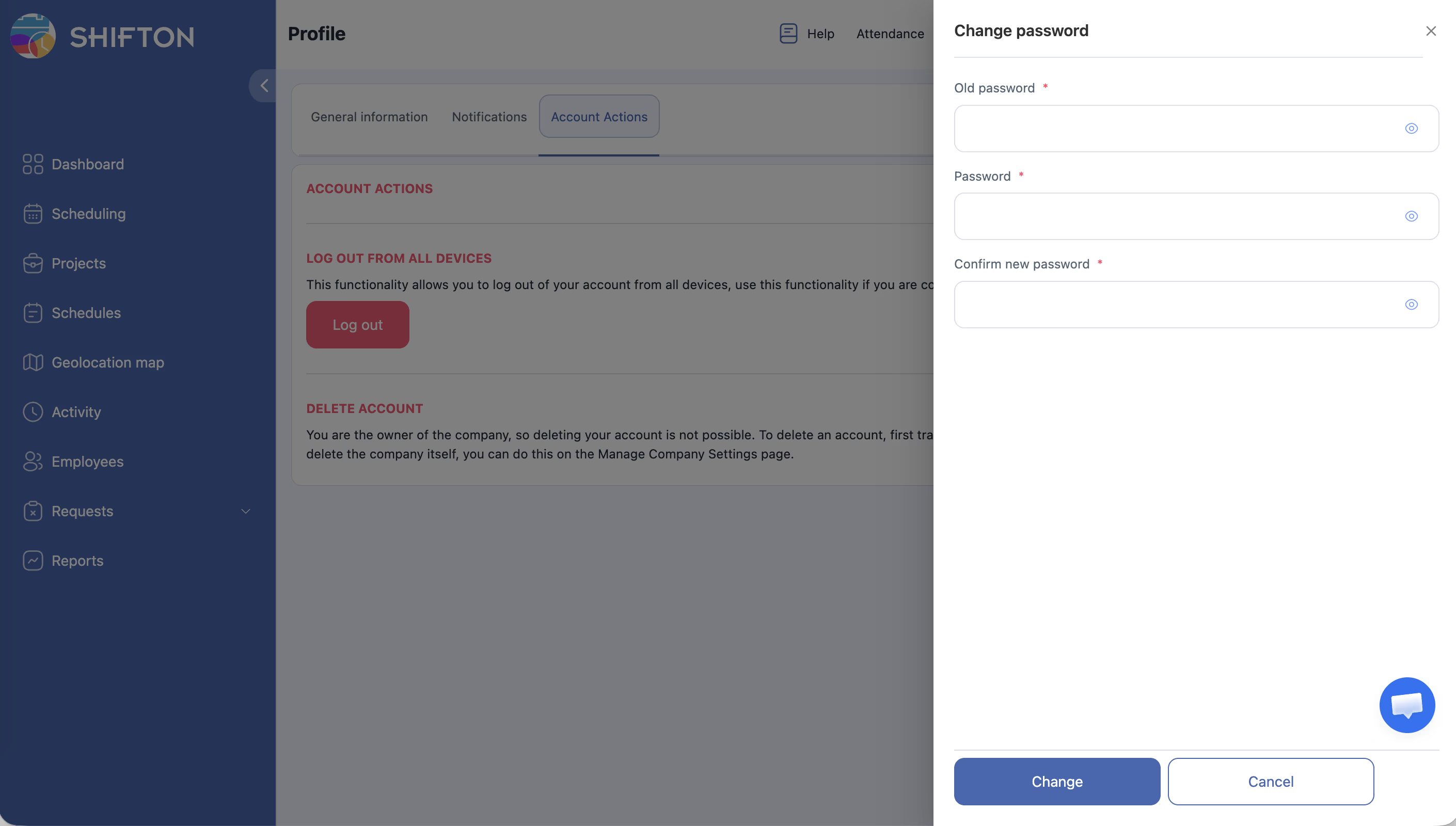
| Field | Description |
|---|---|
| Old password | Enter your current password |
| New password | Enter your desired new password |
| Confirm new password | Re-enter the new password to confirm |
Access Permissions
| Role | Change Own Password |
|---|---|
| Owner | Yes |
| Administrator | Yes |
| Manager | Yes |
| Employee | Yes |
FAQ
Q: What makes a strong password?
A: Use at least 8 characters combining uppercase and lowercase letters, numbers, and special characters. Avoid using easily guessable information like your name or birthdate.
Q: What if I forgot my current password?
A: If you cannot remember your current password, use the “Forgot password” link on the login page to reset it via email.
Q: Will changing my password log me out of other devices?
A: Depending on Shifton’s session management, you may need to log in again on other devices after changing your password.
Possible Issues and Solutions
| Issue | Possible Cause | Solution |
|---|---|---|
| “Old password incorrect” error | You entered the wrong current password | Double-check your current password; use “Forgot password” if unsure |
| New password not accepted | Password does not meet strength requirements | Try a longer password with a mix of characters |
| Confirmation does not match | New password and confirmation field differ | Re-type the new password carefully in both fields |
| Dialog does not appear | Browser popup blocker or session issue | Refresh the page and try again; disable popup blockers |
| Password changed but cannot log in | Using the old password by habit | Enter the new password; use password manager to store it |