

Build and manage your own applications that integrate with Shifton through the Applications tab.
What Is This?
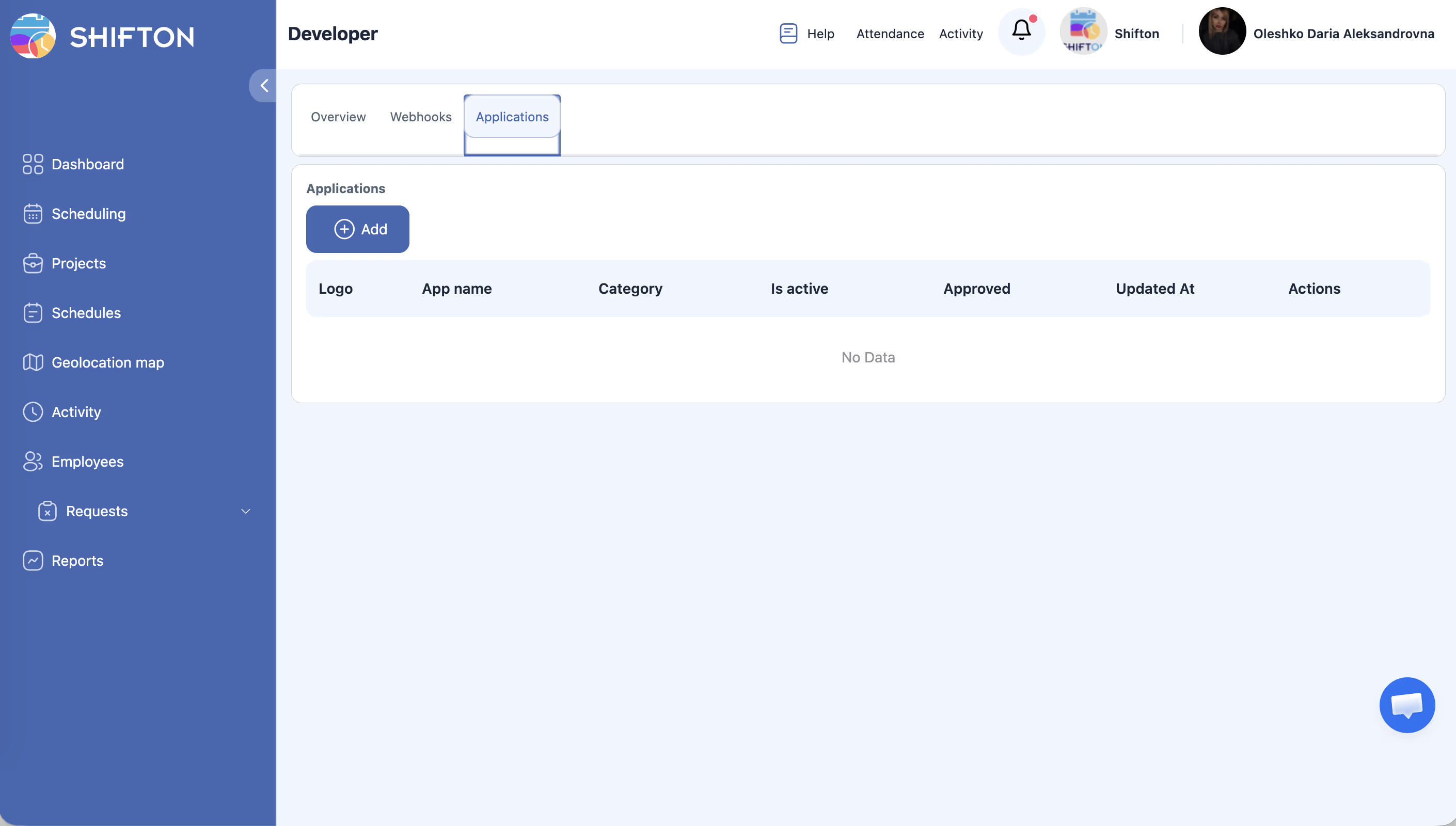
The Applications tab on the Developer page lets you create custom applications that connect to the Shifton platform. These applications can read data from Shifton, perform actions, and extend the platform’s functionality to meet your specific business needs. Each application is listed in a management table where you can track its status, category, and approval state.
Prerequisites
| Requirement | Details |
|---|---|
| Role | Owner |
| Knowledge | Familiarity with API development or access to a developer |
| API Access | Developer page access must be available for your account |
Step-by-Step Instructions
Accessing the Applications Tab
Creating a New Application
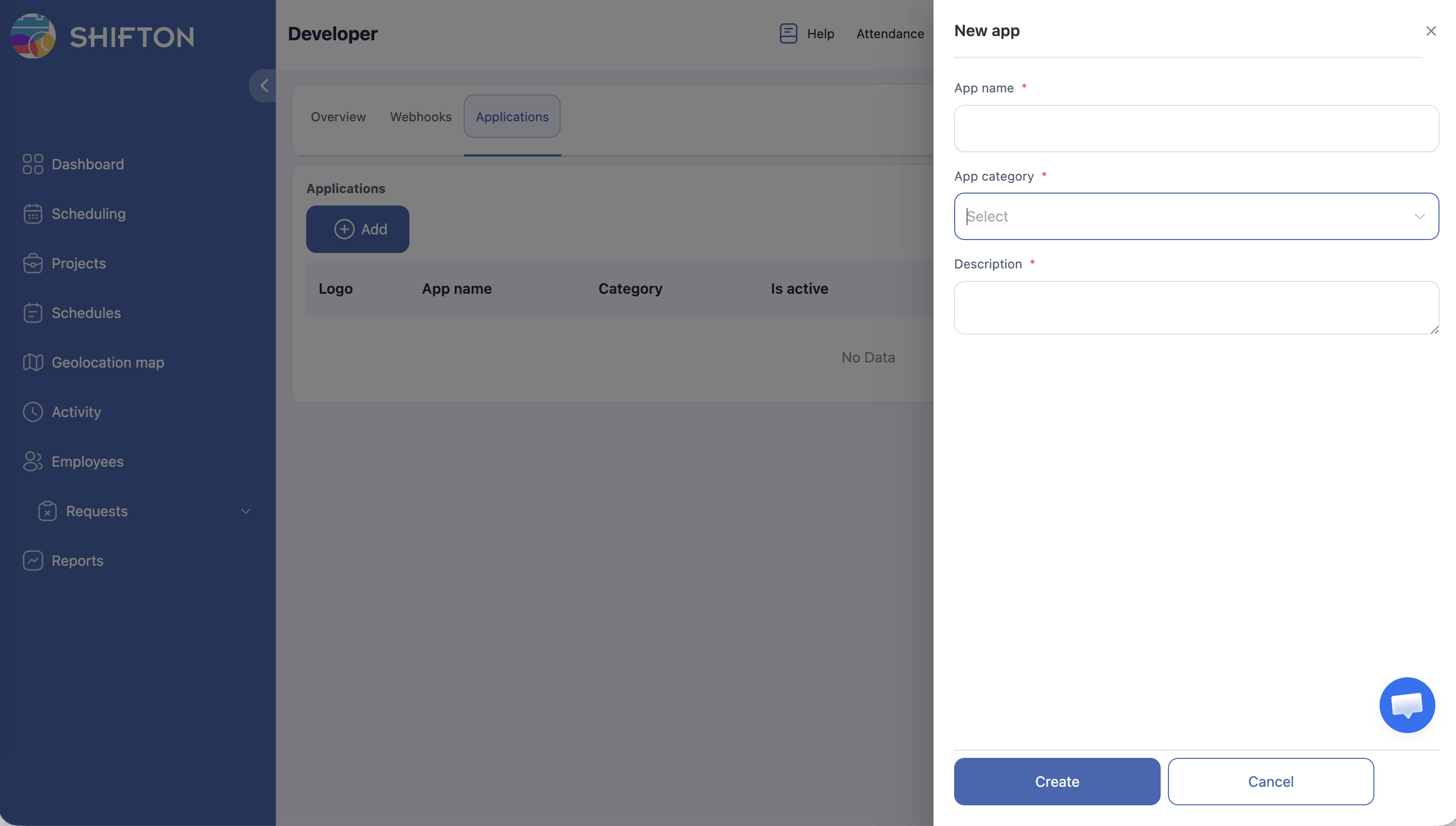
| Field | Description |
|---|---|
| App name | A descriptive name for your application |
| Logo | Upload an icon or logo for your app |
| Category | Select the category that best describes your app |
Understanding the Applications Table
The table displays the following columns for each application:
| Column | Description |
|---|---|
| Logo | The application’s icon |
| App name | The name of the application |
| Category | The category assigned to the application |
| Is active | Whether the application is currently enabled |
| Approved | Whether the application has been approved for use |
| Updated At | The date and time of the last update |
| Actions | Edit, activate/deactivate, or delete the application |
Managing an Application
| Action | Description |
|---|---|
| Edit | Modify the application name, logo, category, or settings |
| Activate/Deactivate | Toggle the application on or off |
| Delete | Permanently remove the application |
Access Permissions
| Role | View Applications | Create/Edit Applications | Delete Applications |
|---|---|---|---|
| Owner | Yes | Yes | Yes |
| No | No | No | |
| Manager | No | No | No |
| Employee | No | No | No |
FAQ
Q: What does “Approved” mean in the applications table?
A: The Approved status indicates whether the application has been reviewed and approved for use. Newly created applications may need to go through an approval process before they can be fully activated.
Q: Can I share my custom application with other Shifton companies?
A: Custom applications are created for your company. For broader distribution, refer to Shifton’s developer documentation for any available publishing or marketplace options.
Q: Is there a limit to how many applications I can create?
A: There is generally no hard limit, but refer to the API documentation for any usage restrictions that may apply.
Q: What happens to data if I delete an application?
A: Deleting an application stops all its API access. Any data previously read or written through the app remains in Shifton, but the application can no longer interact with it.
Possible Issues and Solutions
| Issue | Possible Cause | Solution |
|---|---|---|
| “+ Add” button not visible | Insufficient permissions | Ensure you have Owner role |
| Application stuck in “not approved” | Approval process has not been completed | Check the approval requirements in the developer documentation |
| Application not working after activation | API configuration is incomplete or incorrect | Review the application settings and API permissions |
| Cannot delete an application | Application may be in use or locked | Deactivate the application first, then try deleting |
| Logo not uploading | File format or size issue | Use a supported image format (PNG, JPG) and check the file size limit |
| Actions column shows no options | Browser rendering issue | Refresh the page or try a different browser |