

The General Information tab is the first thing that opens in Company Settings. It stores the basic company profile data: name, time zone, and logo. The time format (12h/24h) is a personal setting for each user in My profile.
Open: Company Settings > General Information.
Step-by-Step Instructions
Step 1: Open Company Settings
Click the company name (upper right corner) → Company Settings → General Information tab.
Step 2: Fill in Company Data
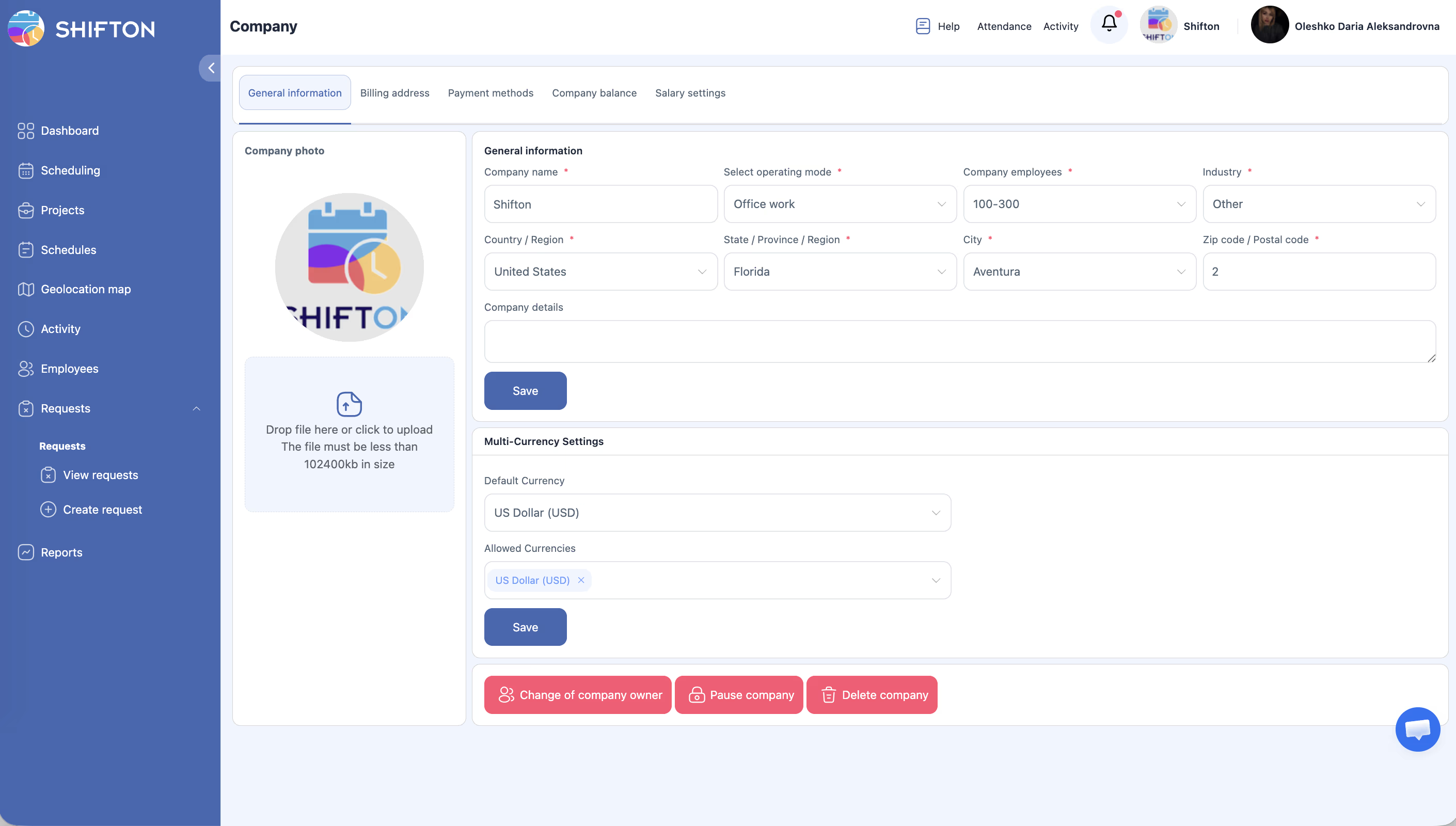
| Field | Description | Example |
|---|---|---|
| Company Name | Name used in headers, reports, and notifications | Acme Logistics Inc. |
| Company Time Zone | Time zone for schedules, reports, and shifts | Europe/London, America/New_York |
| Time Format | 12-hour (AM/PM) or 24-hour | 12h or 24h |
| First Day of Week | Start day of the weekly calendar | Monday or Sunday |
| Company Logo | PNG or JPG, recommended 200×200 pixels | logo.png |
Step 3: Upload a Logo (optional)
Click Upload Logo, select a PNG or JPG file. The preview will update automatically.
Step 4: Click Save
Related Articles
- Step-by-Step Setup Guide
- Company Registration
- Salary Settings
- Working with Multiple Companies
- Basic Company Settings
- Managing Projects
FAQ
Q: Will changing the time zone affect existing shifts?
A: Yes. Future schedules and shift display will be adjusted. Past records will remain unchanged — we recommend checking upcoming shifts.
Q: Can employees have a different time zone?
A: Yes. A personal time zone is set in the employee profile.
Q: What logo size should I use?
A: A square image at least 200×200 pixels, PNG or JPG, up to 5 MB.
Q: Does “First Day of Week” affect payroll calculation?
A: Only the weekly calendar view and weekly reports. Payroll calculation periods are in Salary Settings.
Q: The Save button is inactive.
A: Company settings are only available to the Owner role. Contact the account owner.
Q: My city is not listed in the time zone options.
A: Shifton uses the IANA database — regions, not all cities. Select the nearest major city (e.g., “Europe/Berlin” for CET).
Q: What happens if an employee and the company are in different time zones?
A: Shifts are displayed in the company time zone by default. Each user can set their own time zone in My profile.
Q: Does the time format (12h/24h) affect reports?
A: Yes. Reports and schedules display time in the selected format.
Q: Can I upload a logo in SVG or WebP format?
A: No. Only PNG and JPG are supported. Maximum size is 5 MB.
Q: The logo was uploaded but is not displaying in the interface.
A: Try reloading the page. Make sure the image is in PNG or JPG format and under 5 MB.
Q: Who can edit General Information?
A: Only users with the Owner role.
Q: Can I set different time zones for different projects?
A: No. The company time zone is shared. Individual time zones can only be set in each user’s profile.
Q: Does the company name affect login links for employees?
A: No. The login link is standard (app.shifton.com). The company name is displayed only in the interface and reports.
Q: How do I change the first day of the week from Sunday to Monday?
A: Company Settings → General Information → First Day of Week field → select Monday → save.
Q: Does changing the time format from 12h to 24h apply to everyone immediately?
A: No. The time format is a personal setting for each user in My profile. Each person chooses 12h or 24h for themselves.