

Company documents and your own ones open right from the phone: contracts, instructions, schedules, scans. Before, files were only in the web version.
There are two sections and they do not overlap: My files are your personal documents, Company files are the shared ones.
Step-by-step instructions
How to open them
☰ → the Personal group → My files or Company files.
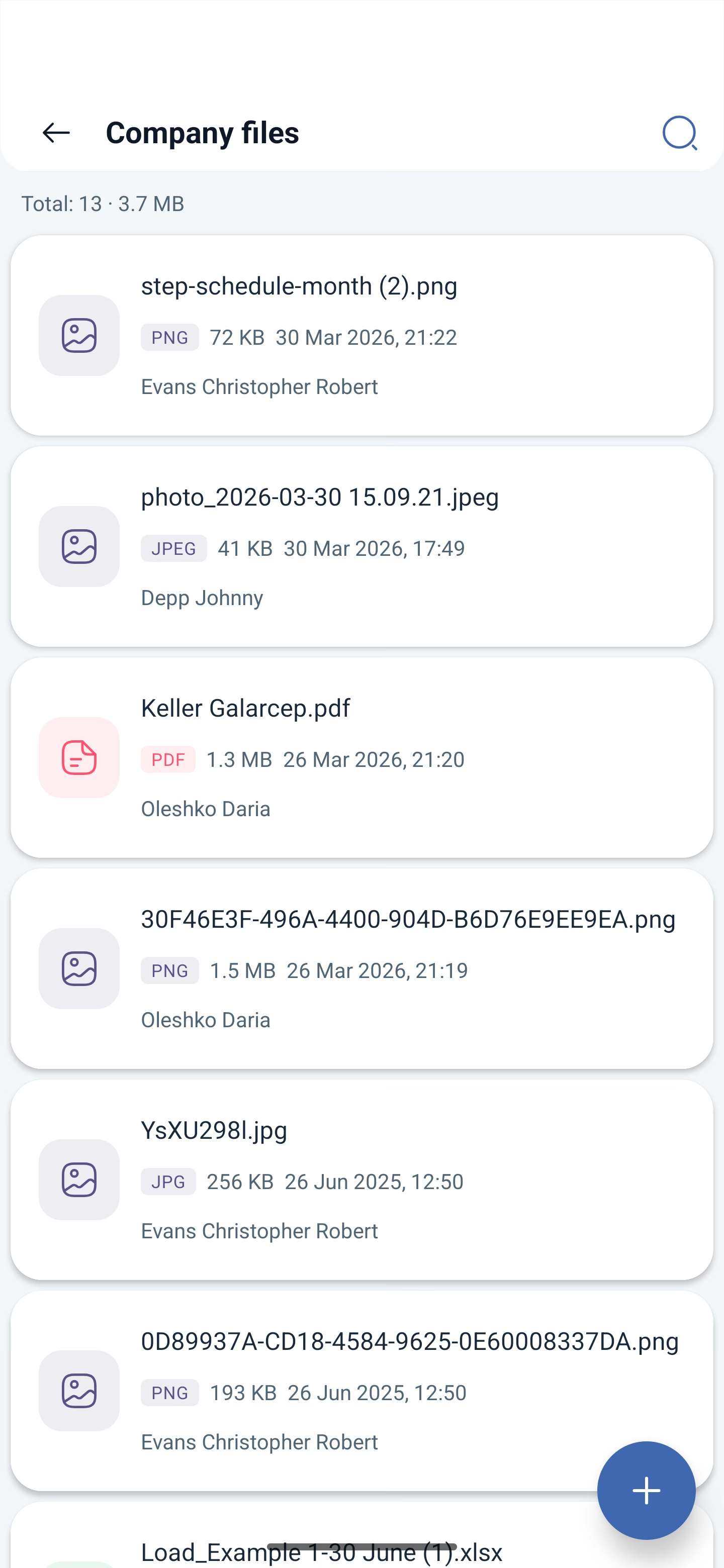
What is shown
At the top there is a counter: how many files there are and how much space they take up. Below is the list, with each row showing:
| What is shown | Explanation |
|---|---|
| The file name | The way it was uploaded |
| The type | PDF, XLSX, PNG, JPEG and others |
| The size | The weight of the file |
| The date | When it was uploaded |
| Who uploaded it | In company files — the name of the employee |
Uploading a file
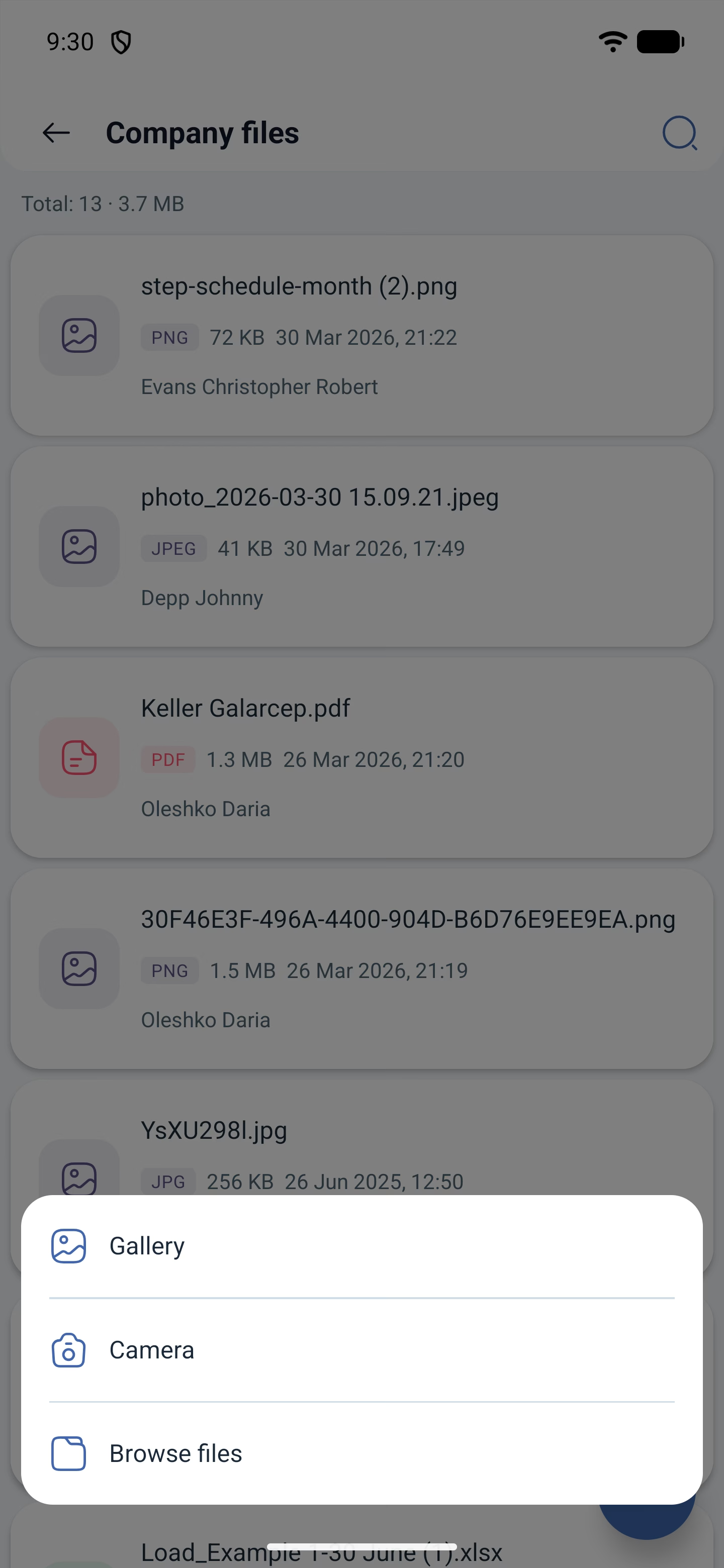
At the bottom right there is a button with a plus sign. It offers three sources:
| Source | What it takes |
|---|---|
| Gallery | An image from the phone gallery |
| Camera | Take a photo right now — handy for scans and photos of documents |
| Browse files | Any file from the device memory |
How the sections differ
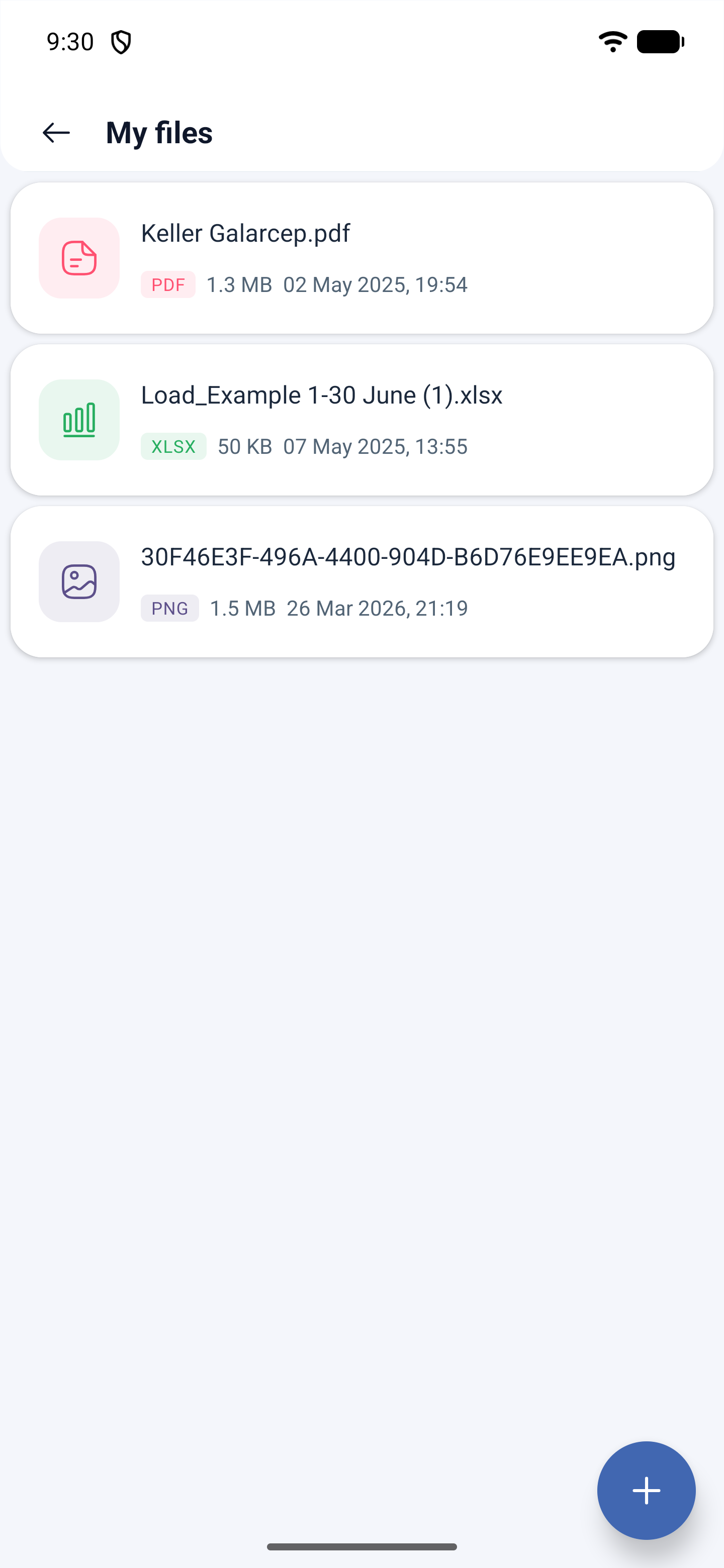
My files are the documents linked to you personally. You and an administrator see them in your profile.
Company files is the shared archive: you can see who uploaded a document and when. This is a separate paid module, charged as a fixed sum per month rather than for each employee.
Possible problems and solutions
| Problem | Cause | Solution |
|---|---|---|
| There is no Company files section | The files module is not connected | Connect it in Company → Modules |
| A file does not open | There is no app for this type on the phone | Download the file and open it with a suitable program |
| Other people’s files are not visible in My files | This is by design | It is a personal section. Shared documents are in Company files |
| A large file cannot be uploaded | A size limit | Reduce the file or upload it from the web version |
| A paper document needs to be attached | There is no scanner at hand | The upload button → Camera, take a photo right in the app |
| A file was uploaded by another person and needs to be removed | Not enough rights | Deleting shared files is available to an administrator and the owner |
Frequently asked questions (FAQ)
Question: How are “My files” different from “Company files”? Answer: The first are your personal documents, the second is the shared archive of the company.
Question: Is a separate module needed? Answer: For company files, yes, and it is charged as a fixed sum per month.
Question: Who sees my personal files? Answer: You and an administrator — they are in your employee profile.
Question: Which file types are supported? Answer: The usual office and graphics ones — text, images, PDF, spreadsheets.
Question: Is it visible who uploaded a document? Answer: In company files the employee is shown next to the entry.
Question: Can a file be uploaded from a phone? Answer: Yes, with the plus button: from the gallery, with the camera or by choosing a file from memory.
Question: How much space do the files take up? Answer: The total volume is shown by the counter at the top of the list.