

A project is a division or a line of work: a call center, a store, a crew. Schedules live inside a project, and it has its own time zone, its own basic rate and its own shift swap rules.
Projects can be created and set up by an administrator and by the owner.
Step-by-step instructions
How to open
☰ → the Team (TEAM) group → Projects (projects).
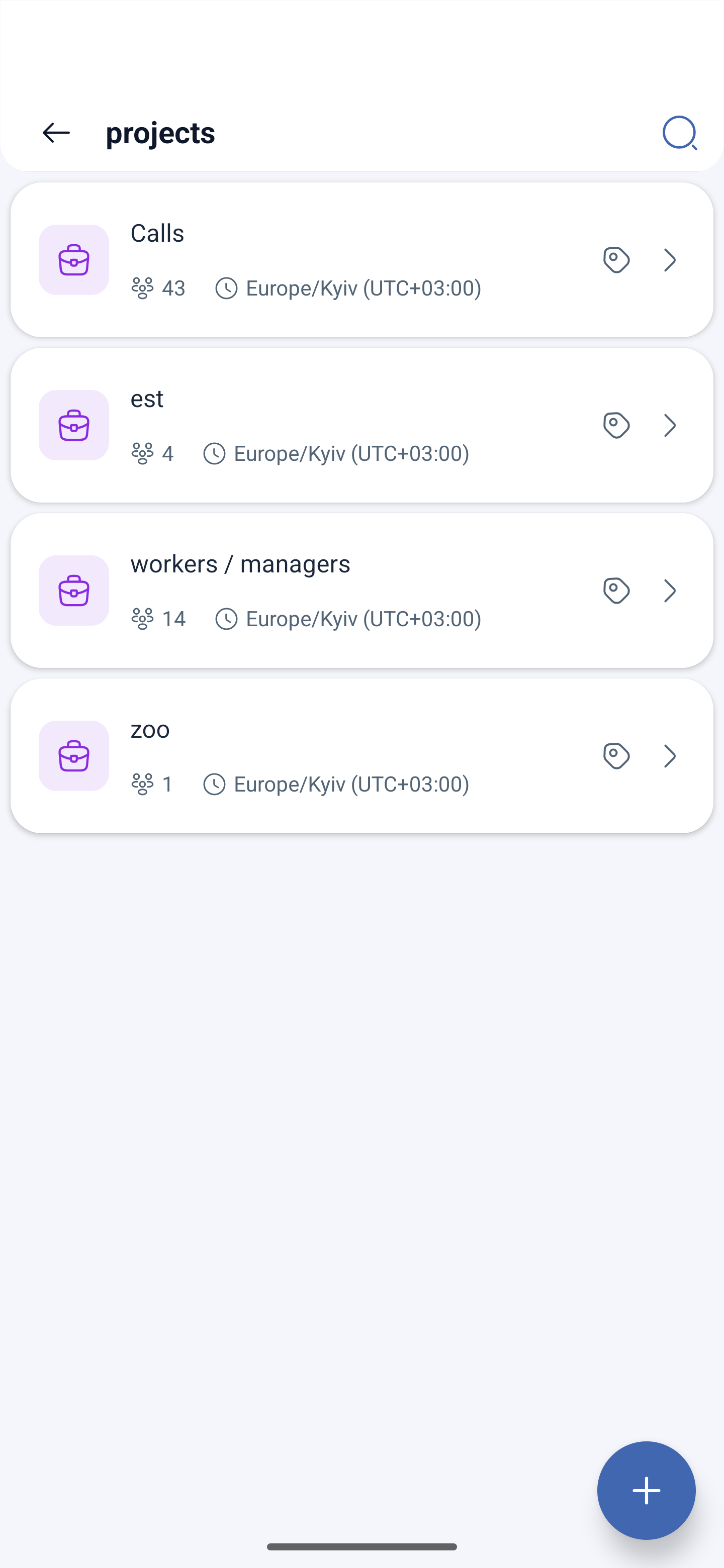
In the list, each project shows its name, the number of employees, the time zone, the marks and the make-up — how many workers and how many managers. Search is at the top, the add button is at the bottom right.
Creating a project
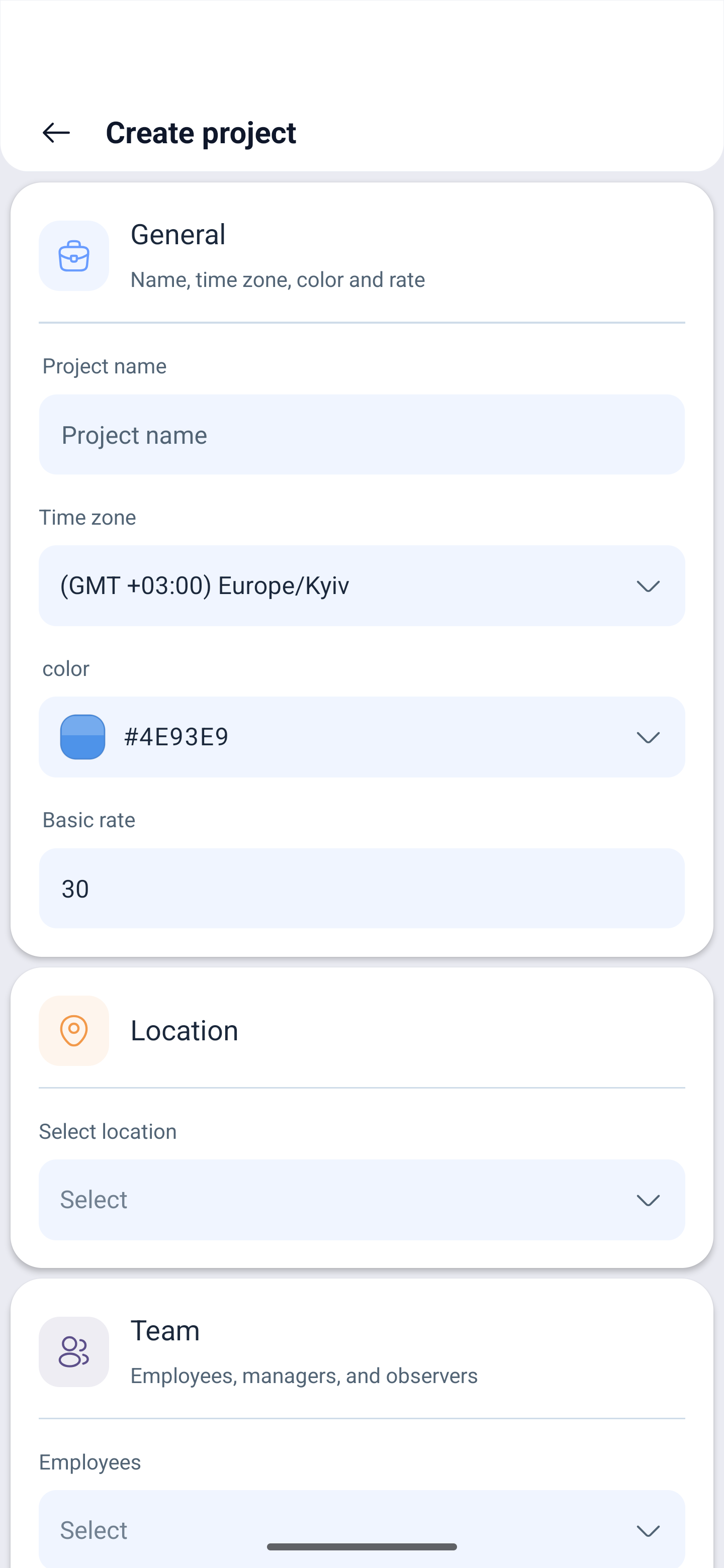
Tap + — Create project opens with three blocks.
General — name, time zone, color and rate:
| Field | Description |
|---|---|
| Project name | What the project is called |
| Time zone | The time of every shift in the project is counted by it |
| Color | The color mark of the project |
| Basic rate | The default rate for the employees of the project |
| Select location | A location from the company structure |
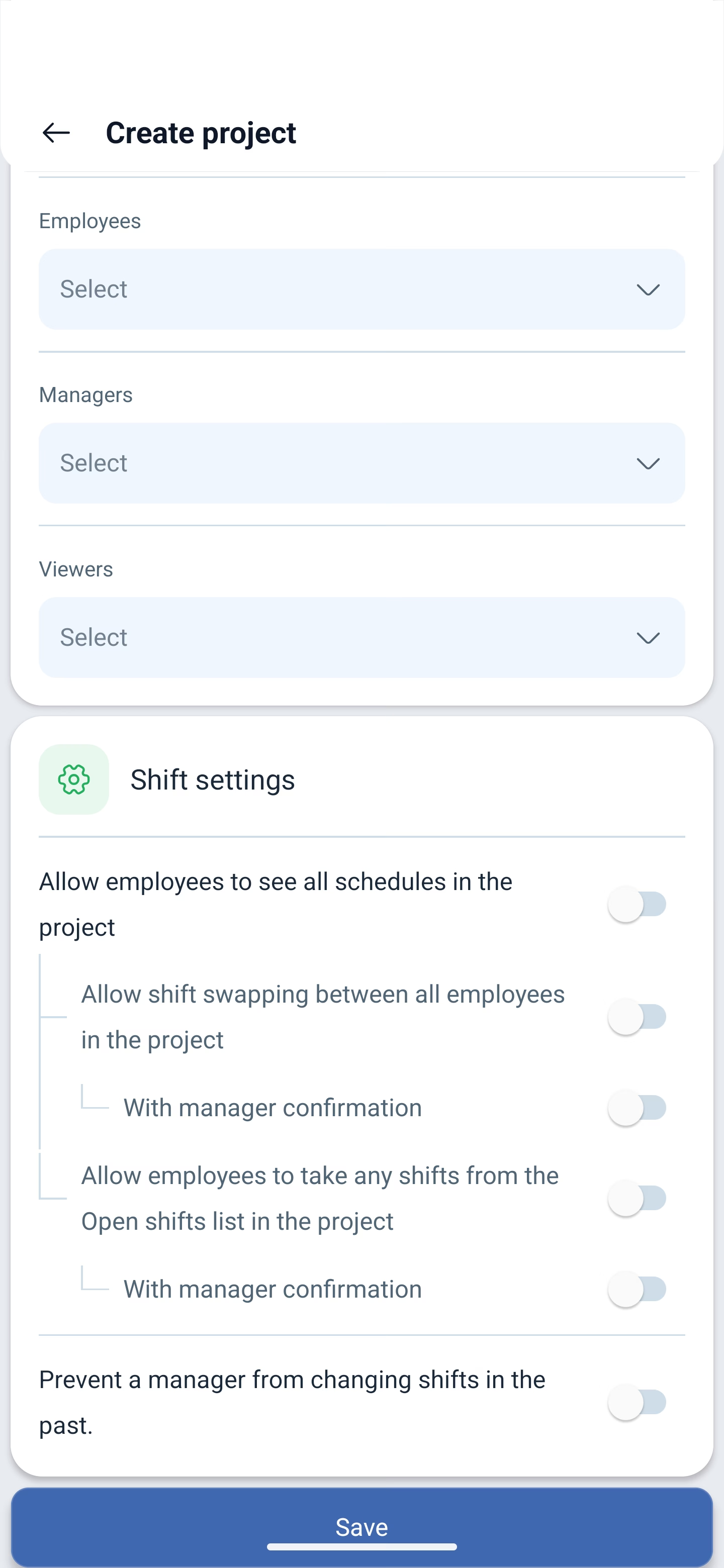
Team — three roles, each assigned separately:
| Role | What they can do |
|---|---|
| Employees | Work according to the schedules of the project |
| Managers | Create and edit the schedules of the project, approve requests |
| Viewers | See, but do not change |
Shift settings — five toggles that apply to the whole project:
| Toggle | What it allows |
|---|---|
| Allow employees to see all schedules in the project | To see not only their own schedule, but the other schedules of the project as well |
| Allow shift swapping between all employees in the project | To swap shifts not only within their own schedule |
| With manager confirmation | A swap goes through only after approval |
| Allow employees to take any shifts from the list of free ones in the project | To take free shifts from all the schedules of the project |
| Prevent a manager from changing shifts in the past | Protection against backdated edits |
These are the settings of the project. Every schedule has its own set of similar toggles — they refine the rules inside one particular schedule.
It all ends with the Save button.
Editing a project
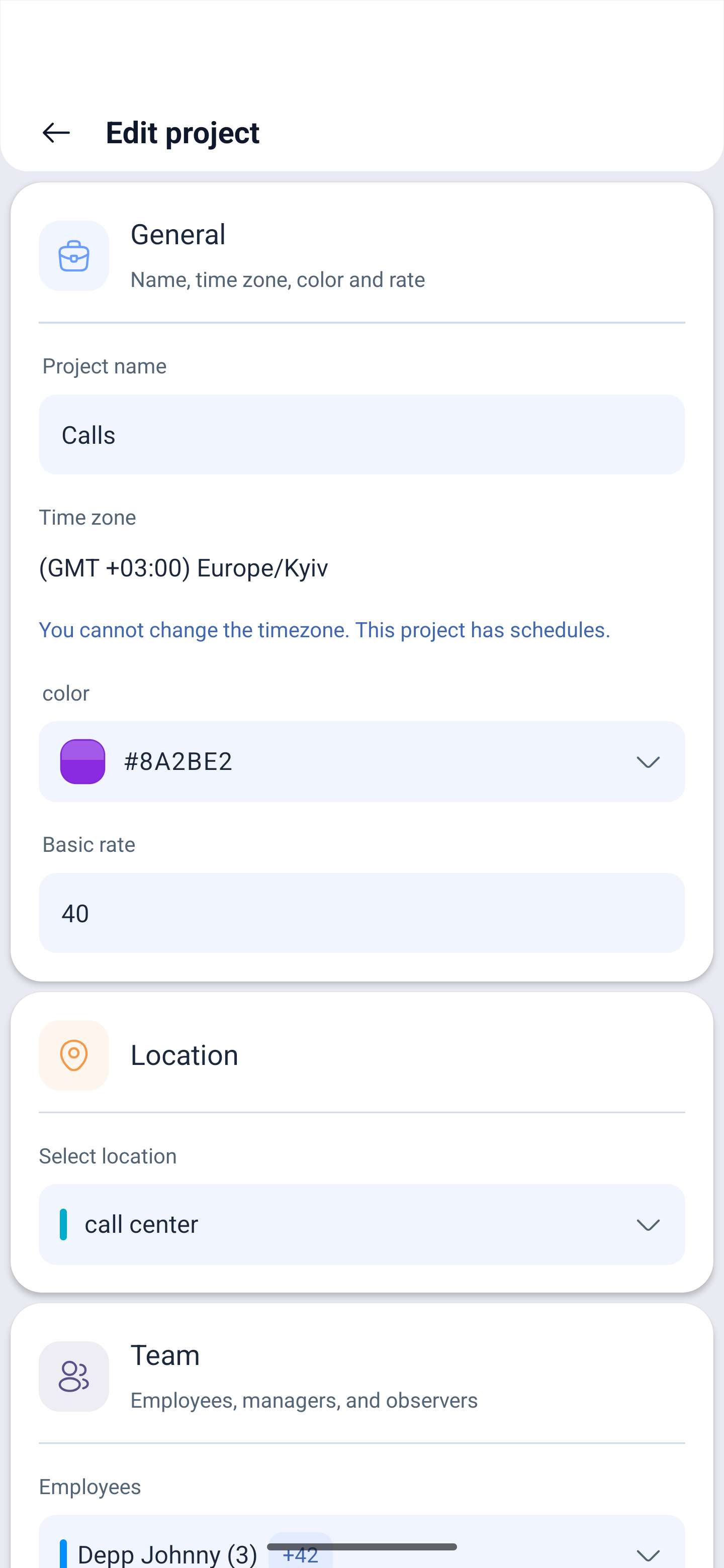
Tapping a project in the list opens Edit project — the same three blocks.
The time zone cannot always be changed: if the project already has schedules, the field is locked and the message You cannot change the time zone. This project has schedules. appears. The time zone is set once, when the project is created.
Possible problems and solutions
| Problem | Cause | Solution |
|---|---|---|
| The time zone cannot be changed | The project has schedules | The zone is set at creation. You will have to create a new project with the zone you need |
| An employee does not appear in the schedule | They are not in the project | Employee → project → schedule, all three steps are required |
| Employees swap shifts between schedules | Swapping is enabled at the project level | Turn off Allow shift swapping between all employees in the project or turn on manager confirmation |
| A manager edited a shift from last month | The ban on backdated edits is not enabled | Turn on Prevent a manager from changing shifts in the past |
| The new project turned out to be paid | Only one is free | Extra projects are charged for, see Company → Modules |
| An employee’s rate is not the one set in the project | The rate is taken along a chain | The rate is looked up in this order: company, schedule, position, location. Check what overrides the project one |
Frequently asked questions (FAQ)
Question: Why are projects needed if the employees are already in the company? Answer: A project links people to schedules. A schedule is built inside a project, and an employee will get into it only if they belong to that project.
Question: Can one person be put into several projects? Answer: Yes, and the role in each project can be different.
Question: How do the shift settings of a project differ from the settings of a schedule? Answer: The project settings apply to all of its schedules, the schedule settings refine the rules inside one of them.
Question: Who are the viewers? Answer: A role for those who need to see the schedule of the project but not to change it.
Question: How many projects are included for free? Answer: One. The rest are charged for.
Question: Can a project be given its own location? Answer: Yes, in the General block a location from the company structure is selected.