

Switch between different company accounts in Shifton if you are a member of more than one organization.
What Is This?
Shifton allows a single user account to be associated with multiple companies. This is common for freelancers, consultants, or part-time workers who work for more than one organization. Each company has its own separate settings, employees, schedules, and data. You can switch between companies at any time without logging out.
Prerequisites
| Requirement | Details |
|---|---|
| Account | Active Shifton account |
| Companies | You must be invited to and accepted into at least two companies |
Step-by-Step Instructions
Switching Between Companies
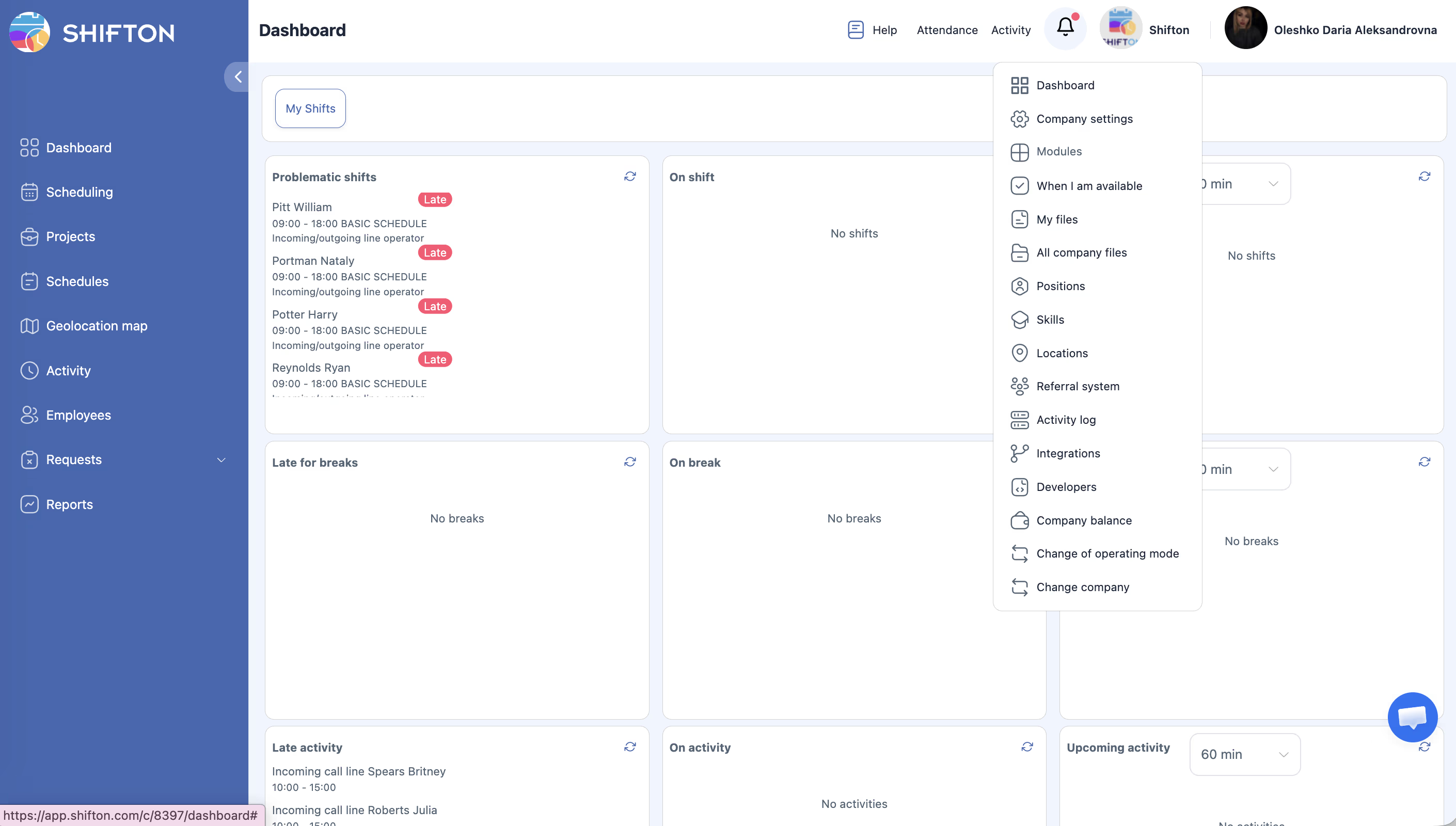
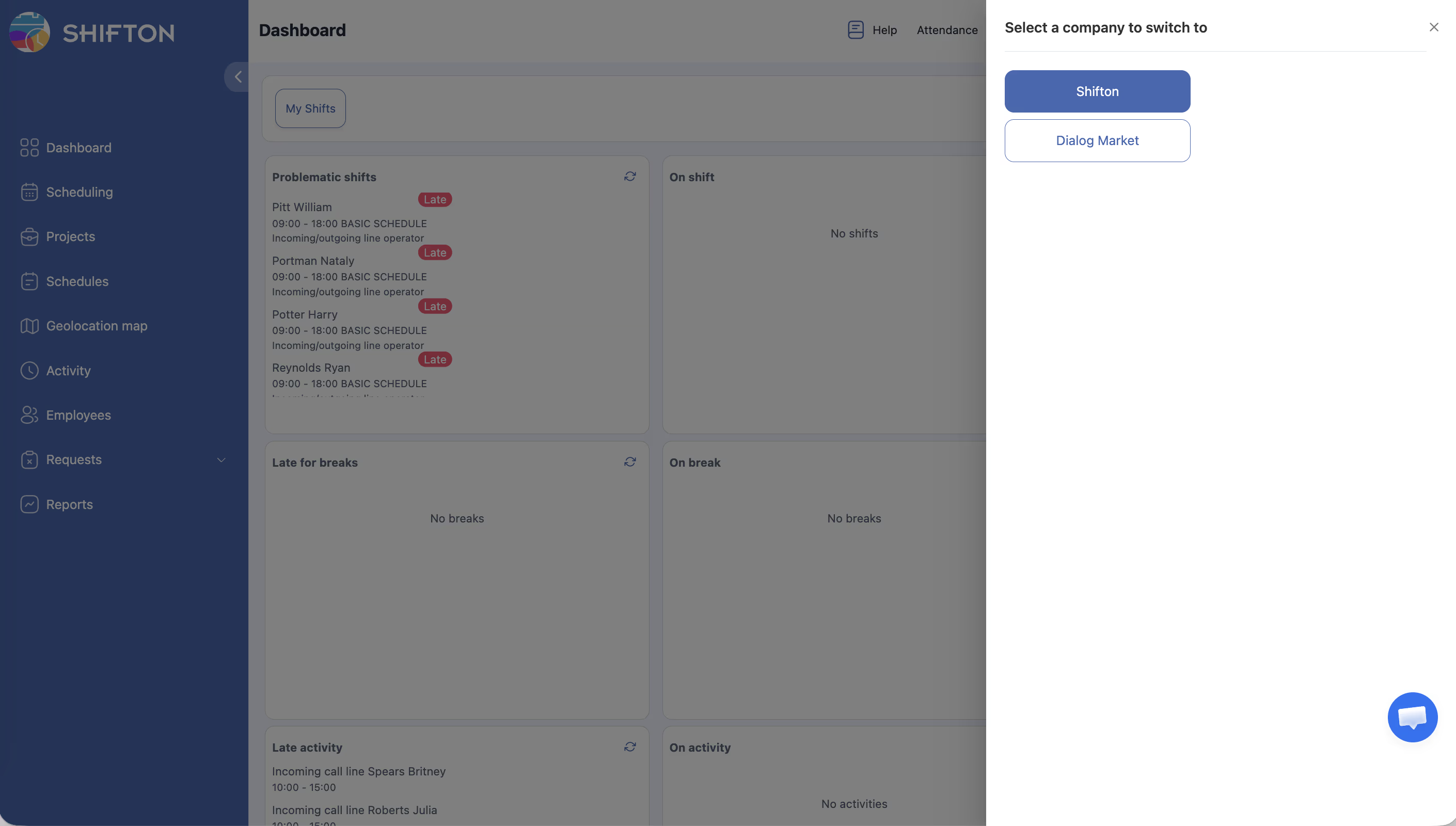
Understanding Company Separation
Each company operates independently within Shifton:
| Aspect | Behavior |
|---|---|
| Settings | Each company has its own modules, configurations, and preferences |
| Employees | Employee lists are separate per company |
| Schedules | Schedules, shifts, and projects are unique to each company |
| Roles | Your role may differ across companies (e.g., Manager in one, Employee in another) |
| Files | Company files are separate and not shared between companies |
| Billing | Each company has its own billing and subscription |
Identifying Your Current Company
Access Permissions
| Role | Switch Companies | View Company List |
|---|---|---|
| Owner | Yes | Yes (own companies) |
| Administrator | Yes | Yes (assigned companies) |
| Manager | Yes | Yes (assigned companies) |
| Employee | Yes | Yes (assigned companies) |
FAQ
Q: Is there a limit to how many companies I can belong to?
A: There is no built-in limit on the number of companies your account can be associated with.
Q: Do my shifts in one company affect my schedule in another?
A: No, each company’s schedule is completely independent. Shifton does not check for conflicts across companies.
Q: Can I have different roles in different companies?
A: Yes. You might be an Owner in one company and an Employee in another. Your role is set independently by each company’s administration.
Q: Do I use the same login for all companies?
A: Yes, you use a single Shifton account to access all companies you belong to. There is no need to create separate accounts.
Q: Can I transfer data between companies?
A: No, company data is isolated. Schedules, employees, and files cannot be transferred between companies.
Possible Issues and Solutions
| Issue | Possible Cause | Solution |
|---|---|---|
| “Change company” option not visible | You only belong to one company | You must be added to a second company to see this option |
| Cannot find a company in the list | You have not been invited to that company yet | Ask the company’s Owner or Administrator to invite you |
| Wrong company loaded after switching | Browser caching | Refresh the page after switching companies |
| Settings look different after switching | Each company has its own configuration | This is expected — settings are company-specific |
| Schedule not showing after switch | You are not assigned to a schedule in this company | Ask the company manager to assign you to a schedule |