

Set your preferred working times so managers can schedule you during the hours that work best for you.
What Is This?
The “When I Am Available” page allows you to define your availability windows — the days and times when you are able and willing to work. Managers who use the “By availability” schedule type can reference your availability when creating schedules, making it easier to assign shifts that fit your preferences. This is especially valuable in workplaces with flexible or rotating schedules.
Prerequisites
| Requirement | Details |
|---|---|
| Account | Active Shifton employee account |
| Schedule type | “By availability” schedule type should be in use for this feature to have an effect on scheduling |
Step-by-Step Instructions
Accessing Your Availability
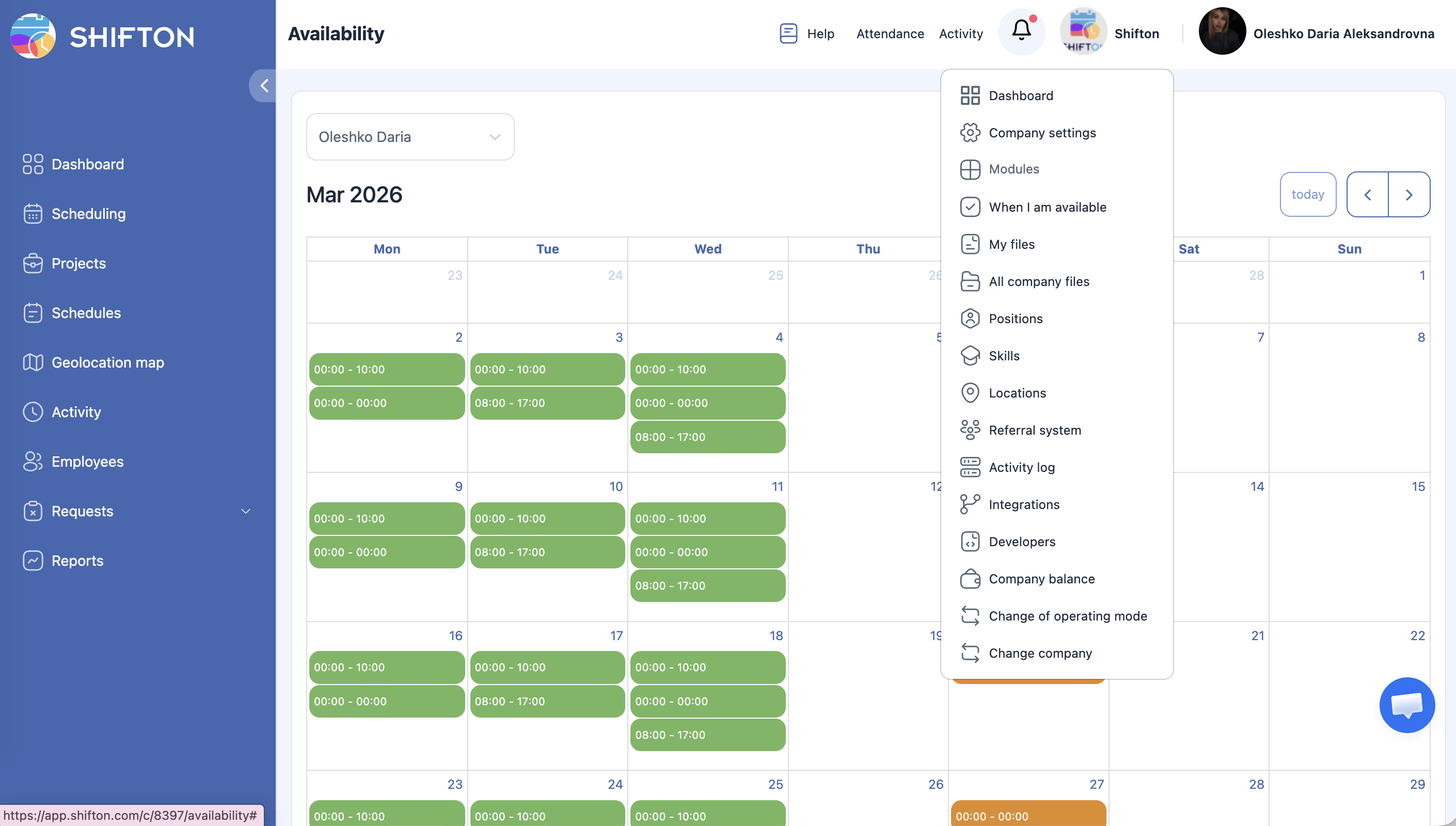
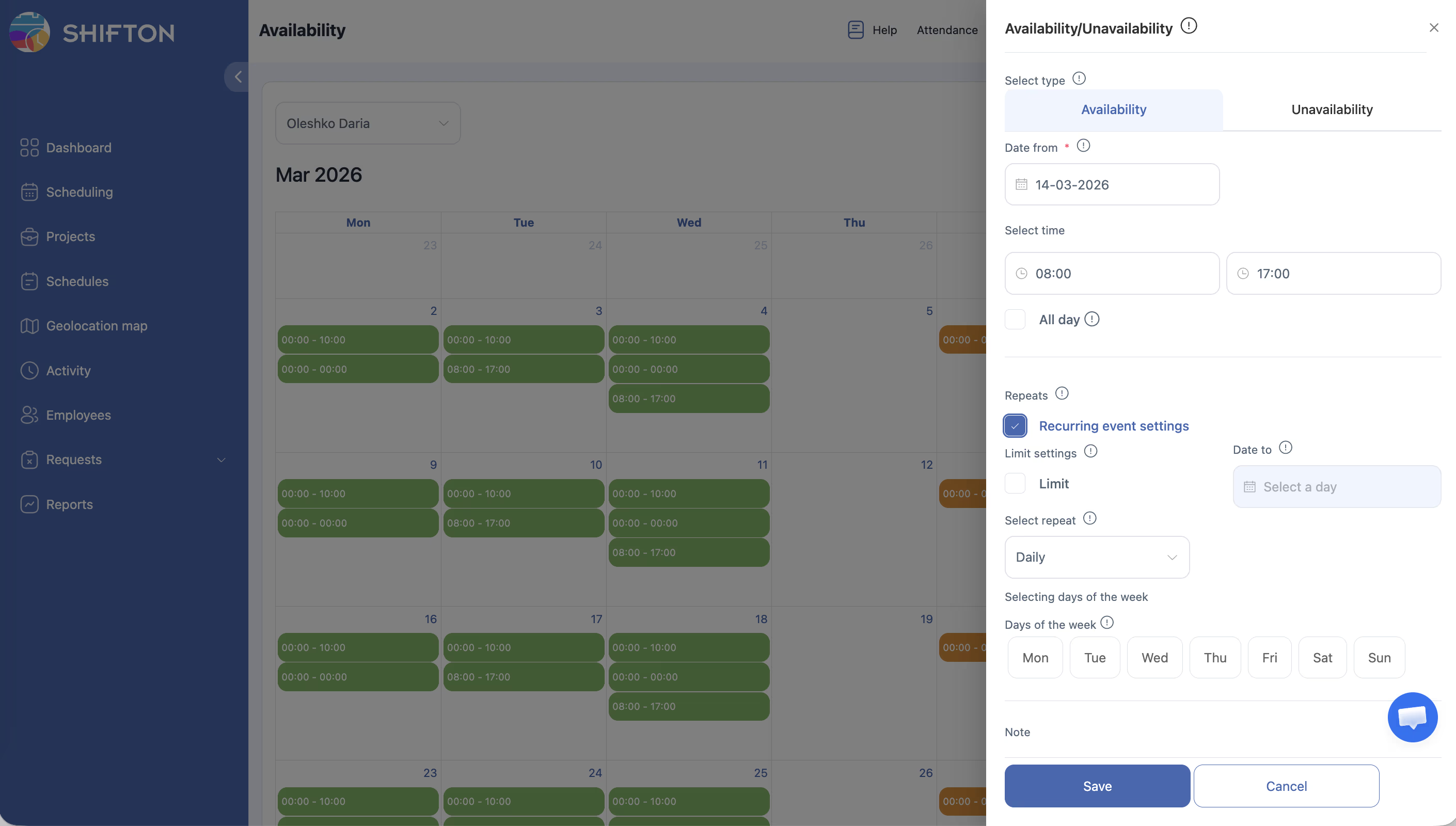
Setting Your Available Times
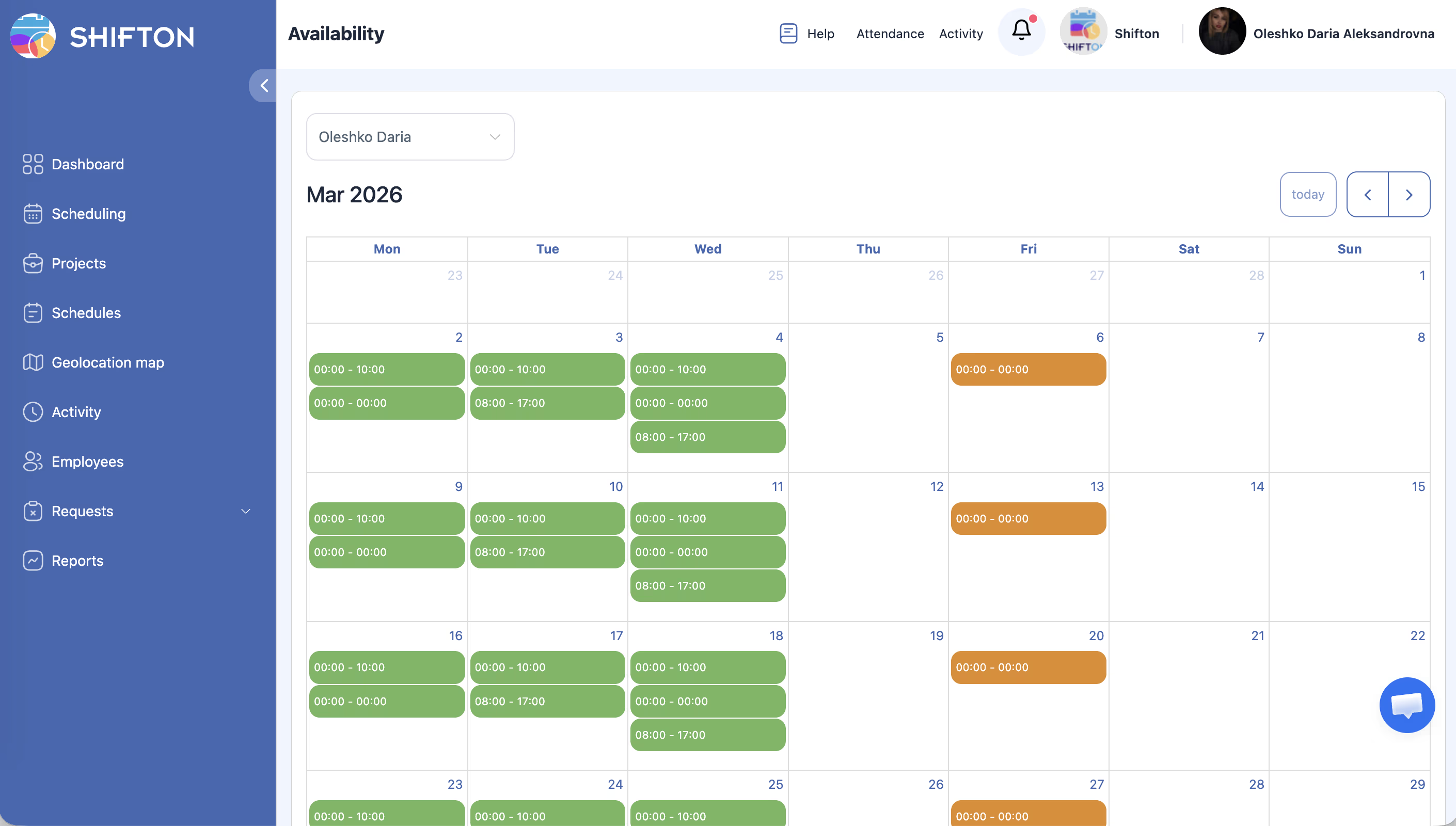
| Field | Description |
|---|---|
| Day | The day of the week |
| Start time | When your availability begins |
| End time | When your availability ends |
Editing Existing Availability
Tips for Setting Availability
| Tip | Details |
|---|---|
| Be as accurate as possible | The more precisely you set your availability, the better your schedule will match your preferences |
| Update regularly | If your availability changes (for example, due to classes or other commitments), update it promptly |
| Cover enough hours | Ensure your availability covers enough hours to meet your minimum shift requirements |
Access Permissions
| Role | Set Own Availability | View Employee Availability |
|---|---|---|
| Owner | Yes | Yes |
| Administrator | Yes | Yes |
| Manager | Yes | Yes (assigned employees) |
| Employee | Yes | No (own only) |
FAQ
Q: Does setting availability guarantee I will be scheduled during those times?
A: No, availability indicates when you can work, but the final schedule is created by your manager. They will try to match your availability when possible, but business needs may require adjustments.
Q: What happens if I do not set any availability?
A: If you leave your availability empty, your manager may not know when you prefer to work and might schedule you based on operational needs alone.
Q: Can my manager override my availability and schedule me during unavailable times?
A: Yes, managers have the final say on scheduling. However, they can see your availability and will typically try to respect it.
Q: How far in advance should I set my availability?
A: Set your availability as far in advance as you can. If your availability is the same every week, set it once and update only when changes occur.
Possible Issues and Solutions
| Issue | Possible Cause | Solution |
|---|---|---|
| Availability page not accessible | Feature may not be enabled for your company | Ask your administrator if the availability feature is active |
| Changes not saving | Browser issue or network interruption | Refresh the page and try saving again; check your internet connection |
| Manager is not using my availability | Schedule is not set to “By availability” type | Ask your manager which schedule type is being used |
| Cannot select certain time slots | Time slots may be blocked by company settings | Check with your administrator for any availability restrictions |
| Availability looks wrong on the calendar | Time zone mismatch | Verify your time zone is set correctly in My Profile |