

My Files is your personal file storage area where you can manage documents uploaded to your Shifton account.
What Is This?
The My Files page (/files) provides a personal file storage space for the currently logged-in user. Unlike Company Files, which are shared across the organization, My Files shows only the files that belong to you. Use it to store personal documents, certificates, or any files relevant to your employment.
Prerequisites
| Requirement | Details |
|---|---|
| Account | Active Shifton account |
| Module | Company files module should be active in your company |
Step-by-Step Instructions
Accessing My Files
Viewing Your Files
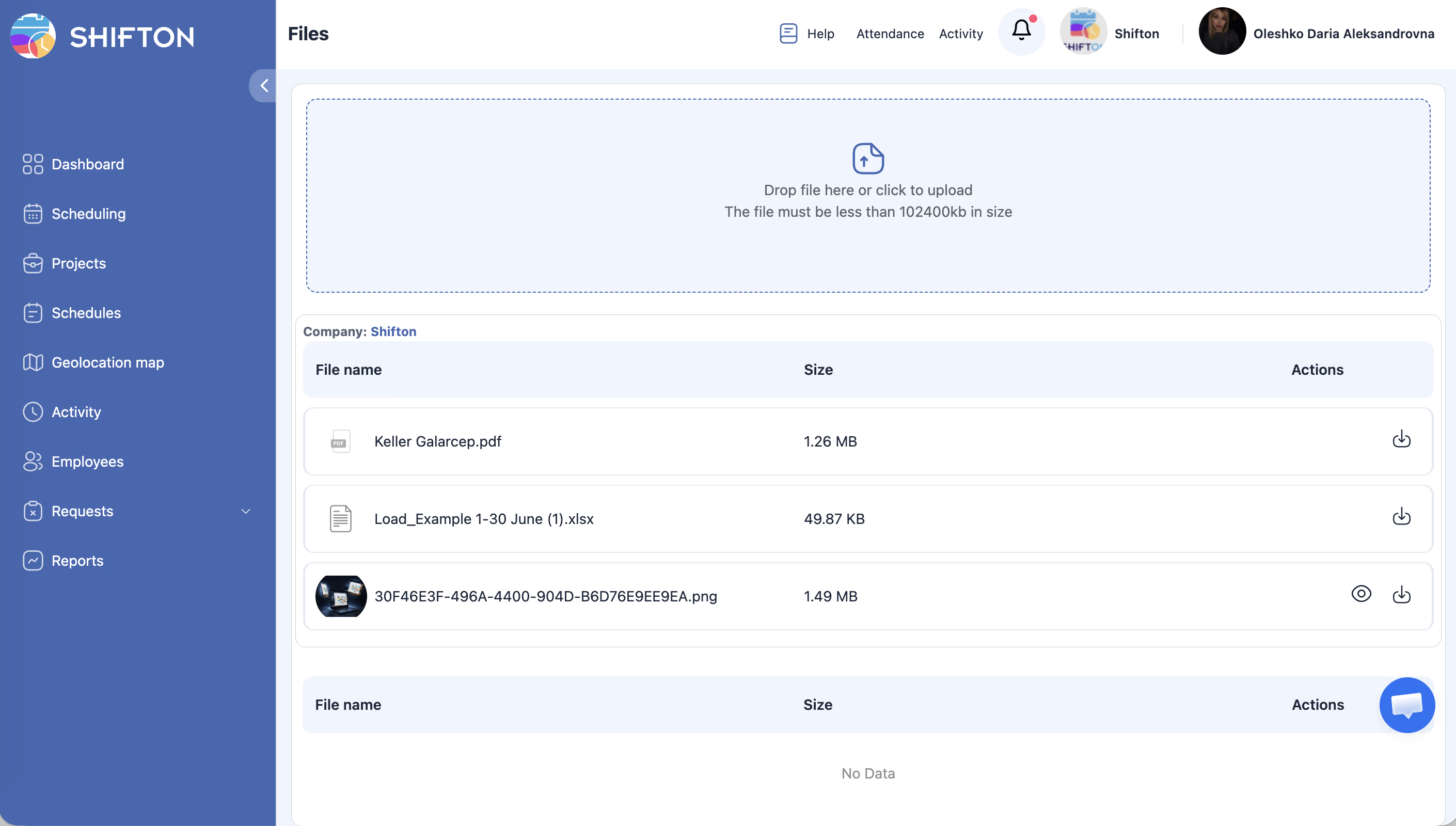
The file table shows the same structure as Company Files but filtered to your uploads only:
| Column | Description |
|---|---|
| File name | Name of the file |
| Date created | When you uploaded the file |
| Type | File format |
| Size | File size in KB |
| Actions | View, download, or delete |
Uploading a Personal File
Downloading a File
Deleting a File
Access Permissions
| Role | View Own Files | Upload Files | Delete Own Files |
|---|---|---|---|
| Owner | Yes | Yes | Yes |
| Administrator | Yes | Yes | Yes |
| Manager | Yes | Yes | Yes |
| Employee | Yes | Yes | Yes |
FAQ
Q: Can my manager see my personal files?
A: My Files is your personal storage. However, administrators and owners may have access to all files depending on the company configuration. Check with your administrator for details.
Q: Is there a storage limit for My Files?
A: Storage limits depend on your company’s plan. Contact your administrator or Shifton support for specifics.
Q: Can I share a file from My Files with a colleague?
A: My Files is for personal storage. To share a file with your team, ask a manager or administrator to upload it to Company Files.
Possible Issues and Solutions
| Issue | Possible Cause | Solution |
|---|---|---|
| My Files page not accessible | Company files module not activated | Ask your administrator to activate the module |
| File upload fails | File exceeds size limit or is an unsupported type | Try a smaller file or convert to a supported format |
| Files disappeared | Accidentally deleted or account issue | Deleted files cannot be recovered; re-upload if needed |
| Cannot download a file | Browser blocking the download | Check your browser’s download settings and allow downloads from Shifton |
| No upload button visible | Feature may be restricted for your role | Contact your administrator to verify your permissions |