

Manage your personal information, contact details, and notification preferences from the My Profile page.
What Is This?
My Profile (/profile#general) is your personal settings page in Shifton. Here you can update your contact information, set notification preferences, and manage other personal account settings. This page is separate from any company-level settings and applies only to your individual account.
Prerequisites
| Requirement | Details |
|---|---|
| Account | Active Shifton account |
Step-by-Step Instructions
Accessing My Profile
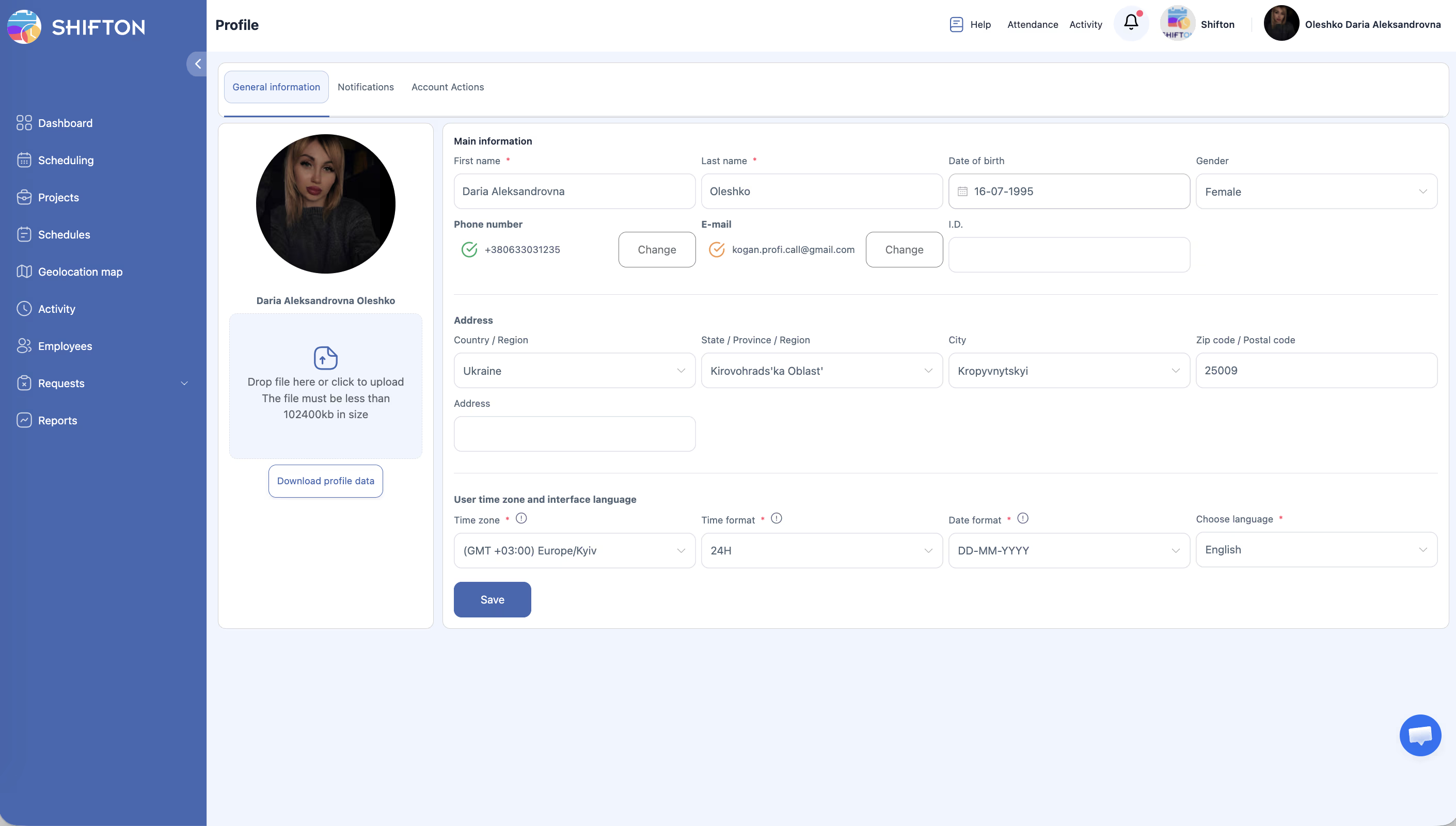
Updating Personal Information
| Field | Description |
|---|---|
| First name | Your first name |
| Last name | Your last name |
| Your email address (used for login and notifications) | |
| Phone number | Your phone number |
| Time zone | Your local time zone (affects how times are displayed) |
| Language | Your preferred language for the Shifton interface |
Configuring Notification Preferences
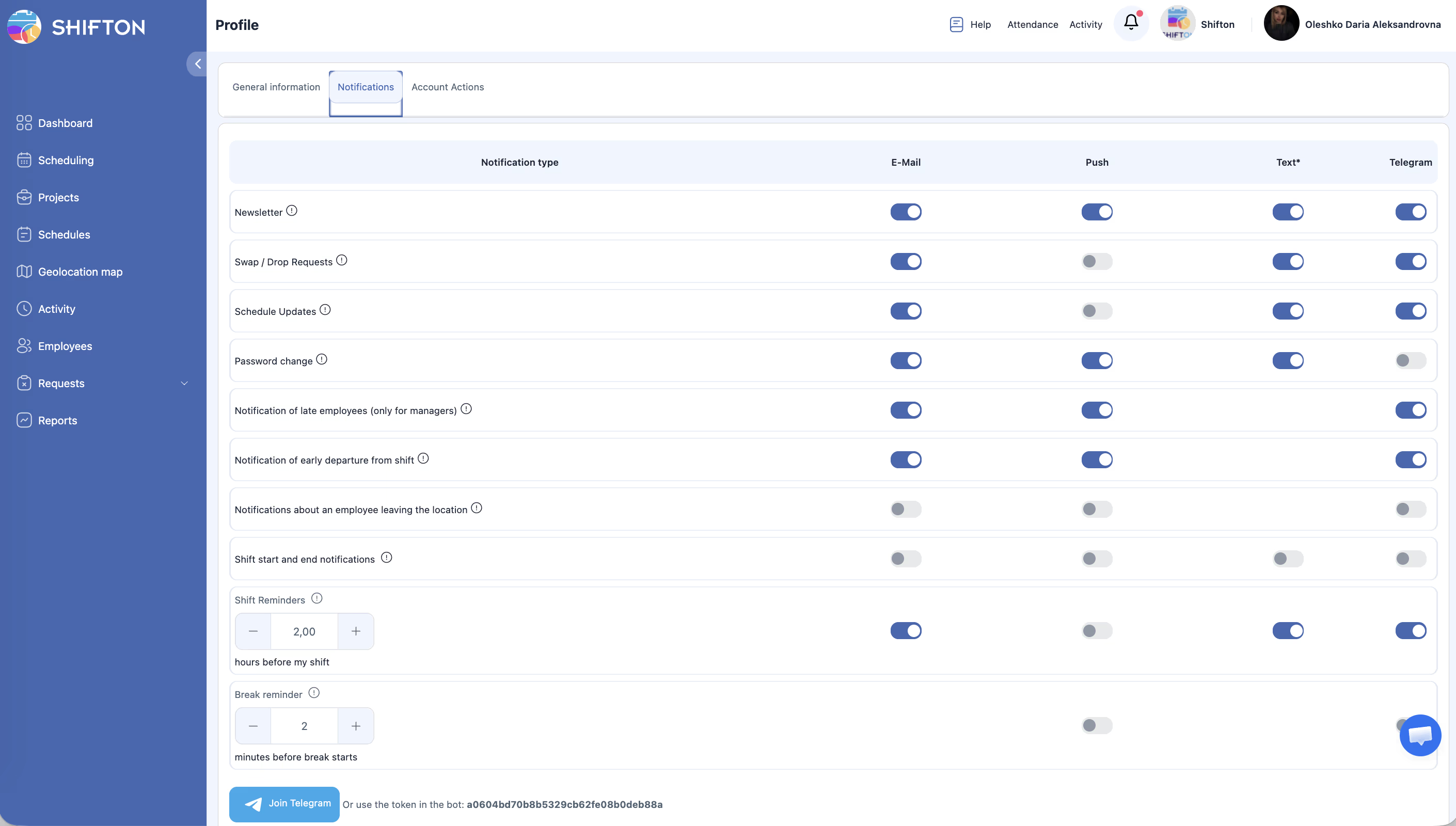
| Notification Channel | Description |
|---|---|
| Receive notifications via email | |
| Push | Receive push notifications (requires mobile app or browser permissions) |
| In-app | See notifications within the Shifton interface |
Uploading a Profile Photo
Access Permissions
| Role | Edit Own Profile | View Other Profiles |
|---|---|---|
| Owner | Yes | Yes (via employee management) |
| Administrator | Yes | Yes (via employee management) |
| Manager | Yes | Yes (assigned employees) |
| Employee | Yes | No |
FAQ
Q: Does changing my email address affect my login?
A: Yes, your email is used for logging in. If you change it, use the new email the next time you sign in.
Q: Can my manager change my profile information?
A: Managers and administrators can update certain employee details through the employee management section, but your personal profile settings are primarily managed by you.
Q: What time zone should I set?
A: Set the time zone to your local time zone. This ensures that shift times, notifications, and other time-sensitive information display correctly for you.
Q: How do I change the interface language?
A: On the General tab, find the Language field and select your preferred language from the dropdown. Save your changes and the interface will switch to the selected language.
Possible Issues and Solutions
| Issue | Possible Cause | Solution |
|---|---|---|
| Cannot save profile changes | Required field is empty or invalid | Check all fields for errors and fill in required information |
| Profile photo not uploading | Image file too large or unsupported format | Use a JPG or PNG file under the size limit |
| Notifications not arriving | Notification channels are turned off | Check your notification preferences and enable the desired channels |
| Time displays are incorrect | Wrong time zone set in profile | Update your time zone to match your current location |
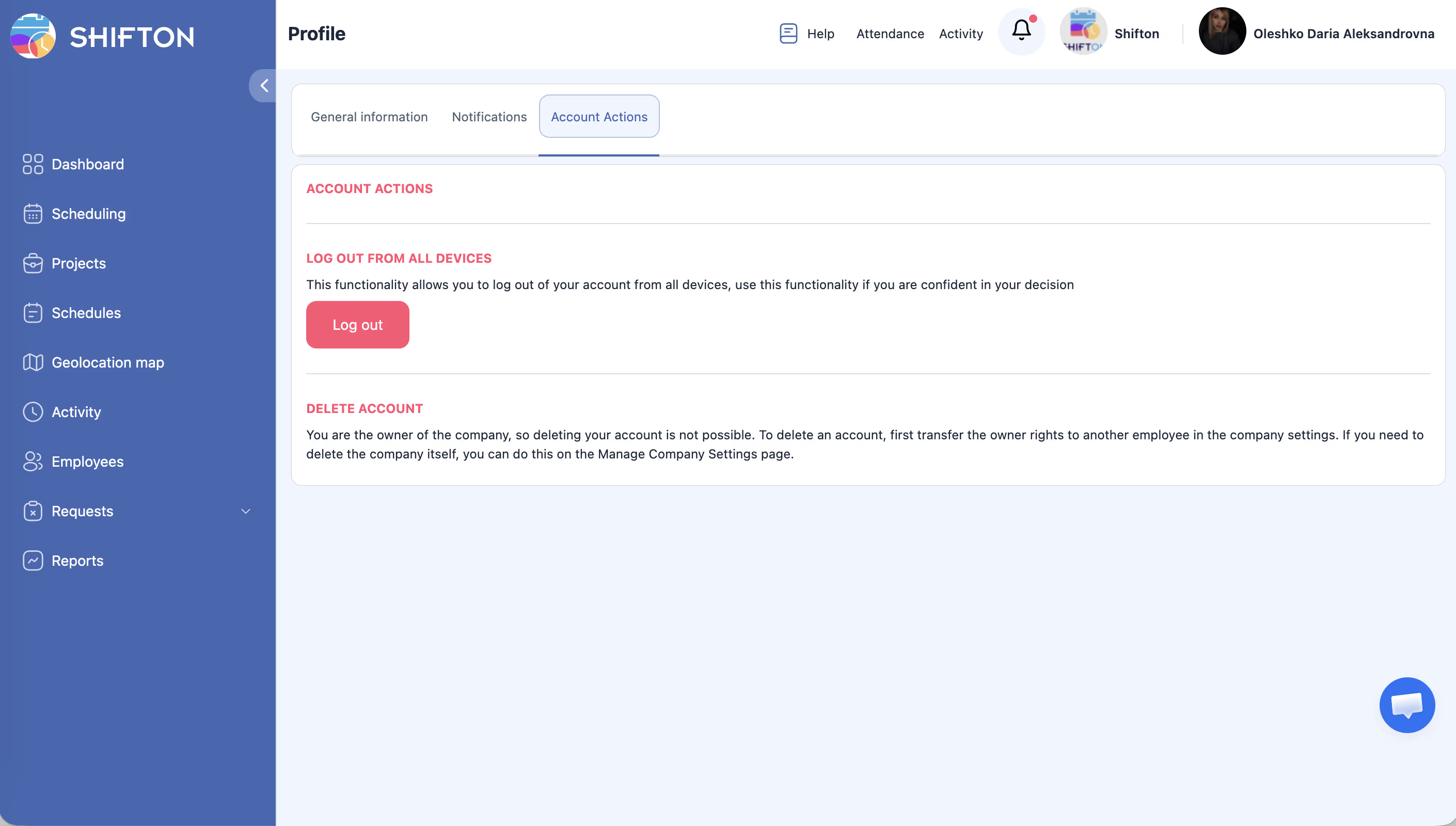
| Cannot access My Profile | Session expired | Log out and log back in |