

Employees can request to create their own shifts, allowing them to propose work times that suit their availability.
What Is This?
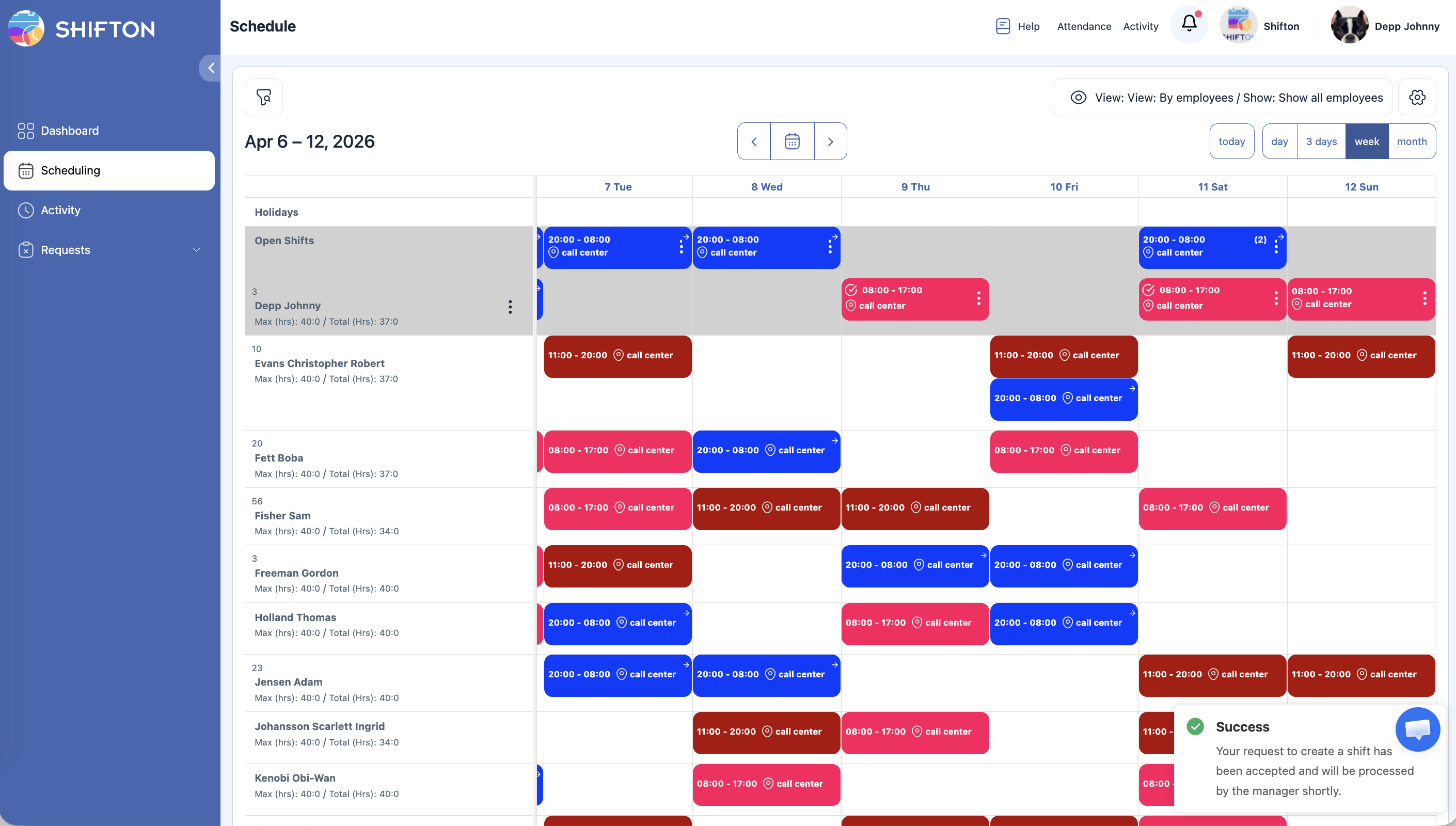
The shift creation request feature lets employees propose new shifts for themselves directly from the schedule. Instead of waiting for a manager to build every shift, employees can suggest when they would like to work. The request goes through an approval process, and once approved, the shift is added to the schedule. This is especially useful in flexible work environments where employees have variable availability.
Prerequisites
| Requirement | Details |
|---|---|
| Module | Schedules module must be active |
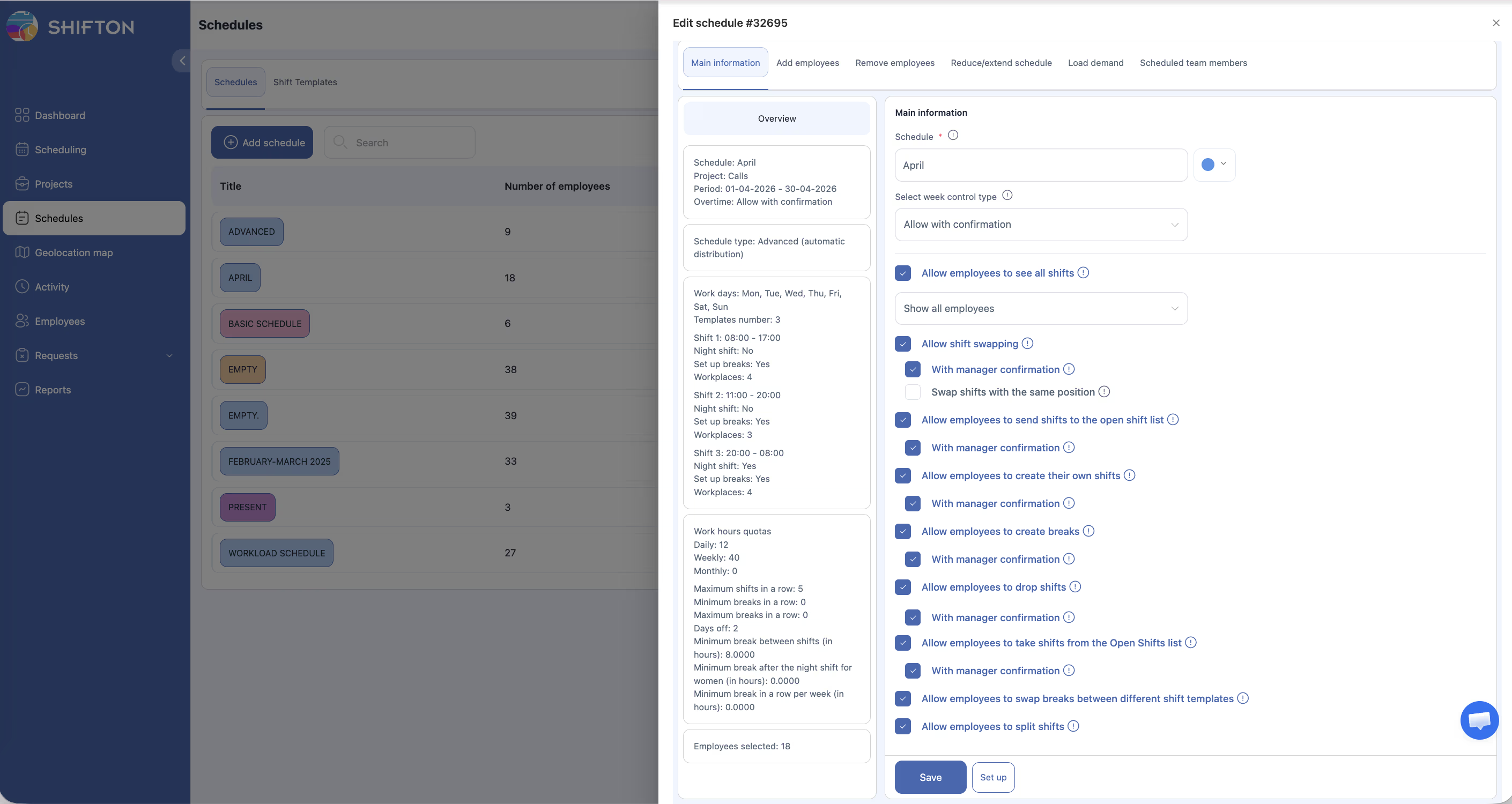
| Setting | “Allow employees to create their own shifts” must be enabled in schedule settings |
| Schedule | Employee must be assigned to the schedule |
Step-by-Step Instructions
Enabling Shift Creation Requests (Manager/Admin)
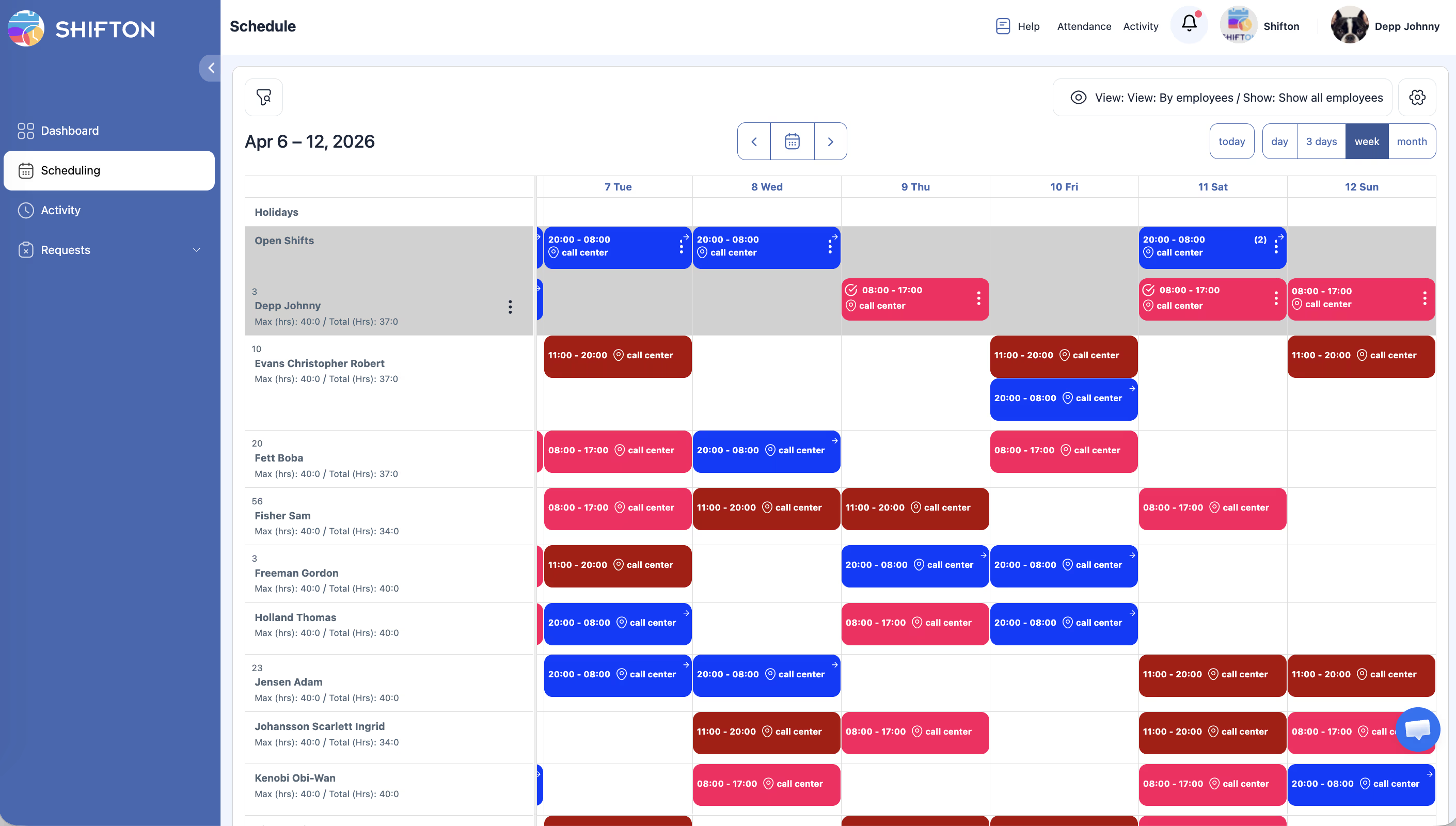
Submitting a Shift Creation Request (Employee)
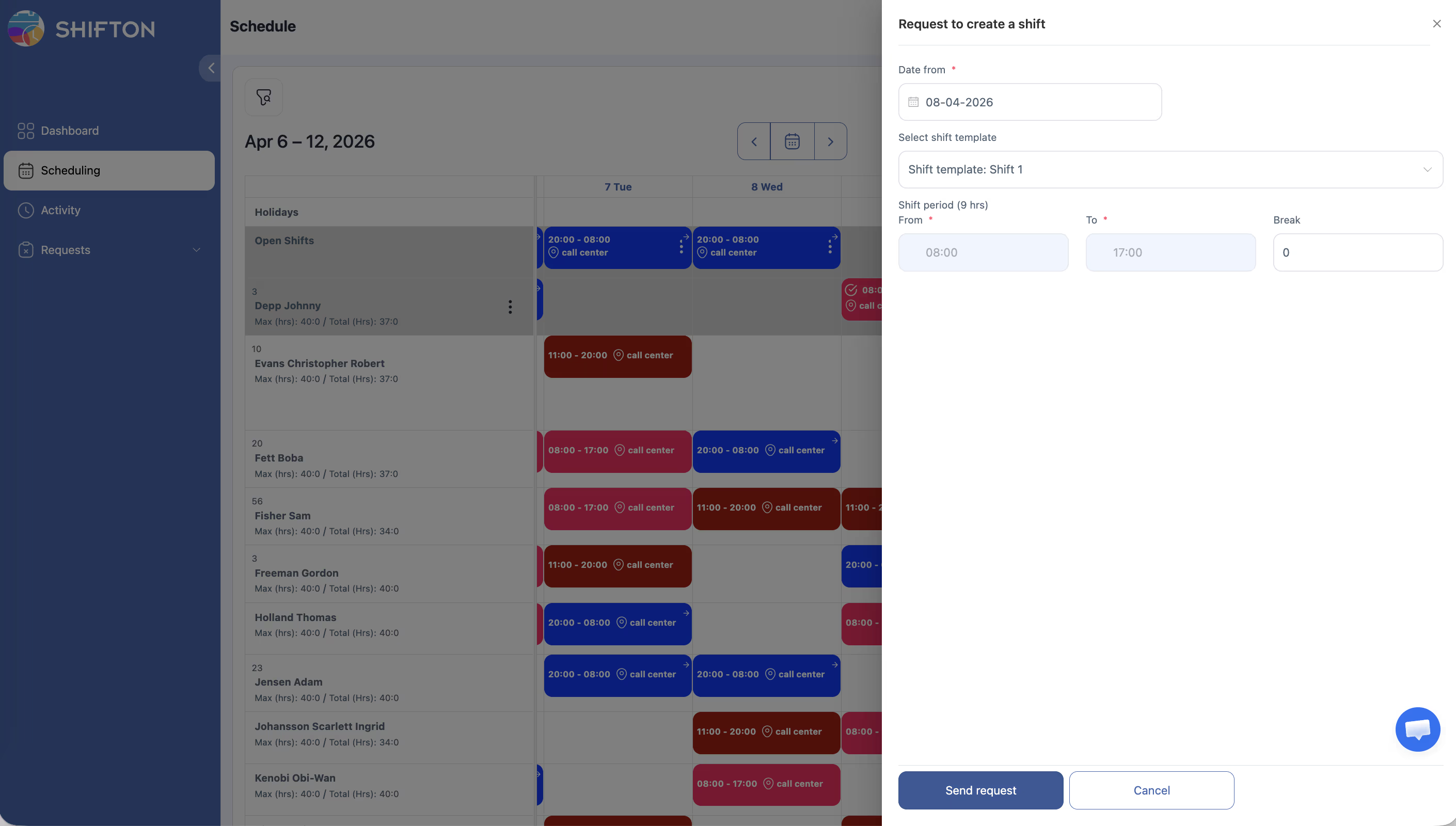
| Field | Description |
|---|---|
| Date | The date for the proposed shift |
| Start Time | When the shift should begin |
| End Time | When the shift should end |
| Position | Your position for this shift (if applicable) |
| Comment | Optional note explaining the request |
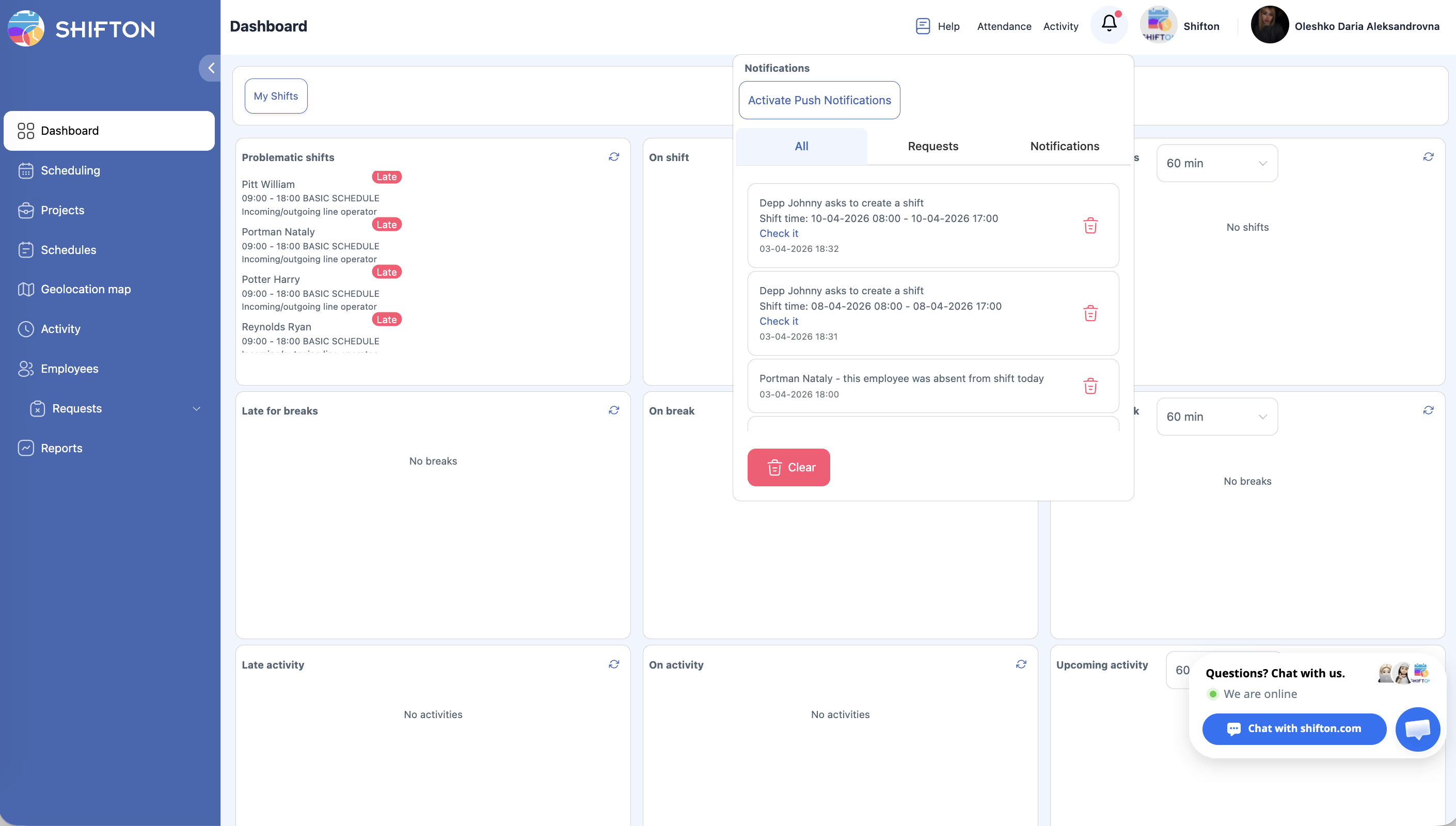
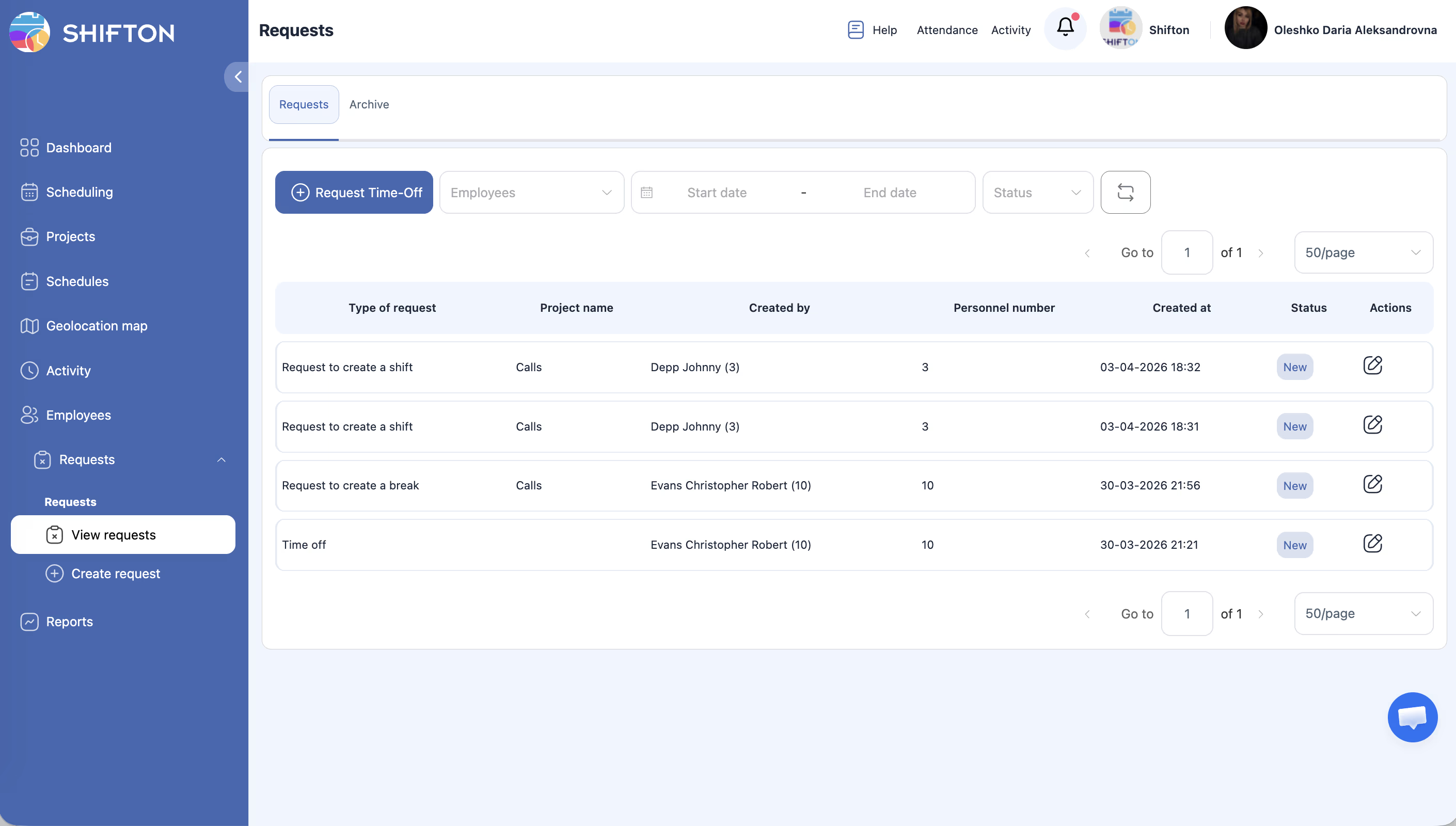
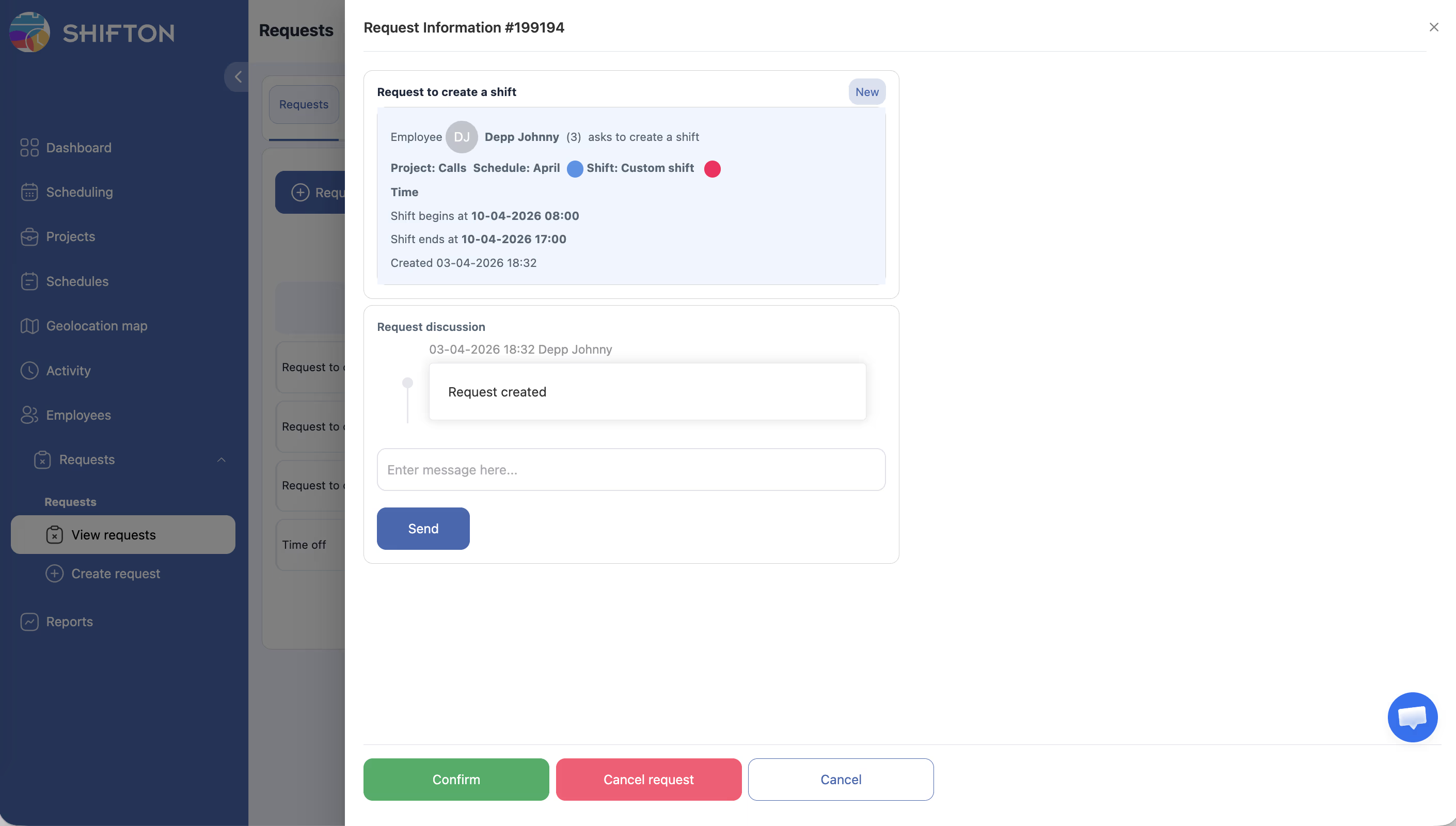
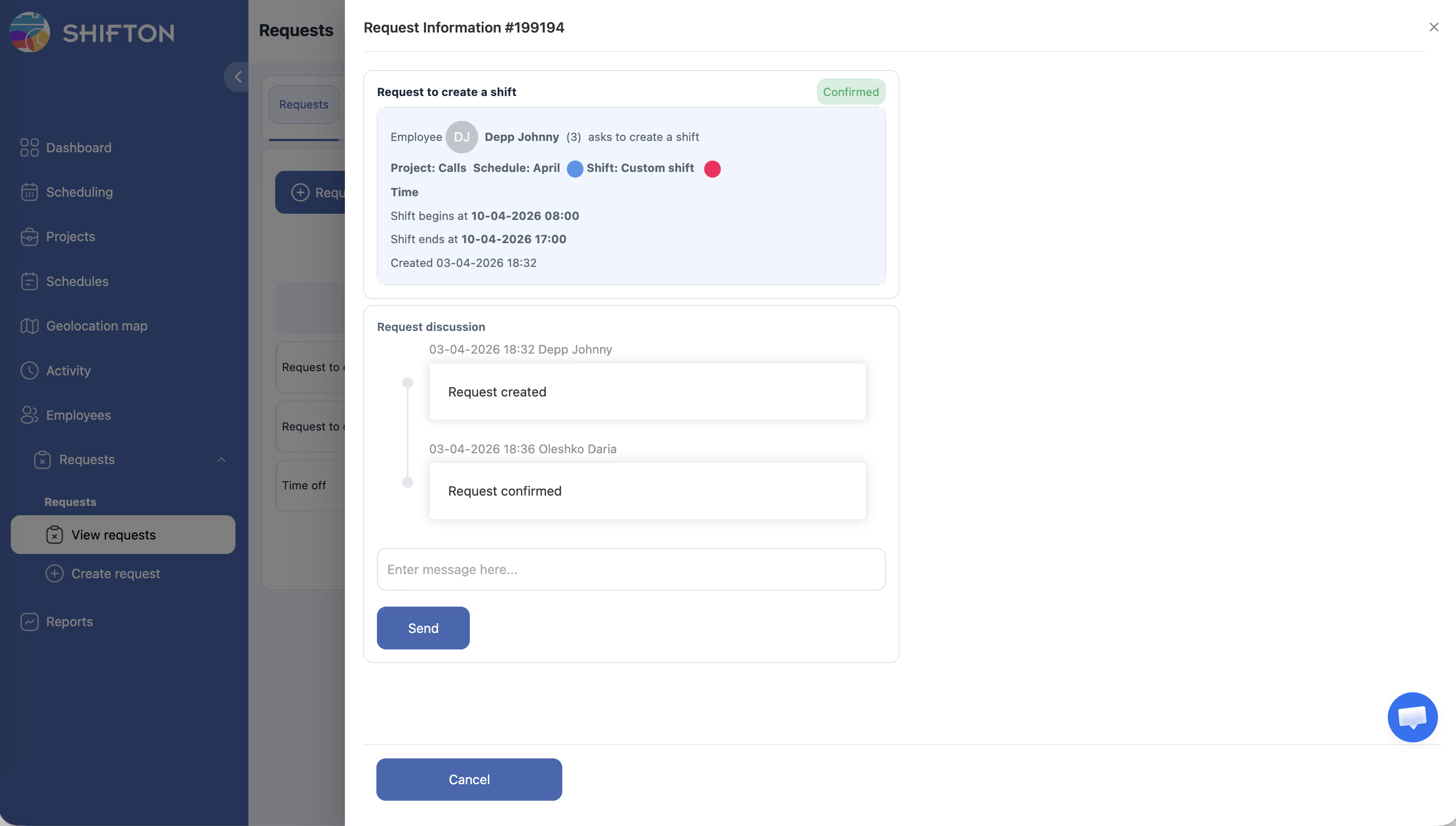
Approving a Shift Creation Request (Manager)
Access Permissions
| Role | Enable Setting | Request Shift Creation | Approve/Reject |
|---|---|---|---|
| Owner | Yes | Yes | Yes |
| Administrator | Yes | Yes | Yes |
| Manager | Yes (assigned schedules) | Yes | Yes (assigned schedules) |
| Employee | No | Yes (when enabled) | No |
FAQ
Q: Can employees create shifts for any date?
A: Employees can only request shifts within the active schedule period. They cannot create shifts for dates outside the schedule’s date range.
Q: Is there a limit to how many shift creation requests an employee can submit?
A: There is no built-in limit. However, managers can reject requests that exceed staffing needs or conflict with existing schedules.
Q: What happens if the requested shift overlaps with another shift?
A: The system will flag the conflict. The manager can decide whether to approve the overlapping shift or reject it.
Q: Can I edit a shift creation request after submitting it?
A: You would need to cancel the original request and submit a new one with the updated details.
Possible Issues and Solutions
| Issue | Possible Cause | Solution |
|---|---|---|
| “Request new shift” option not available | Feature disabled in schedule settings | Enable “Allow employees to create their own shifts” in schedule settings |
| Request was rejected without explanation | Manager decided the shift was not needed | Ask your manager for feedback and adjust your request |
| Shift not appearing after approval | Page not refreshed | Refresh the schedule page to see the newly created shift |
| Cannot select a date | Date is outside the schedule period | Verify the active schedule period with your manager |
| Conflict warning on submission | Proposed time overlaps with another shift | Adjust the start or end time to avoid the overlap |