

Employees can request to change the start or end time of an assigned shift, giving them flexibility to adjust their work hours when needed.
What Is This?
A shift time change request allows an employee to propose a modification to the scheduled start and/or end time of their existing shift. Instead of asking a manager to manually edit the shift, the employee submits a request with the desired new times. Depending on the schedule settings, the change may require manager approval. This feature is useful when employees need to adjust their hours due to personal obligations, transportation issues, or other circumstances while keeping the schedule transparent and controlled.
Prerequisites
| Requirement | Details |
|---|---|
| Module | Schedules module must be active |
| Setting | “Show warning when changing shift times” and “Permissible change in duration / change of shift time (minutes)” configured in Modules > Settings > Breaks |
| Schedule | Employee must be assigned to the schedule |
| Shift | Employee must have an existing assigned shift |
Step-by-Step Instructions
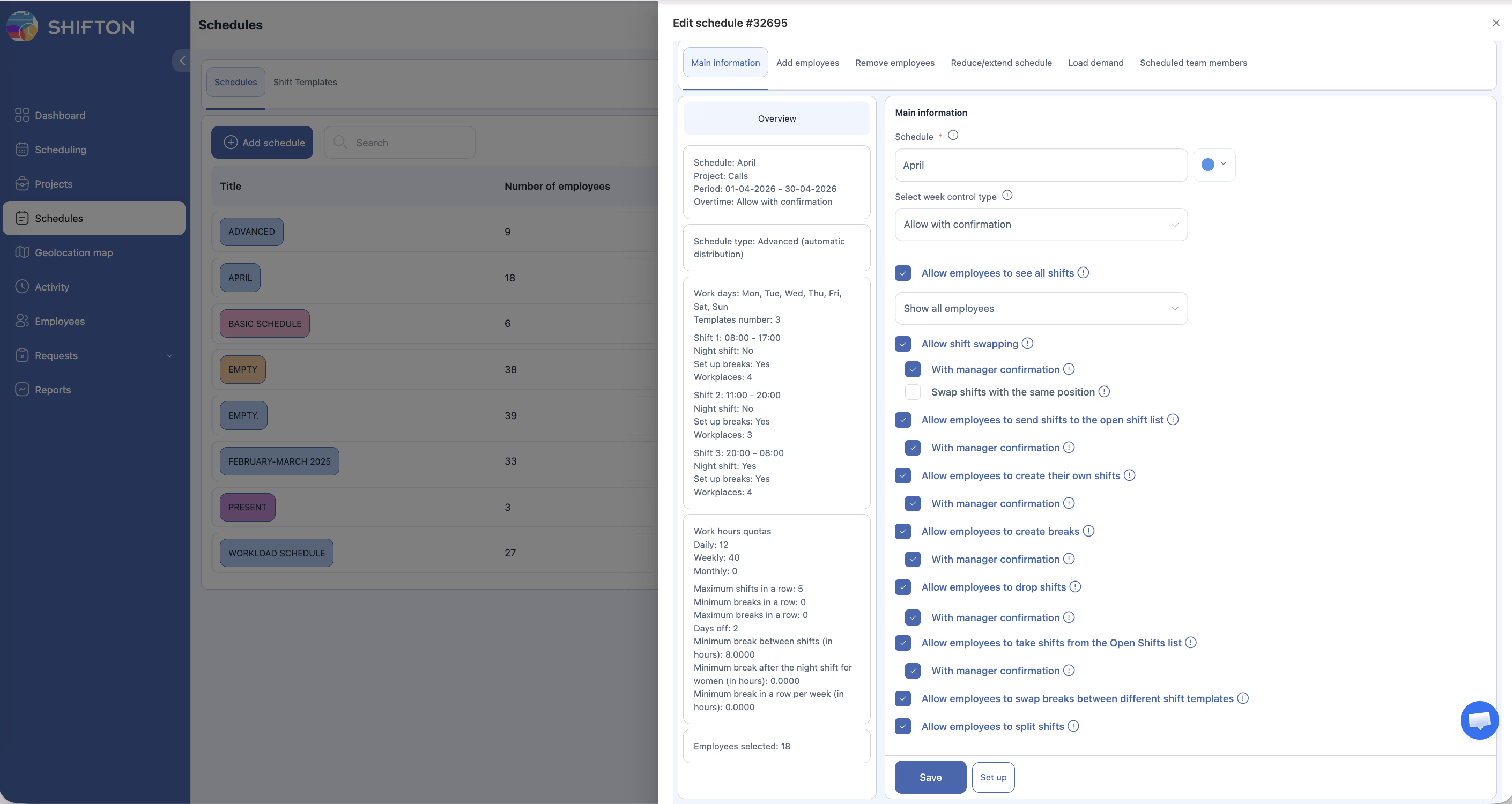
Configuring Shift Time Change Settings (Manager/Admin)
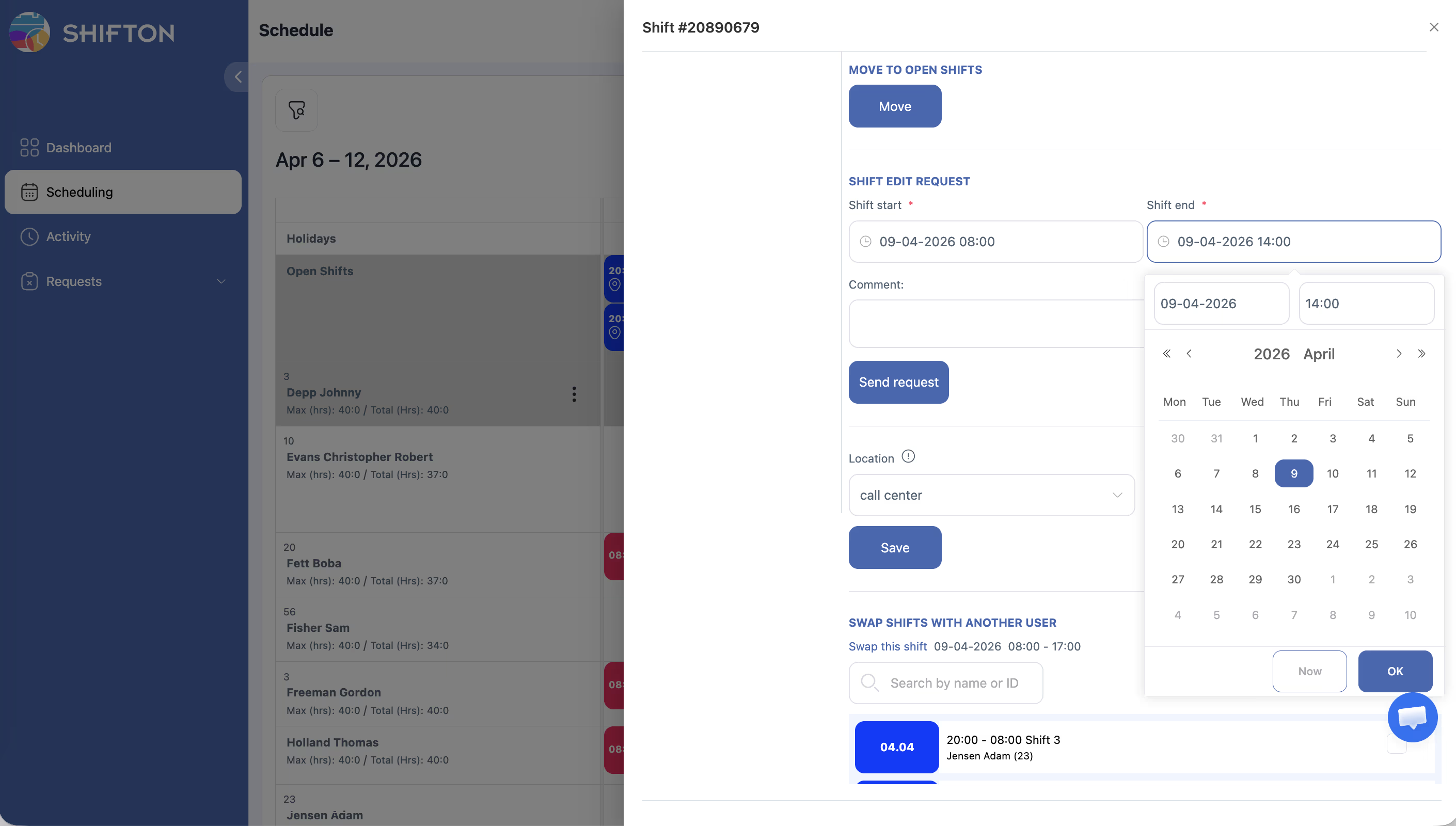
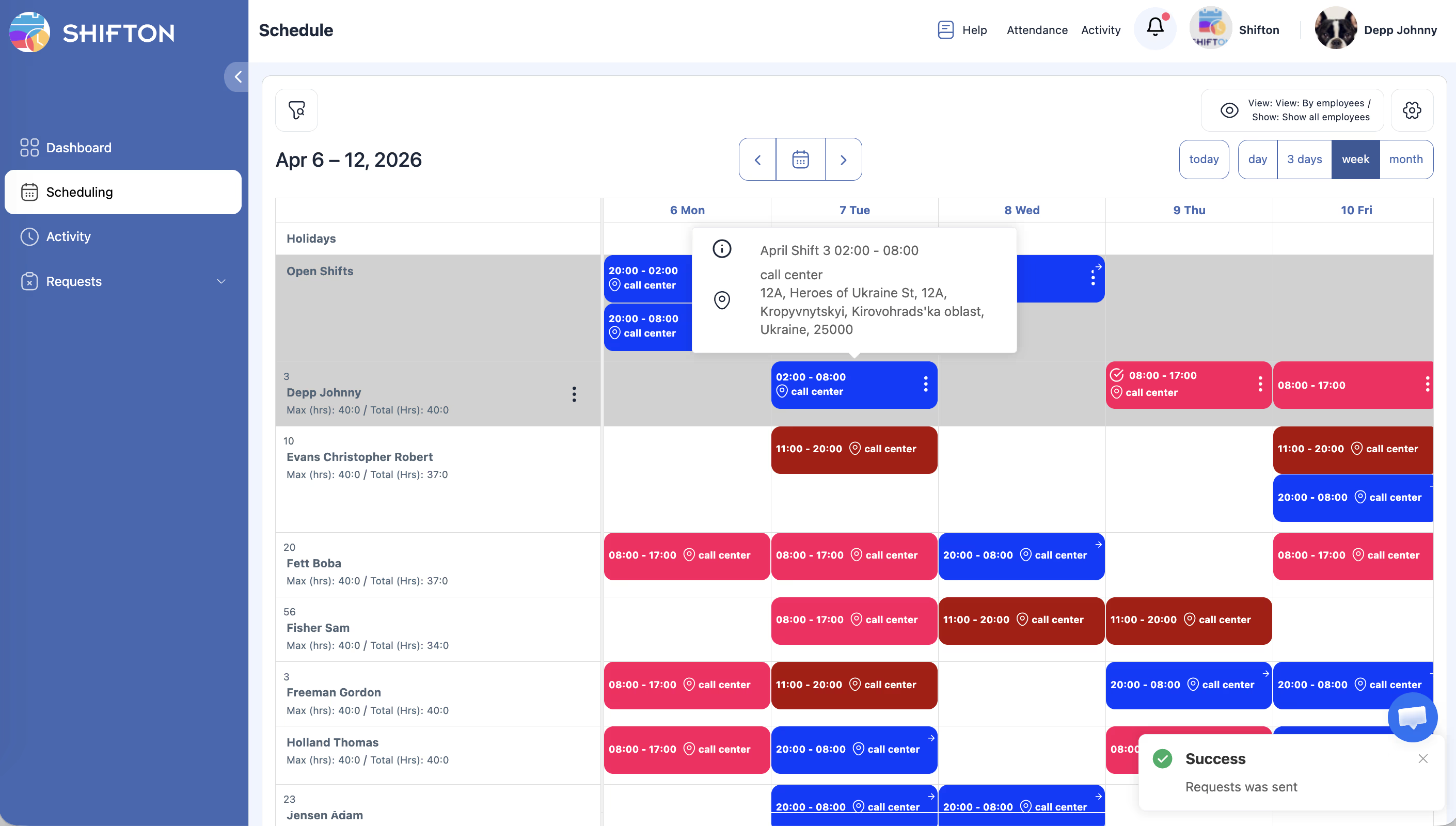
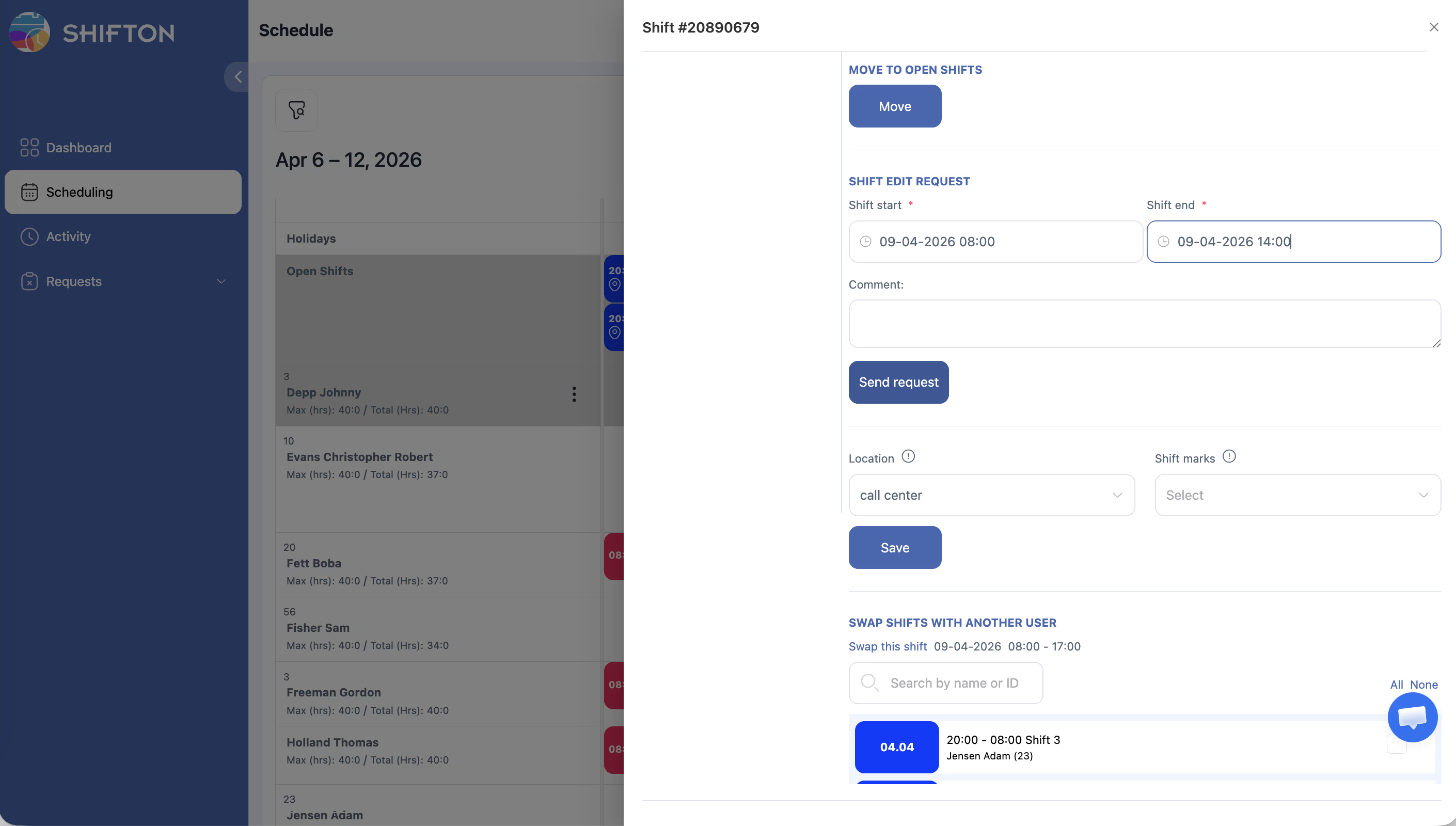
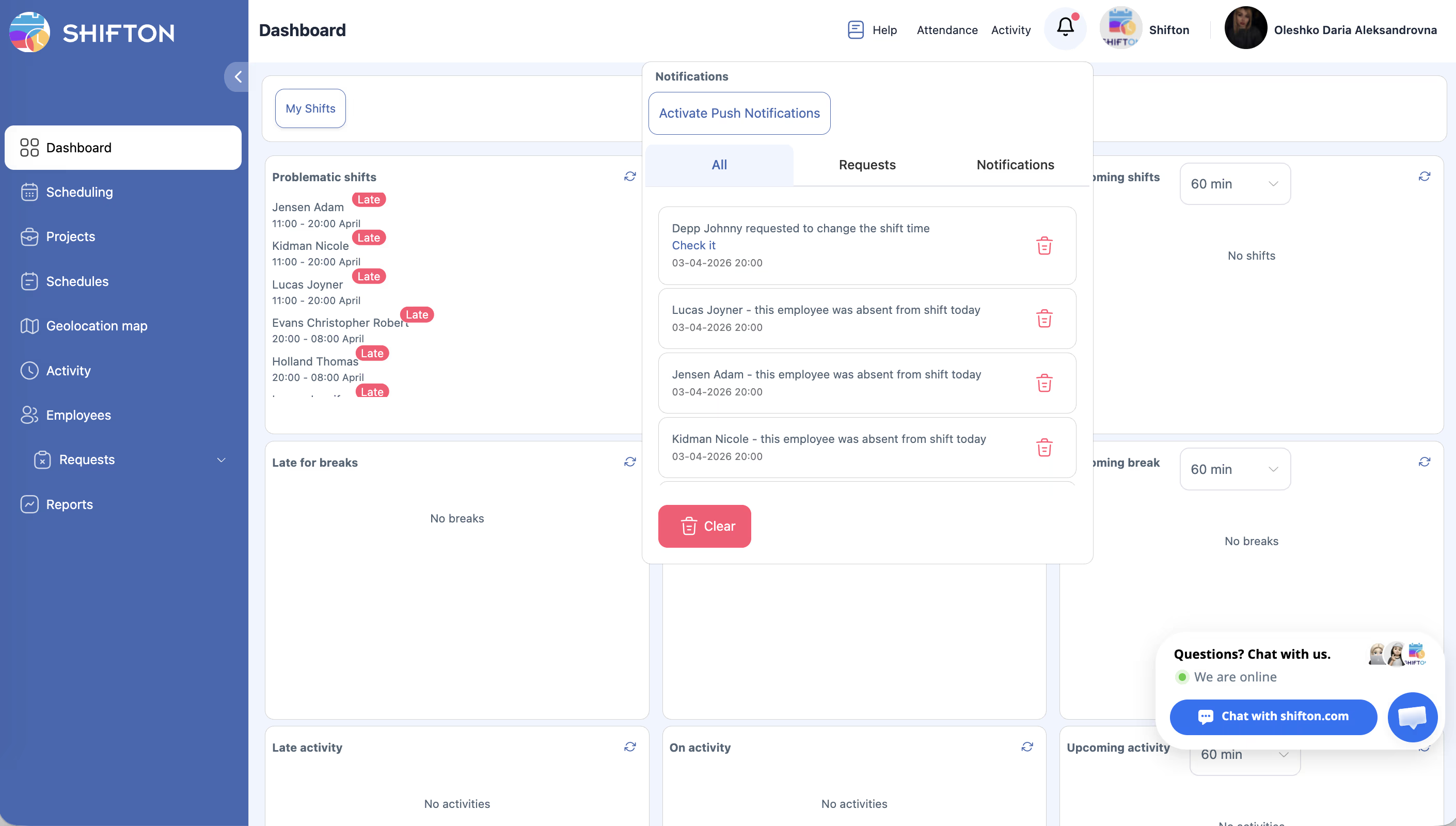
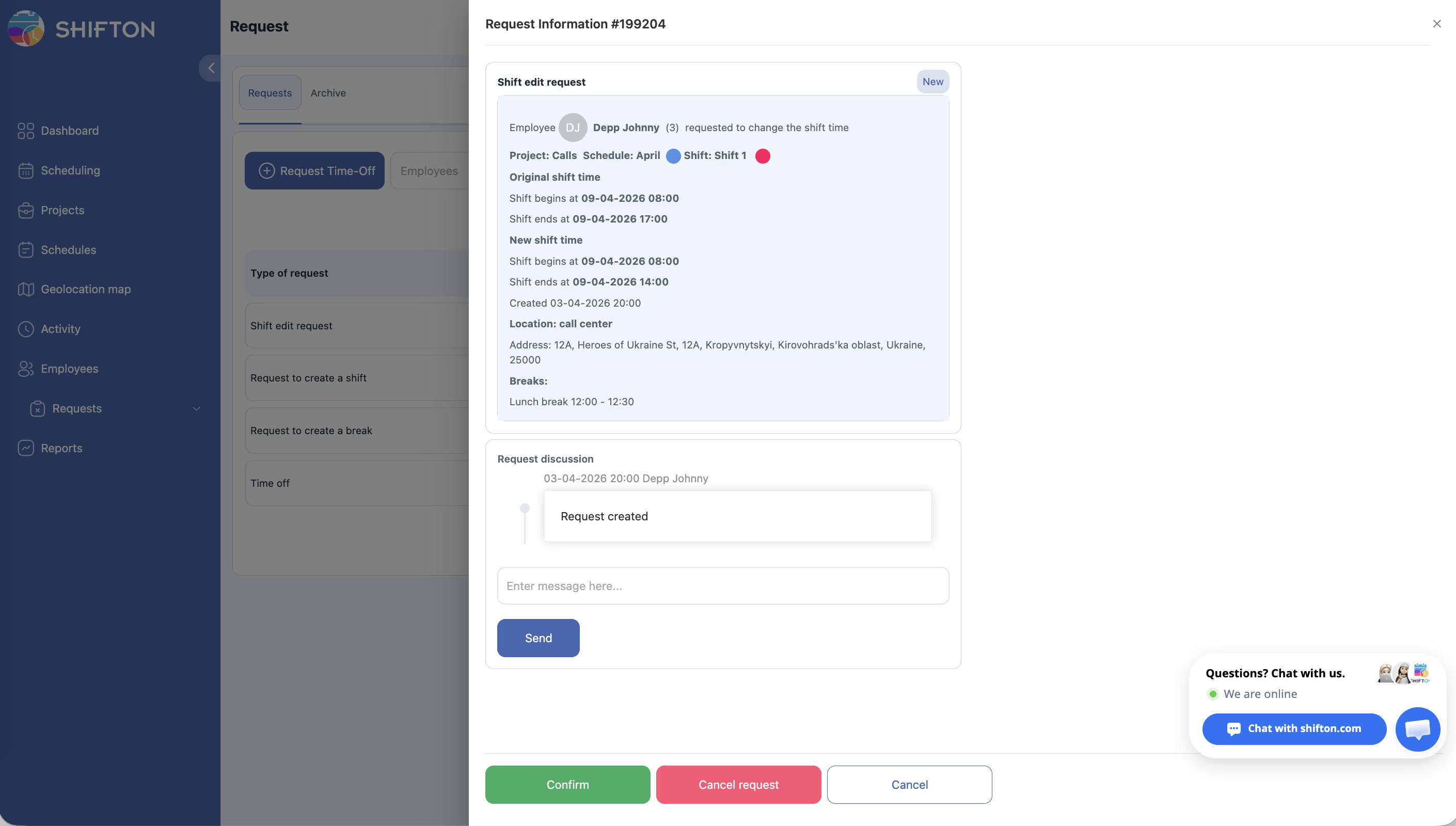
Requesting a Shift Time Change (Employee)
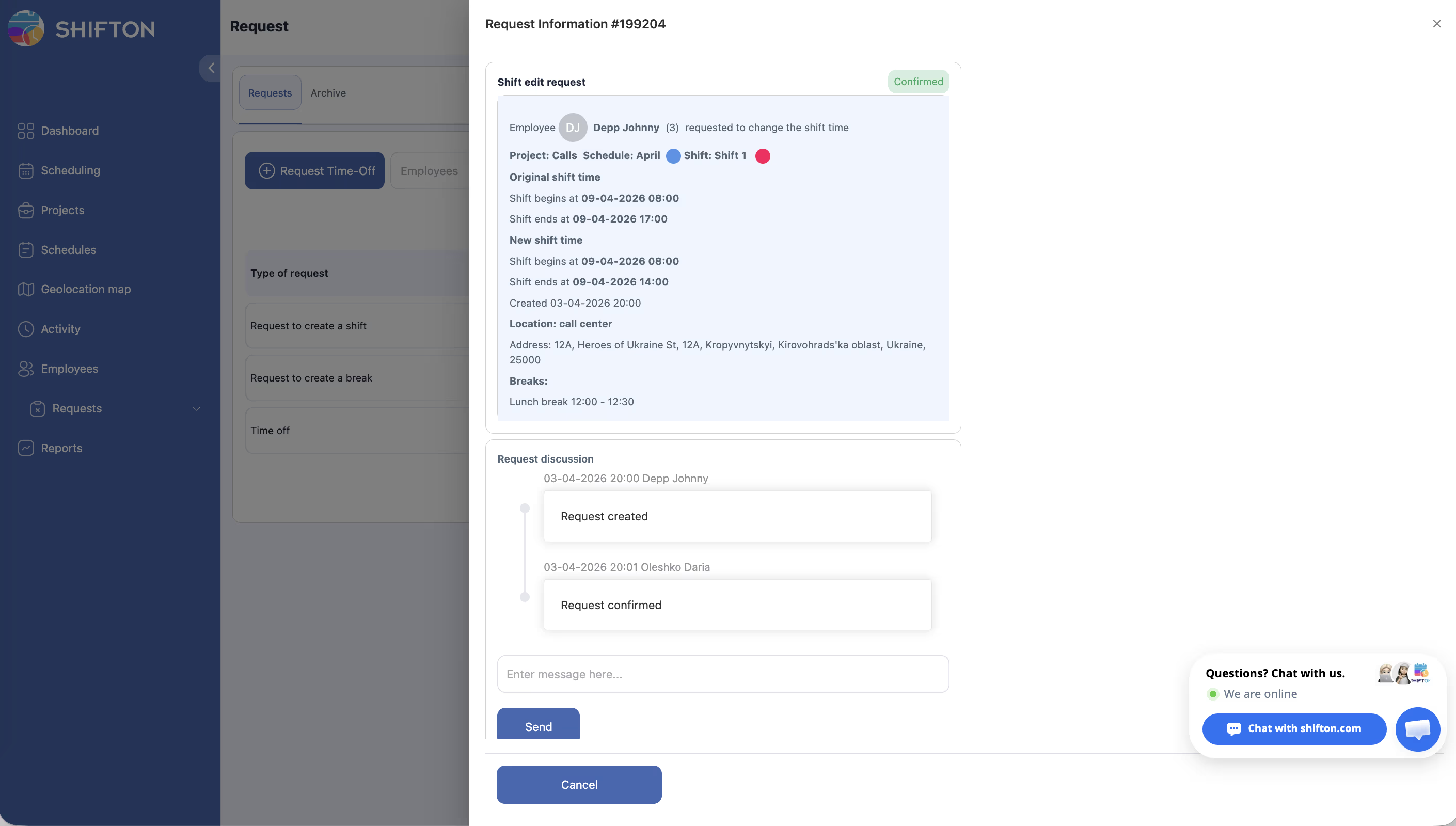
Approving a Shift Time Change (Manager)
Access Permissions
| Role | Configure Settings | Request Time Change | Approve/Reject |
|---|---|---|---|
| Owner | Yes | Yes | Yes |
| Administrator | Yes | Yes | Yes |
| Manager | No | Yes | Yes (assigned schedules) |
| Employee | No | Yes | No |
FAQ
Q: How much can an employee change their shift time?
A: The maximum permissible change is determined by the “Permissible change in duration / change of shift time (minutes)” setting in Modules > Settings > Breaks. The default value is 90 minutes.
Q: Can an employee change both the start and end time?
A: Yes. An employee can change the start time, end time, or both, as long as the change remains within the permissible range.
Q: Does changing shift time affect salary calculation?
A: Yes. If the shift duration changes, the salary is recalculated based on the new hours. If only the start/end time changes but the overall duration remains the same, the salary does not change.
Q: Will a warning appear when changing shift time?
A: Yes, if the “Show warning when changing shift times” option is enabled, the system displays a warning when the proposed change exceeds the permissible duration limit.
Q: Can a manager change shift time without a request?
A: Yes. Managers can directly edit shift times from the schedule without going through the request process.
Q: Can shift time be changed retroactively (in the past)?
A: Changing shift time in the past is possible, but the system may show a warning if the company’s main settings include the “Show warning when trying to change a shift in the past period” option.
Q: Is the Breaks module required for shift time changes?
A: The permissible change limit is configured in the Breaks module settings section. The Breaks module must be active to access this setting.
Possible Issues and Solutions
| Issue | Possible Cause | Solution |
|---|---|---|
| Cannot change shift time | Change exceeds the permissible limit | Reduce the requested change to within the allowed minutes, or ask an administrator to increase the limit |
| No option to change shift time | Setting is not configured | Ask an administrator to configure the shift time change settings in Modules > Settings > Breaks |
| Warning appears when changing time | “Show warning when changing shift times” is enabled | This is expected behavior — proceed if the change is valid, or adjust the time to be within limits |
| Shift time did not update after approval | Page not refreshed | Refresh the schedule page to see the updated shift |
| Salary not recalculated after time change | Automatic recalculation may be delayed | Use Bulk Shift Actions > Recalculate salary if needed |