

Employees can transfer their shift to another team member, handing off the entire shift to a specific colleague.
What Is This?
A shift transfer is different from a swap: instead of exchanging shifts, one employee gives their shift to another employee entirely. The original employee ends up with no shift for that period, and the receiving employee picks up an additional shift. This feature also relates to the shift drop functionality, where an employee can release a shift without specifying who should take it. Shift transfer is useful when an employee knows exactly which colleague can cover for them.
Prerequisites
| Requirement | Details |
|---|---|
| Module | Schedules module must be active |
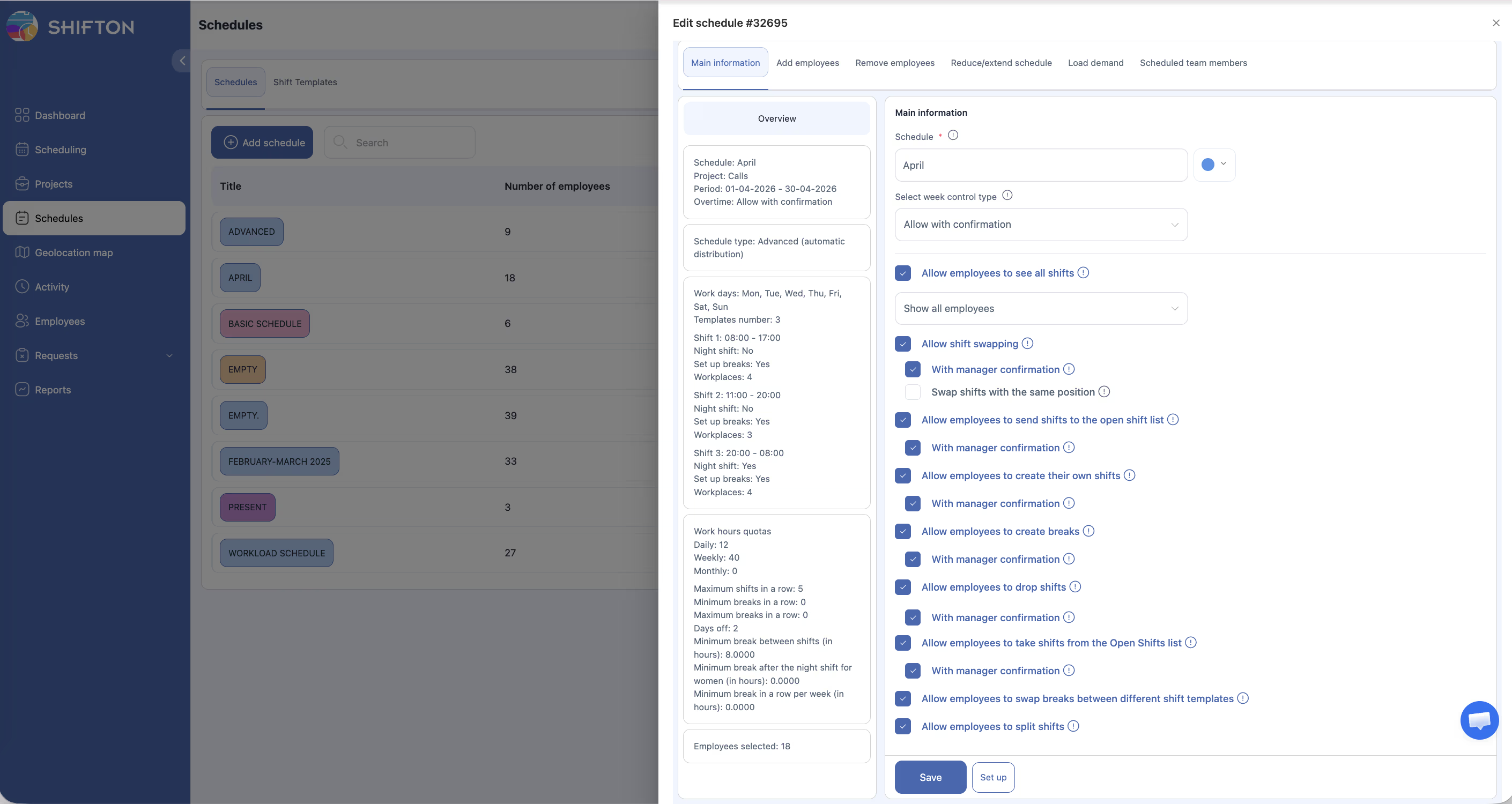
| Setting | “Allow employees to drop shifts” must be enabled in schedule settings |
| Shift | The employee must have a published shift to transfer |
| Recipient | The target employee must be in the same schedule |
Step-by-Step Instructions
Enabling Shift Transfers (Manager/Admin)
Transferring a Shift (Employee)
| Selection Criteria | Details |
|---|---|
| Same schedule | Only employees in the same schedule are shown |
| Position match | Depending on settings, only employees with the same position may appear |
| Availability | Employees with conflicting shifts may be flagged |
Responding to a Transfer Request (Receiving Employee)
Manager Approval (If Required)
Access Permissions
| Role | Enable Setting | Transfer Shift | Accept Transfer | Approve/Reject |
|---|---|---|---|---|
| Owner | Yes | Yes | Yes | Yes |
| Administrator | Yes | Yes | Yes | Yes |
| Manager | Yes (assigned schedules) | Yes | Yes | Yes (assigned schedules) |
| Employee | No | Yes (when enabled) | Yes | No |
FAQ
Q: What is the difference between a shift transfer and a shift swap?
A: In a swap, two employees exchange shifts. In a transfer, one employee gives their shift to another without receiving a shift in return.
Q: Can I transfer a shift to someone in a different project?
A: No, transfers are limited to employees within the same schedule.
Q: What happens to my hours if I transfer a shift?
A: The transferred shift is removed from your schedule, reducing your scheduled hours. The receiving employee gains those hours.
Q: Can the receiving employee decline a transfer?
A: Yes, the receiving employee must accept the transfer. They are free to decline if they cannot work the shift.
Q: What is “shift drop” and how does it relate to transfer?
A: Shift drop allows an employee to release a shift without choosing a specific person to take it. The shift then becomes available as an open shift. Transfer is a directed version where you specify exactly who should receive the shift.
Possible Issues and Solutions
| Issue | Possible Cause | Solution |
|---|---|---|
| “Transfer shift” option not available | “Allow employees to drop shifts” is disabled | Enable the setting in schedule settings |
| No eligible employees to transfer to | No other employees in the same schedule or position | Check that the schedule has other employees assigned |
| Transfer request declined by colleague | The colleague cannot work the shift | Try transferring to a different colleague or post to open shifts instead |
| Transfer pending for a long time | Manager confirmation required but not yet reviewed | Contact your manager to review the pending transfer |
| Shift still shows on my schedule after transfer | Transfer not yet accepted or approved | Wait for the recipient to accept and manager to approve (if required) |