

Send text message notifications to your employees for shift updates, reminders, and important announcements.
What Is This?
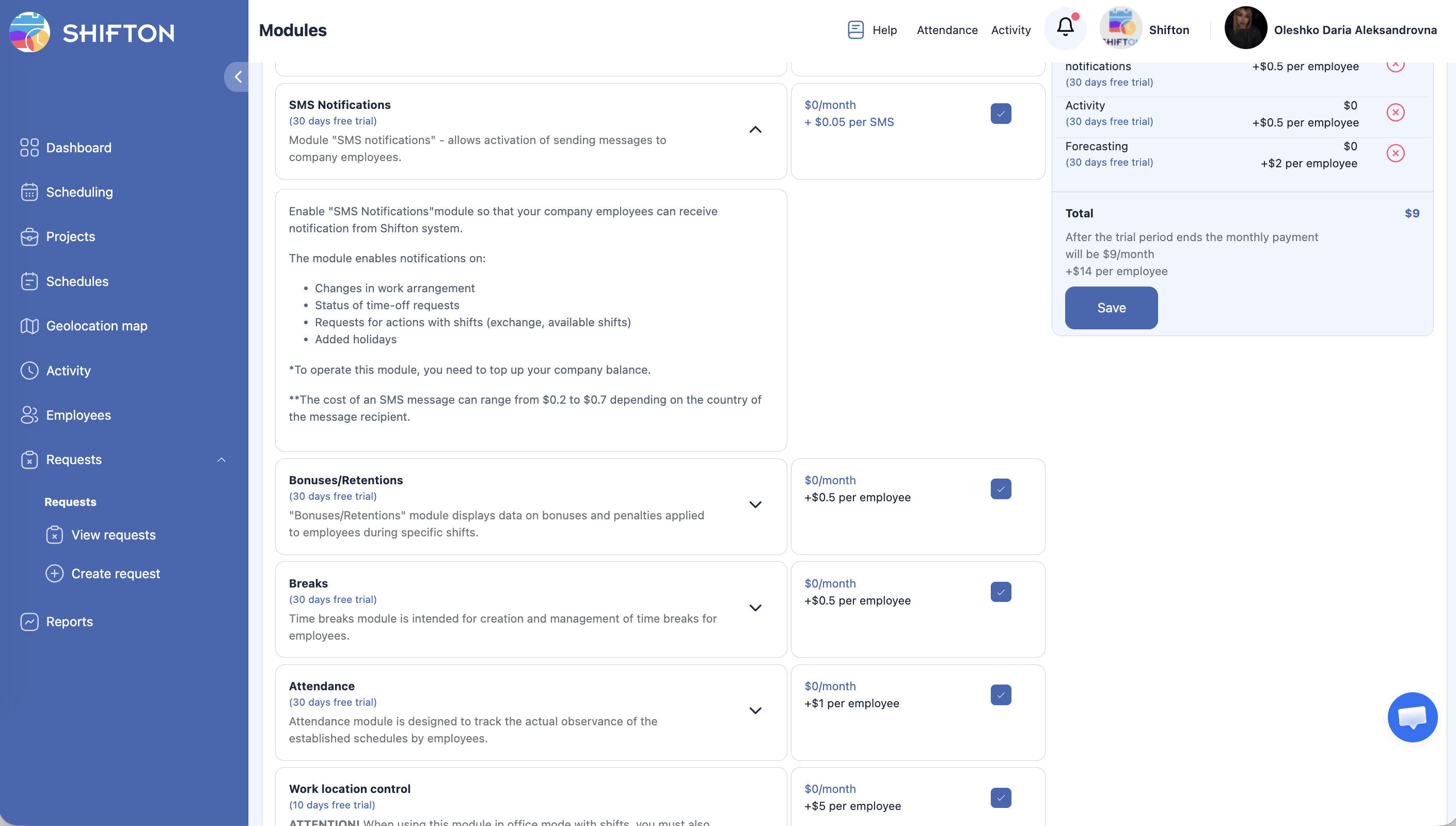
The SMS Notifications module enables you to reach employees via SMS text messages. This is ideal for teams where not everyone has constant access to the internet or the Shifton app. SMS messages can be used for shift reminders, schedule changes, and other critical communications.
SMS notifications work alongside Shifton’s other notification channels (in-app, email, Telegram) and can be enabled for specific events in your workflow.
Prerequisites
How to Enable/Disable
Module Settings
This module does not have a dedicated settings section. SMS delivery is controlled by:
Step-by-Step Usage Guide
Enabling SMS for Your Company
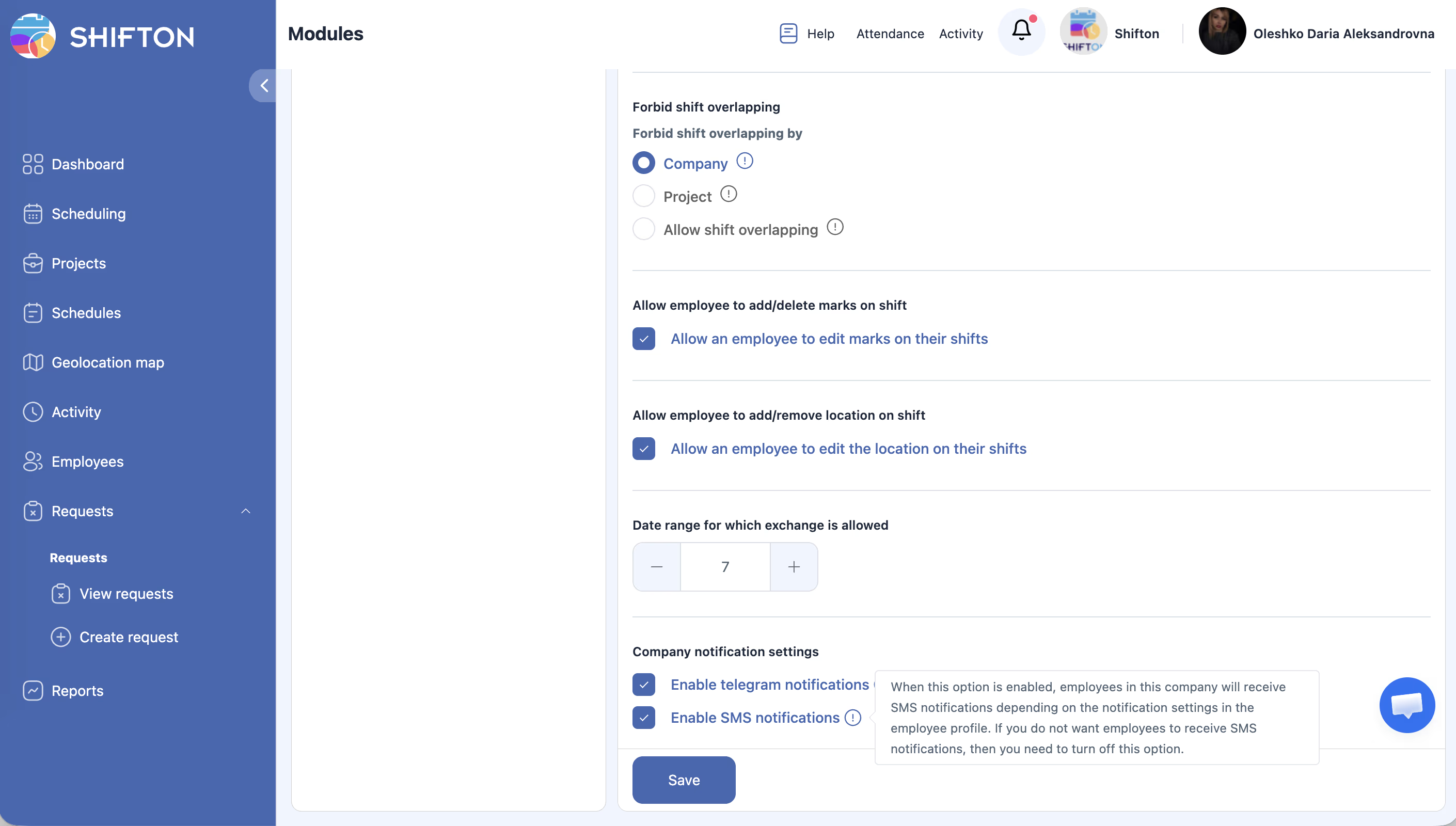
Verifying Employee Phone Numbers
Sending an SMS Notification
SMS notifications are sent automatically by the system based on events such as:
- New shift assigned.
- Shift time changed.
- Shift cancelled.
- Schedule published.
There is no manual “send SMS” button — the system triggers messages based on configured events and employee preferences.
Pricing Info
| Component | Cost |
|---|---|
| Monthly module fee | $0/month |
| Per-SMS fee | $0.20–$0.70 per SMS (depends on recipient’s country) |
The module works on a prepaid basis — you must top up your SMS balance before messages can be sent. Without balance, SMS will not be delivered.
To top up your SMS balance, contact Shifton support — they will provide a payment link and the exact per-SMS cost for your target countries.
Access Permissions
| Role | Enable/Disable Module | View SMS Usage | Receive SMS |
|---|---|---|---|
| Owner | Yes | Yes | Yes |
| Admin | Yes | Yes | Yes |
| Manager | No | No | Yes |
| Employee | No | No | Yes |
FAQ
Q: Can I send a custom SMS to a specific employee?
A: SMS notifications are triggered automatically by system events (shift changes, schedule updates, etc.). Manual one-off messaging is not a primary feature of this module.
Q: What happens if an employee does not have a phone number in their profile?
A: They will not receive SMS notifications. The system skips employees without valid phone numbers.
Q: Are international SMS supported?
A: Yes. Ensure the phone number includes the correct country code. SMS cost varies by country ($0.20–$0.70 per message).
Q: Can employees opt out of SMS notifications?
A: Employees can manage their notification preferences in their profile settings. However, company-level notifications set by Admins may override individual preferences.
Q: How do I top up my SMS balance?
A: Contact Shifton support — they will provide a payment link and pricing for your target countries.
Q: Will I be notified if an SMS fails to deliver?
A: The system does not track individual SMS delivery status. If you suspect delivery issues, contact support.
Possible Issues and Solutions
| Issue | Cause | Solution |
|---|---|---|
| No SMS being sent | Module enabled but SMS toggle off, or SMS balance is empty | Enable SMS in Basic Company Settings AND top up SMS balance (contact support for payment link). |
| Specific employee not receiving SMS | Missing or invalid phone number on their profile | Add a valid phone number with country code to the employee’s profile. |
| High SMS costs | Too many notification events triggering SMS | Review which events trigger SMS and consider using Telegram or in-app notifications for less critical updates. |
| SMS delivered but content is truncated | Message exceeds SMS character limit | This can happen with long shift descriptions. Keep shift names and comments concise. |
| Employee receives duplicate SMS | Multiple notification triggers for the same event | Contact Shifton support to review your notification configuration. |