

Shifton Field Service lets you automate your work with the platform and connect it to external services through an open API. All the key entities are available through the API — tasks, clients, employees, checklists, inventory, service areas, Invoicing documents and reports — so Shifton can be linked to your HR, payroll and analytics systems, as well as to the company’s internal services.
API documentation
The documentation is published in two versions:
- 🚀 New documentation — the current version of the reference with an updated structure and the latest methods: 👉 https://api2.shifton.com/openapi/
- 📄 Old documentation — the previous version (still supported for existing integrations): 👉 https://api2.shifton.com/docs/
Both versions can be opened straight from the app — in the Developer section, on the Overview tab, with the “New documentation” and “Old documentation” buttons.
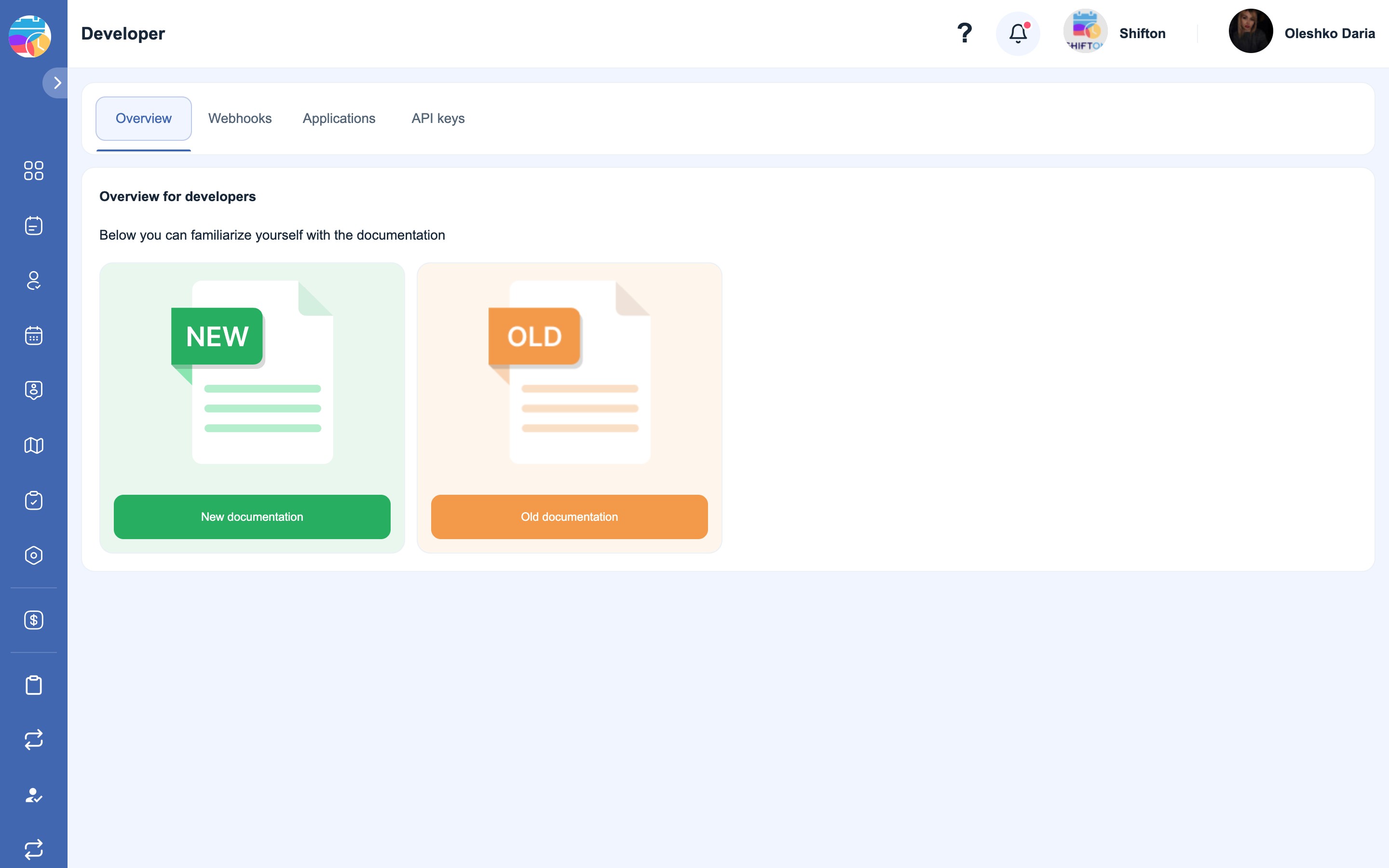
The documentation is available in two languages. In the top right corner of the new documentation page there is an EN / RU switch — the selected language is remembered.
How to get an API key
An API key is created in the app itself:
- Open the Developer section.
- Go to the API keys tab (“API keys”).
- Click “Create API key”.
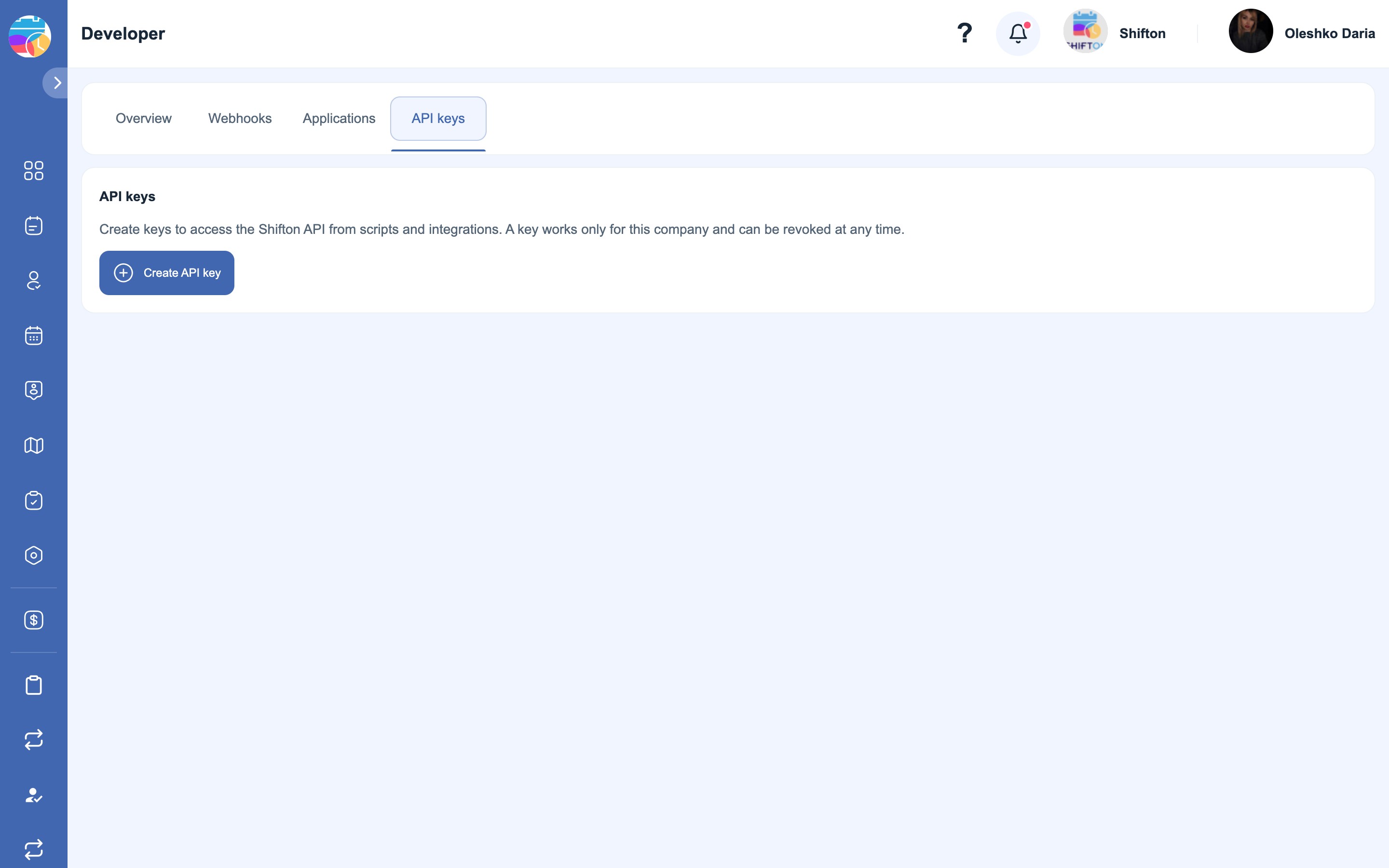
What to fill in when creating a key
The Create API key side panel opens with the following fields:
- Title — the name of the key, a mandatory field. Name it after its purpose so that it is clear later what to switch off: “Export to 1C”, “Reports for analytics”.
- Expires at — the date after which the key will stop working. If you leave the field empty, the validity period is unlimited.
- Access — the scope of the key’s permissions:
- Full access (act as me) — the key works on your behalf and with your permissions.
- Restricted permissions — a limited set of permissions that you choose yourself.
Click Add to create the key, or Cancel to close the panel.
📷 *Screenshot of the key creation panel — to be taken on prod*
A key is created for a specific company and works only with that company’s data. A key can be revoked at any time — the revocation takes effect immediately, and all subsequent requests with this key will return a 401 error.
Important: a newly created key is shown only once. Copy it straight away and keep it in a safe place — it cannot be retrieved again. If a key is lost, create a new one and revoke the old one.
Authorization
Every API request is signed with the key in the header:
Authorization: Bearer {your_API_key}The API base address:
https://api2.shifton.com/work/1.0.0A request without a valid key returns 401 and the body {"message":"Unauthenticated."}.
The first request
For example, to get the list of the company’s employees (substitute your own company ID instead of {companyId}):
GET https://api2.shifton.com/work/1.0.0/companies/{companyId}/employees
Authorization: Bearer {your_API_key}
Accept: application/json
The same thing with curl:
curl -H "Authorization: Bearer {your_API_key}" \
     -H "Accept: application/json" \
     https://api2.shifton.com/work/1.0.0/companies/{companyId}/employees
The company ID is visible in the address bar of the app: app.shifton.com/c/8397/... — the number after /c/.
What is available through the API
The reference covers more than 360 methods. The main sections for field service:
- Tasks —
/companies/{companyId}/tasks: creating, editing, statuses, task files. - To Do list (To Do) —
/companies/{companyId}/todo. - Clients —
/companies/{companyId}/clients, and also client addresses and custom fields. - Checklists —
/companies/{companyId}/checklists. - Service areas —
/companies/{companyId}/tasks/service-areas. - Skills —
/companies/{companyId}/skills. - Employees —
/companies/{companyId}/employees: adding, editing, dismissing and restoring. - Inventory — items, categories, kits and warehouse stock.
- Invoicing — estimates, work orders, invoices, receipts, document counters and the logo.
- Reports — exporting work and attendance data.
In addition, schedules and shifts, vacations and time-off requests, attendance, billing and SMS billing, notifications and modules are available.
Webhooks
If, instead of polling the API regularly, you need to receive events at the moment they occur, use webhooks — the Webhooks tab in the Developer section. Shifton itself will send a request to your address when the event you need occurs; the list of supported events is returned by a separate method.
Error codes
The Shifton API uses standard HTTP status codes:
- 200 — the request has been completed successfully.
- 201 — the object has been created successfully.
- 400 — invalid request parameters.
- 401 — an authorization error: the key was not passed, is invalid or has been revoked.
- 403 — access denied.
- 404 — the resource was not found (most often a typo in the method address).
- 500 — a server error.
Usage tips
- For new integrations, use the new documentation — the old one has been left in place for integrations that are already running.
- Postman or curl are convenient for checking requests — they let you see the response without writing a single line of code.
- Do not store the key in plain text in your code and do not pass it on to third parties: the key gives access to the company’s data.
- Respect the request rate limits — exceeding them may lead to your API access being temporarily blocked.
FAQ
Question: Where do I get an API key? Answer: In the app: the Developer section → the API keys tab → the “Create API key” button. The key is issued for the current company.
Question: I closed the window and did not copy the key. Where can I see it? Answer: Nowhere — the key is shown only once and is not issued again. Create a new key and revoke the old one.
Question: How do I revoke a key if it has fallen into the wrong hands? Answer: Delete it on the API keys tab. The revocation takes effect immediately: all requests with this key will start returning 401 right away.
Question: How do “Full access” and “Restricted permissions” differ? Answer: Full access (act as me) gives the key the same permissions as you have. Restricted permissions lets you give the key only the selected set of permissions — this is safer for an integration that needs access to only part of the data.
Question: Can the validity period of a key be limited? Answer: Yes, the Expires at field when creating it. If you leave it empty, the key will never expire.
Question: Does one key work for several companies? Answer: No. A key is tied to the company it was created in and works only with that company’s data. Create a separate key for another company.
Question: What is the API base address? Answer: https://api2.shifton.com/work/1.0.0. The method path follows it, for example /companies/{companyId}/tasks.
Question: Where do I get the company ID for requests? Answer: It is in the address bar of the app right after /c/ — for example, in app.shifton.com/c/8397/tasks the company identifier is 8397.
Question: Which version of the documentation should I use? Answer: For new integrations, the new one (api2.shifton.com/openapi). The old one (api2.shifton.com/docs) is supported for existing integrations.
Question: Is there documentation in Russian? Answer: Yes. There is an EN / RU switch in the top right corner of the new documentation page.
Question: What should I use to test API requests? Answer: The most convenient options are Postman or curl — they let you send requests and look at the responses without writing code.
Question: Why do I get 401 even though I copied the key? Answer: Check that the key is passed in the Authorization header with the word Bearer in front of it, that the key has not been revoked and that its validity period has not expired.
Question: Why do I get 404? Answer: Most often the address is mixed up: the base part must be https://api2.shifton.com/work/1.0.0, and the method path must contain the correct {companyId}.
Question: What can be automated through the API? Answer: Creating and editing tasks, working with clients and their addresses, checklists, service areas, skills, employees, inventory, Invoicing documents and report exports, and also schedules, shifts and vacations.
Question: Can I receive events from Shifton instead of polling the API? Answer: Yes, there are webhooks for that — the Webhooks tab in the Developer section.
Question: Does changing the password affect how an integration works? Answer: No. Integrations work with an API key, not with the account password.