

In the Inventory module, you can create facilities for storing and managing items.
To access facilities:
1
In the side menu, select “Inventory Settings.”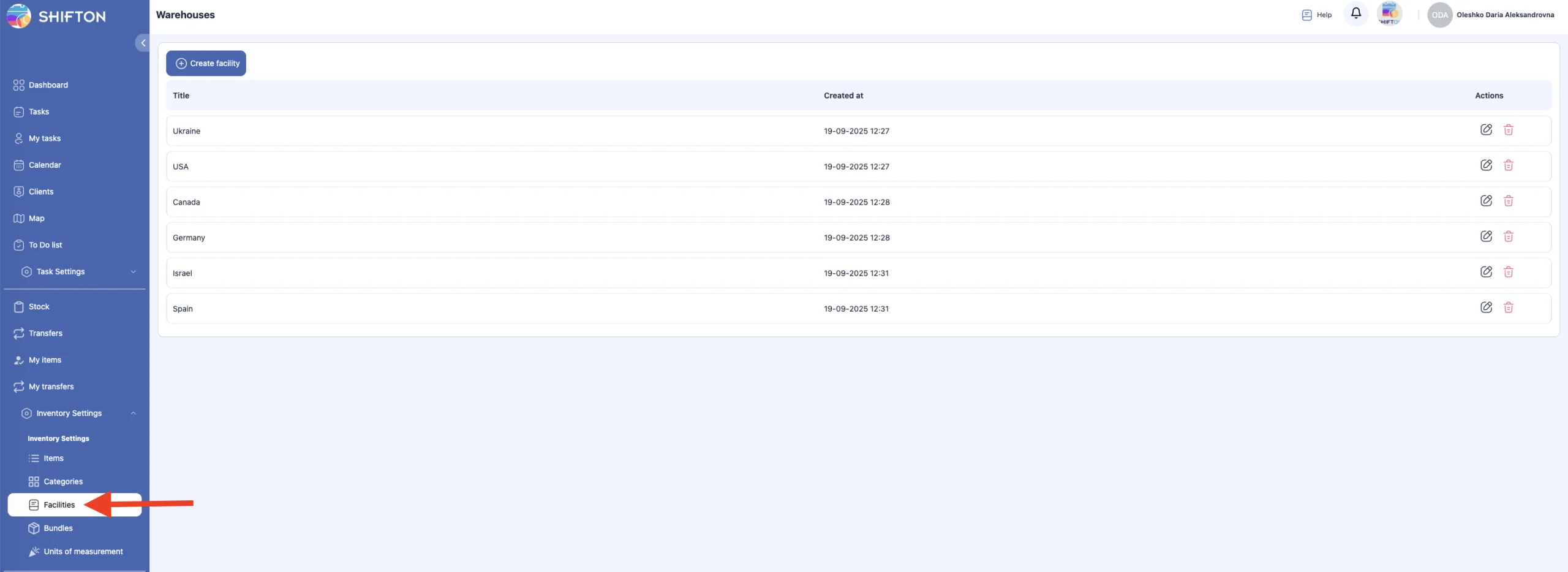
2
Open the “Facilities” section.
On this page, you can:
create a facility;
edit a facility;
delete a facility.
Creating a Facility
1
Click “Create Facility.”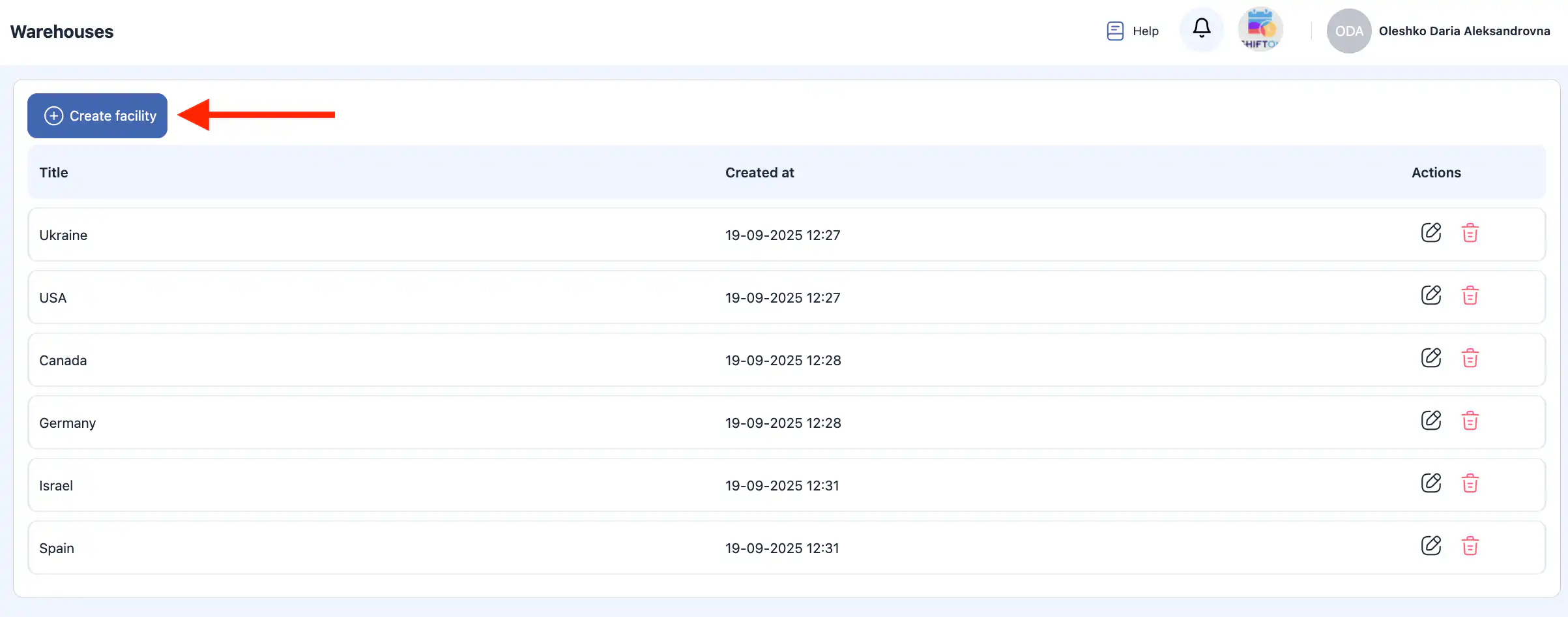
2
A side panel will open on the right.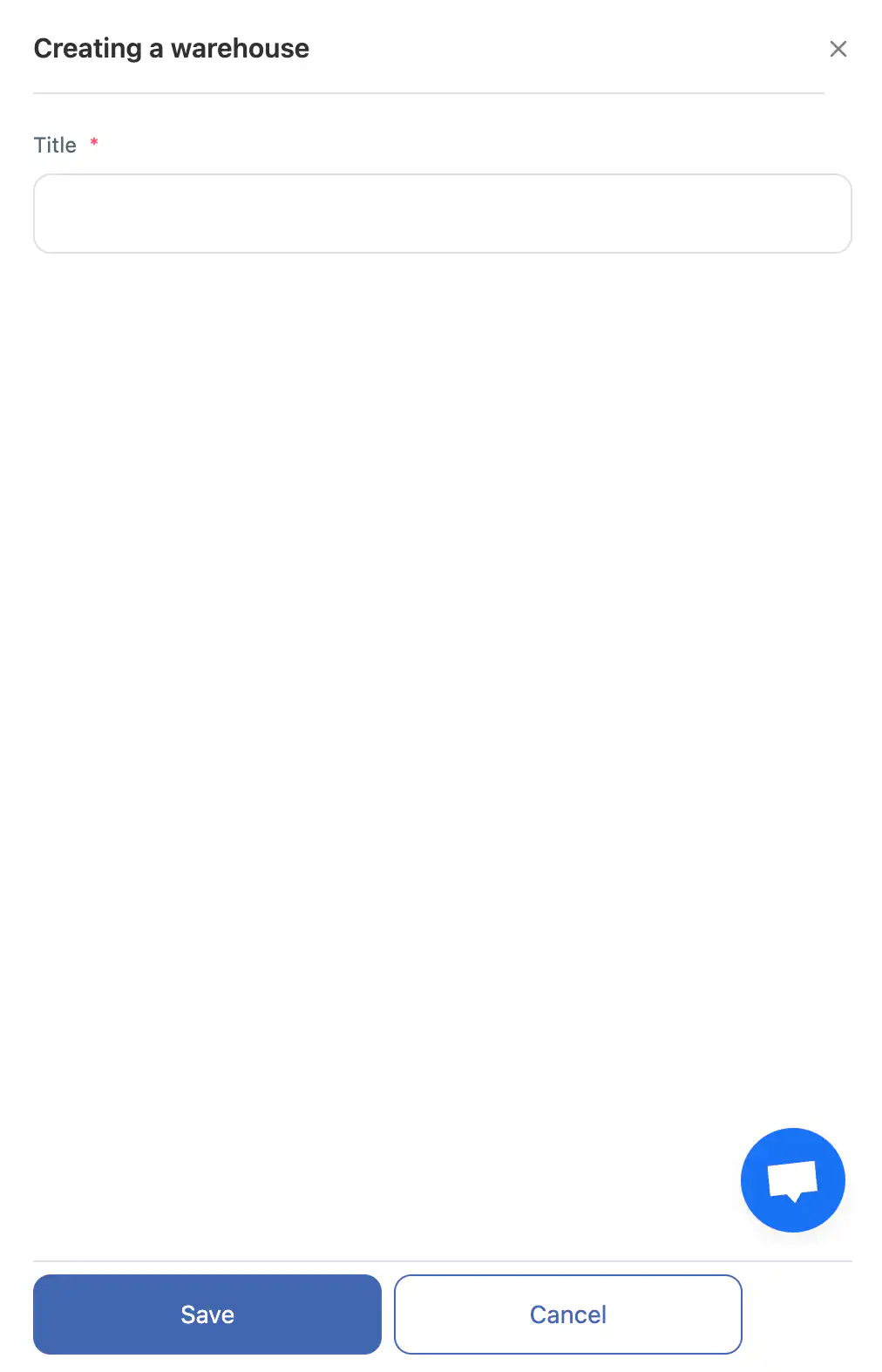
3
Enter the facility name.
4
Click “Save.”
5
To cancel the action, click “Cancel.”
Editing a Facility
1
Click the pencil icon next to the facility.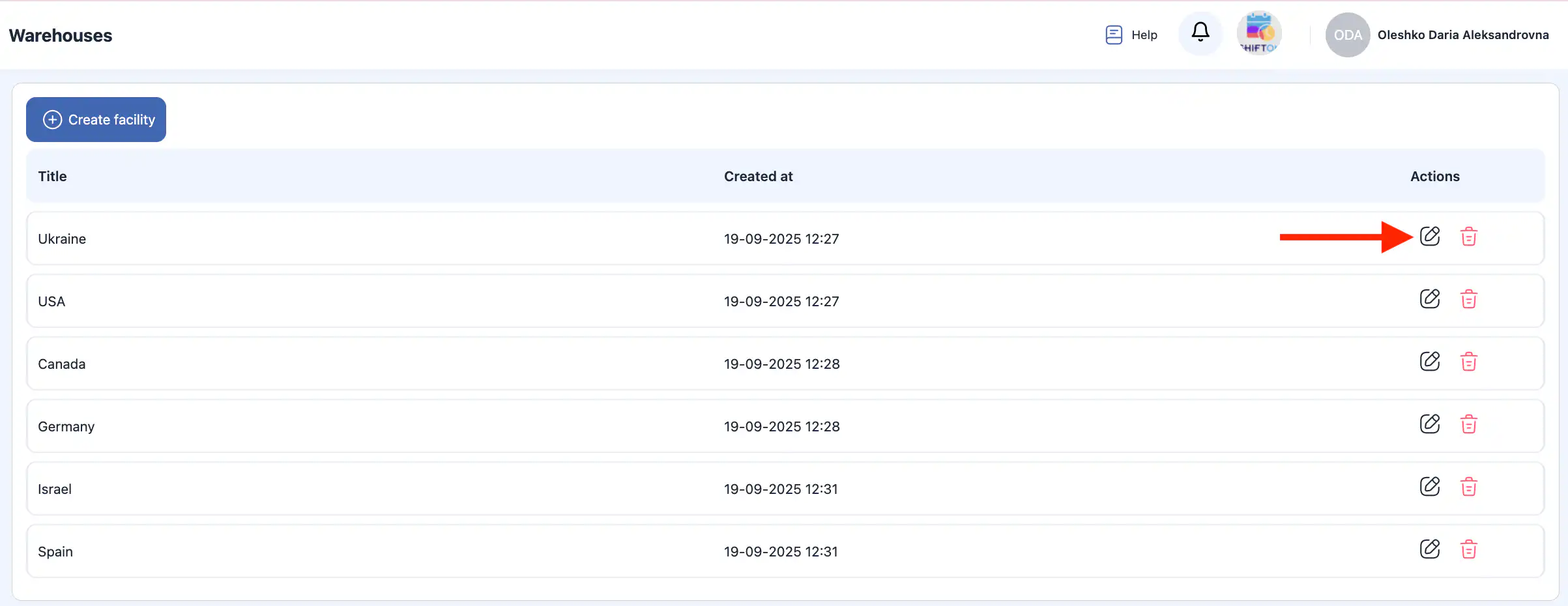
2
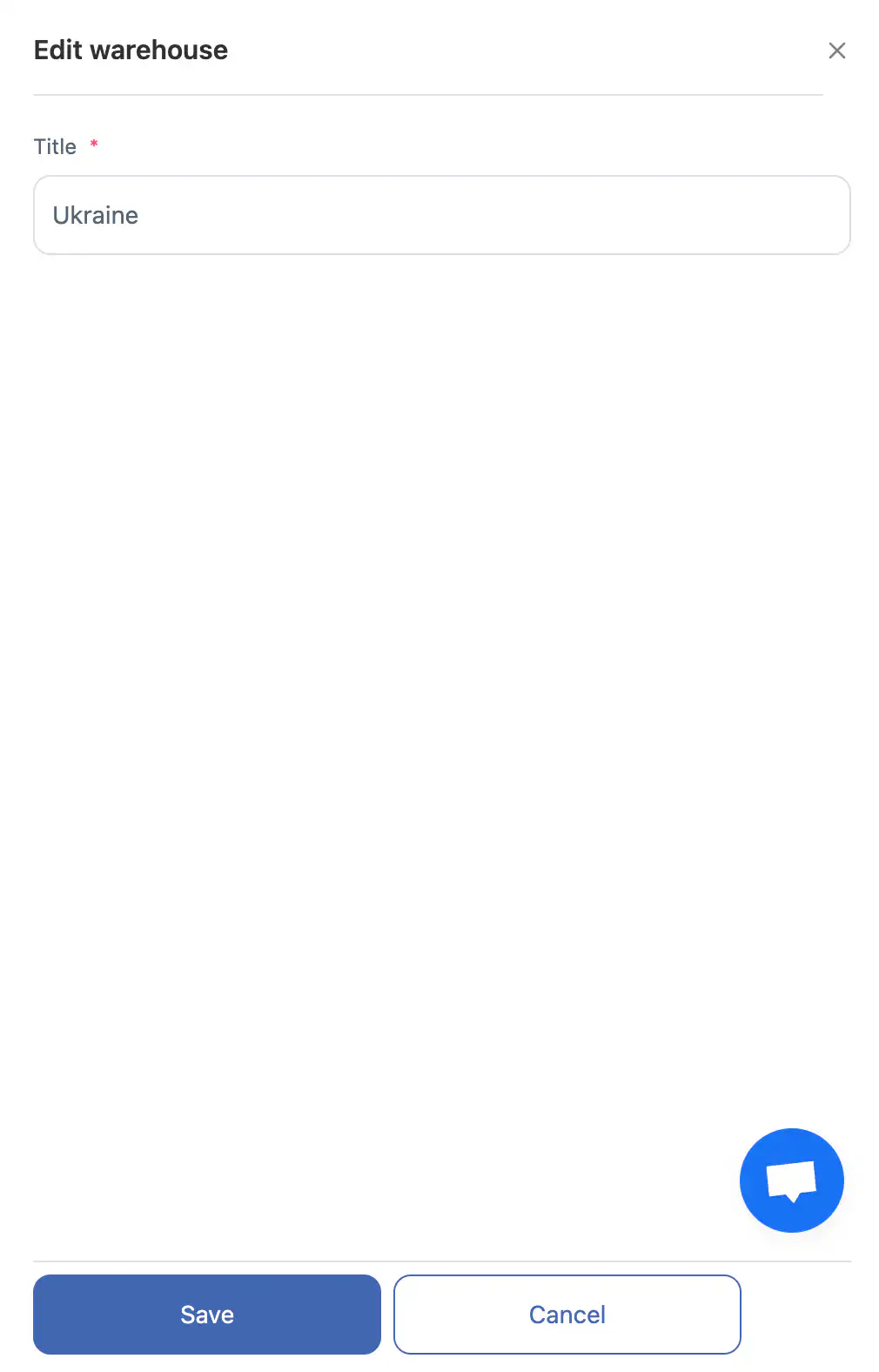
Update the name in the side panel.
3
Click “Save.”
4
To discard changes, click “Cancel.”
Deleting a Facility
1
Click the trash icon next to the facility.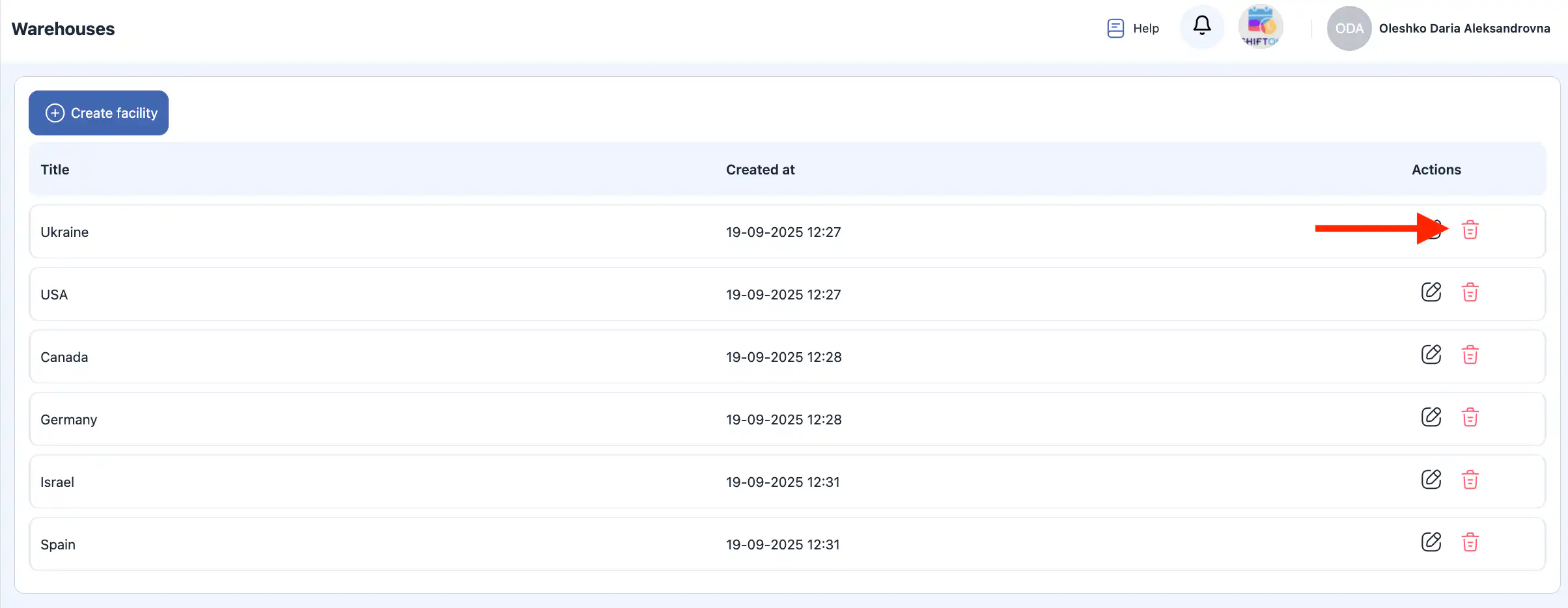
2
Confirm the deletion.
3
To cancel the action, click “Cancel.”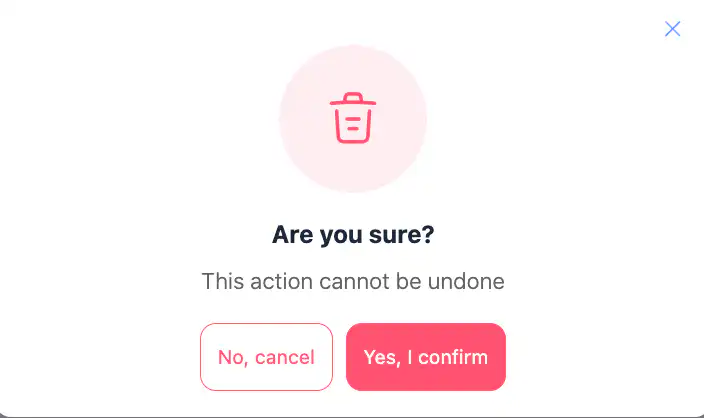
Important: Deleted facilities cannot be restored.
FAQ
What are facilities in the Inventory module?
Facilities are storage locations or sites where items, tools, and materials are stored and managed within the Inventory module. They help organize inventory across different places.
Where do I find the facilities settings?
Go to Inventory Settings in the side menu, then open the Facilities section.
How do I create a new facility?
In the Facilities section, click “Create Facility,” enter the facility name in the side panel, then click “Save.”
Can I cancel creating a facility?
Yes. Before clicking “Save,” you can click “Cancel” to discard the new facility creation.
How do I rename or edit a facility?
Click the pencil icon next to the facility name, update the name in the side panel, and click “Save.”
How do I delete a facility?
Click the trash icon next to the facility and confirm the deletion in the dialog.
What happens if I delete a facility?
Deleted facilities are permanently removed and cannot be restored.
Can I create multiple facilities?
Yes. You can create as many facilities as needed to organize inventory across different locations.
Will changes to a facility affect inventory items?
Editing or deleting a facility may affect where inventory items are stored — be sure to reassign or transfer items if necessary before deletion. (Best practice when managing inventory workflows.)
Who can manage facilities?
Users with appropriate inventory permissions or admin rights can create, edit, and delete facilities in the Inventory module. (Permission-based access is controlled by user role settings.)