

Shifton’s Integrations page lets you connect third-party tools to extend your workforce management capabilities.
What Is This?
The Integrations page is your marketplace for connecting external services to Shifton. You can browse available integrations by category, learn what each one does, and connect them with a single click. Integrations allow data to flow between Shifton and the tools you already use, reducing manual work and keeping systems in sync.
Prerequisites
| Requirement | Details |
|---|---|
| Role | Owner |
| Account | Active account with the third-party service you want to connect |
Step-by-Step Instructions
Browsing Available Integrations
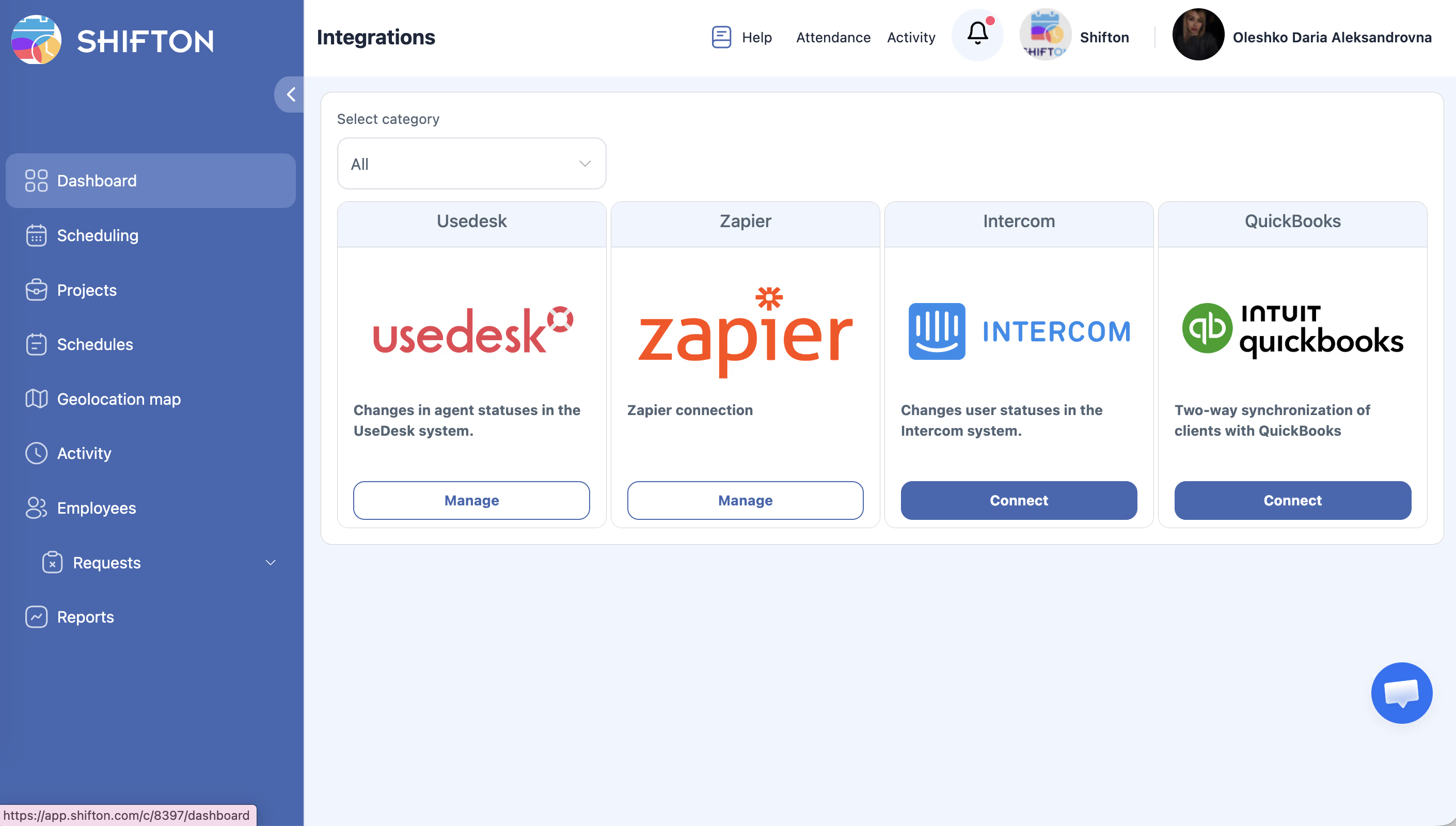
Available Integrations
| Integration | Description | Use Case |
|---|---|---|
| Usedesk | Syncs agent statuses between Shifton and Usedesk | Keep helpdesk agent availability in sync with their Shifton schedule |
| Zapier | Connects Shifton to thousands of apps via Zapier automations | Automate workflows like sending notifications to Slack when a shift is created |
| Intercom | Syncs user statuses between Shifton and Intercom | Align customer support availability with scheduled shifts |
| QuickBooks | Two-way client sync between Shifton and QuickBooks | Keep employee and payroll data synchronized across both platforms |
Connecting an Integration
Managing Connected Integrations
Access Permissions
| Role | View Integrations | Connect/Disconnect | Configure |
|---|---|---|---|
| Owner | Yes | Yes | Yes |
| No | No | No | |
| Manager | Yes | No | No |
| Employee | No | No | No |
FAQ
Q: Are there additional costs for using integrations?
A: Shifton integrations are available as part of your plan. However, the third-party services themselves (Zapier, Usedesk, Intercom, QuickBooks) may have their own pricing.
Q: Can I connect multiple integrations at the same time?
A: Yes, you can connect as many integrations as you need. Each integration operates independently.
Q: What happens to my data if I disconnect an integration?
A: Disconnecting an integration stops data syncing going forward. Data that was already synced remains in both systems.
Q: Can managers connect integrations?
A: No, only Owners ands can connect or configure integrations. Managers can view the integrations page but cannot make changes.
Q: Will I be notified if an integration stops working?
A: Shifton will attempt to notify you if a sync fails. Check the integration status periodically to ensure everything is running smoothly.
Possible Issues and Solutions
| Issue | Possible Cause | Solution |
|---|---|---|
| Connect button not responding | Browser issue or session expired | Refresh the page and try again; clear browser cache if needed |
| Authorization fails with third-party service | Incorrect credentials or expired token | Verify your login for the third-party service and try reconnecting |
| Data not syncing after connection | Integration configuration incomplete | Open the integration settings and verify all required fields are filled |
| Integration shows “disconnected” unexpectedly | Third-party revoked access or token expired | Reconnect the integration and re-authorize |
| Cannot find a specific integration | Category filter is active | Set the category dropdown to “All” to see every available integration |