

Personal data, password, notifications, time zone and the appearance theme — all of this is in the app, separately from the company settings.
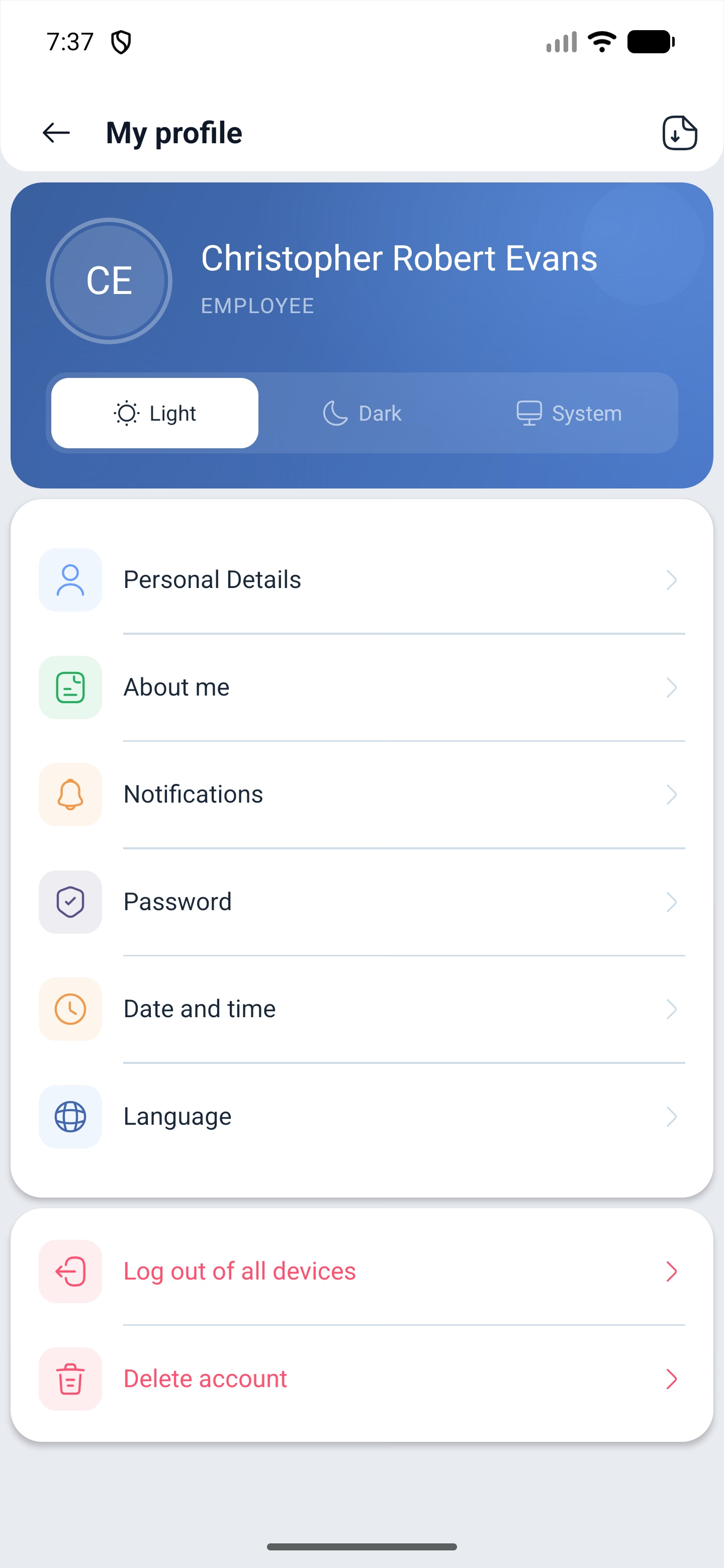
☰ → in the card at the top there is the Profile button. The screen shows your name, photo and role in the company — for an employee this is Employee (EMPLOYEE).
Step-by-step instructions
Appearance theme
Three buttons right under the name:
| Button | What it does |
|---|---|
| Light | Always light appearance |
| Dark | Always dark |
| System | The same as in the phone settings |
The photo is changed with the Change photo button above the name, and the Download profile button in the top right corner exports the profile data as a file.
Personal data
Personal Details — first name, last name and contacts. Next to the email and the phone there is a state: Confirmed or Unconfirmed. An unconfirmed email gets the Resend the confirmation email button.
Under the phone there is a hint: the number must be able to receive SMS. This is not a formality — without a confirmed number, invitations to employees and SMS notifications are not sent.
About me
About me opens the Your Details screen: date of birth, gender, country, region, city, postcode and address.
Notifications
Notifications is the richest section of the profile. It is split into groups:
| Group | What it sets up |
|---|---|
| TELEGRAM | Receiving notifications in Telegram. The token is here as well, copied with a button and pasted into the bot |
| Communication (COMMUNICATION) | Mailouts, shift swap and shift transfer requests, password change |
| Schedule (SCHEDULE) | Schedule changes, shift and break reminders |
| Attendance (ATTENDANCE) | Start and end of a shift, employee lateness (managers only), early leave |
Telegram notifications are set up right in the app: copy the token and send it to the bot.
Password
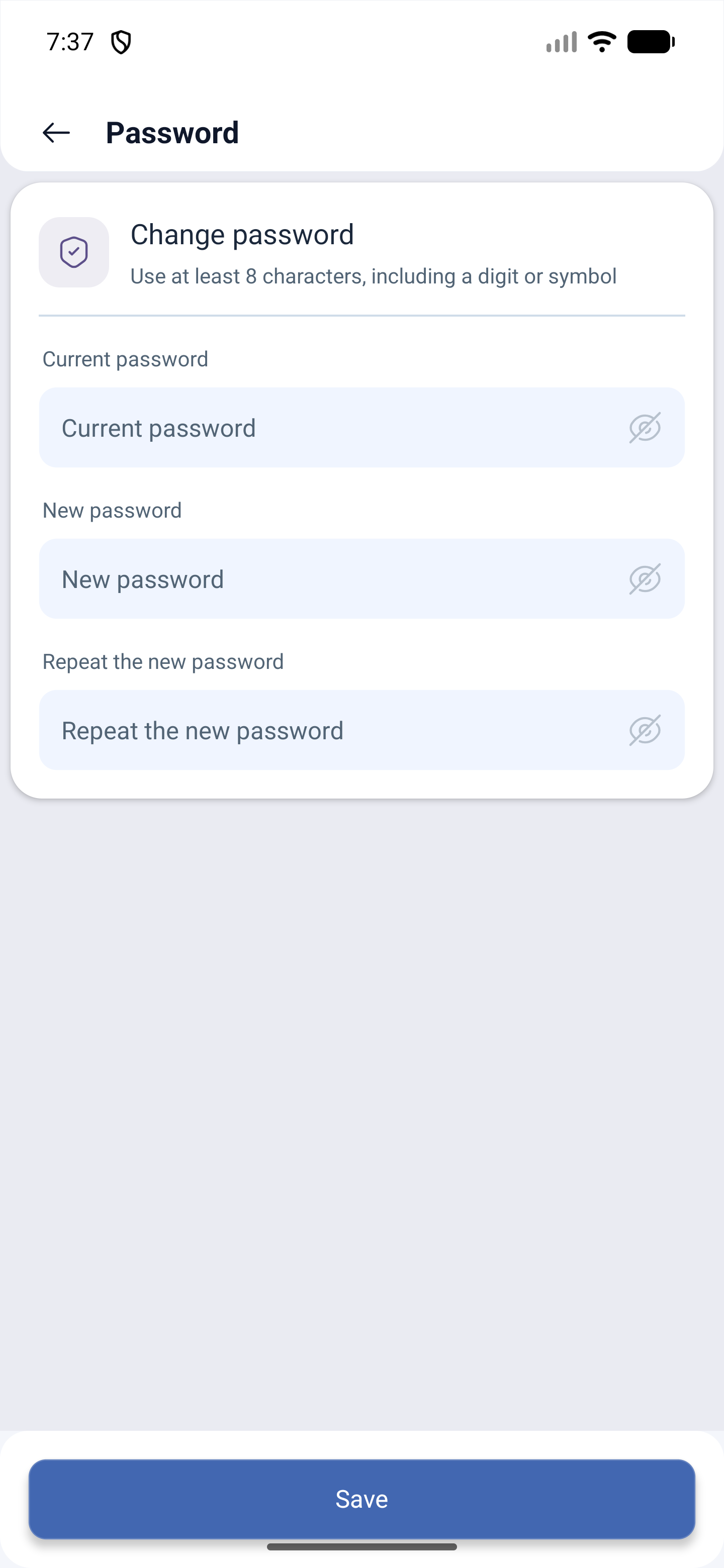
PASSWORD (Password) opens Change password: Current password, New password and Repeat the new password. The requirement is stated on the screen itself: at least eight characters, including a digit or a symbol. Every field has Show password.
Date and time
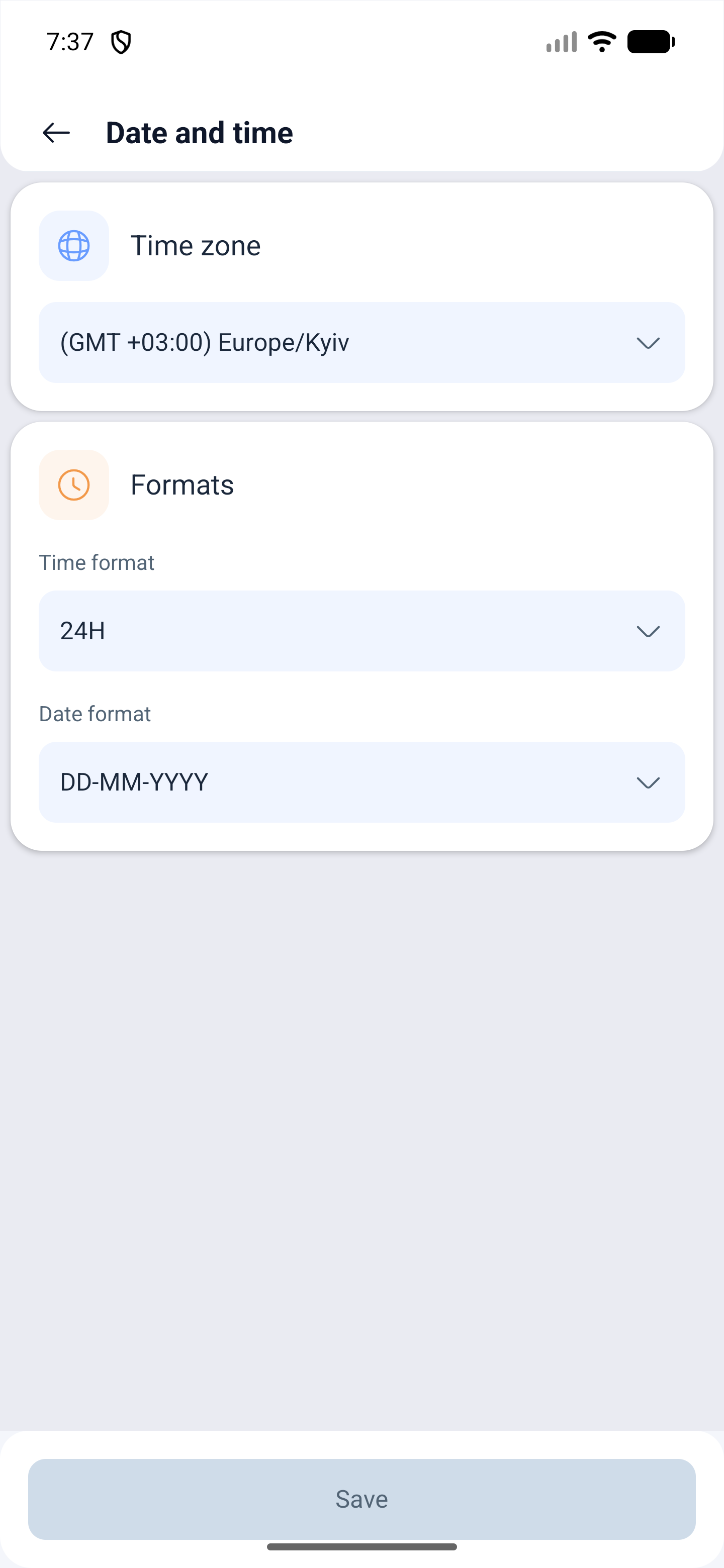
Date and time — Time zone, for example (GMT +03:00) Europe/Kyiv, and the Formats block: Time format — 24H or 12-hour — and Date format, for example DD-MM-YYYY.
Language, logging out and deletion
Below come language (Language) with the list of interface languages, Log out of all devices and Delete account.
Possible problems and solutions
| Problem | Cause | Solution |
|---|---|---|
| Invitations to employees do not arrive | The phone number is not confirmed | Personal Details — the phone must show Confirmed |
| The email confirmation message does not arrive | The message is in spam or has expired | Press Resend the confirmation email |
| The app is in another language | The language comes from the profile, not from the phone | Profile → language |
| Shift times are shown incorrectly | The wrong time zone | Profile → Date and time |
| Telegram notifications do not arrive | The bot is not linked to the account | Copy the token in the Notifications section and send it to the bot |
| The password is not accepted | It is too simple | At least eight characters, with a digit or a symbol |
| The phone is lost | The session on it stayed active | Log out of all devices |
Frequently asked questions (FAQ)
Question: Can Telegram notifications be set up from the phone? Answer: Yes. The Notifications section has the TELEGRAM group with a token: copy it and send it to the bot.
Question: Why confirm the phone number? Answer: Without a confirmed number, invitations to employees and SMS notifications are not sent. The number must be able to receive SMS.
Question: Which notifications can be turned off? Answer: There are four groups: mailouts and requests, schedule changes and reminders, attendance events, Telegram. Every item is turned on separately.
Question: What does “Log out of all devices” do? Answer: It ends all your sessions except the current one.
Question: Is the app language the same as the help language? Answer: No. The interface language is set in the app profile, the language of the articles is chosen on the help site.
Question: Who can change my personal data? Answer: You yourself. The administrator sees an employee’s profile but does not change the notification settings for them.
Question: Can I export my data? Answer: Yes, with the Download profile button in the top right corner of the profile.