

Add and manage credit or debit cards for automatic subscription billing. Keeping a valid payment method on file ensures uninterrupted access to Shifton’s paid features.
What Is This?
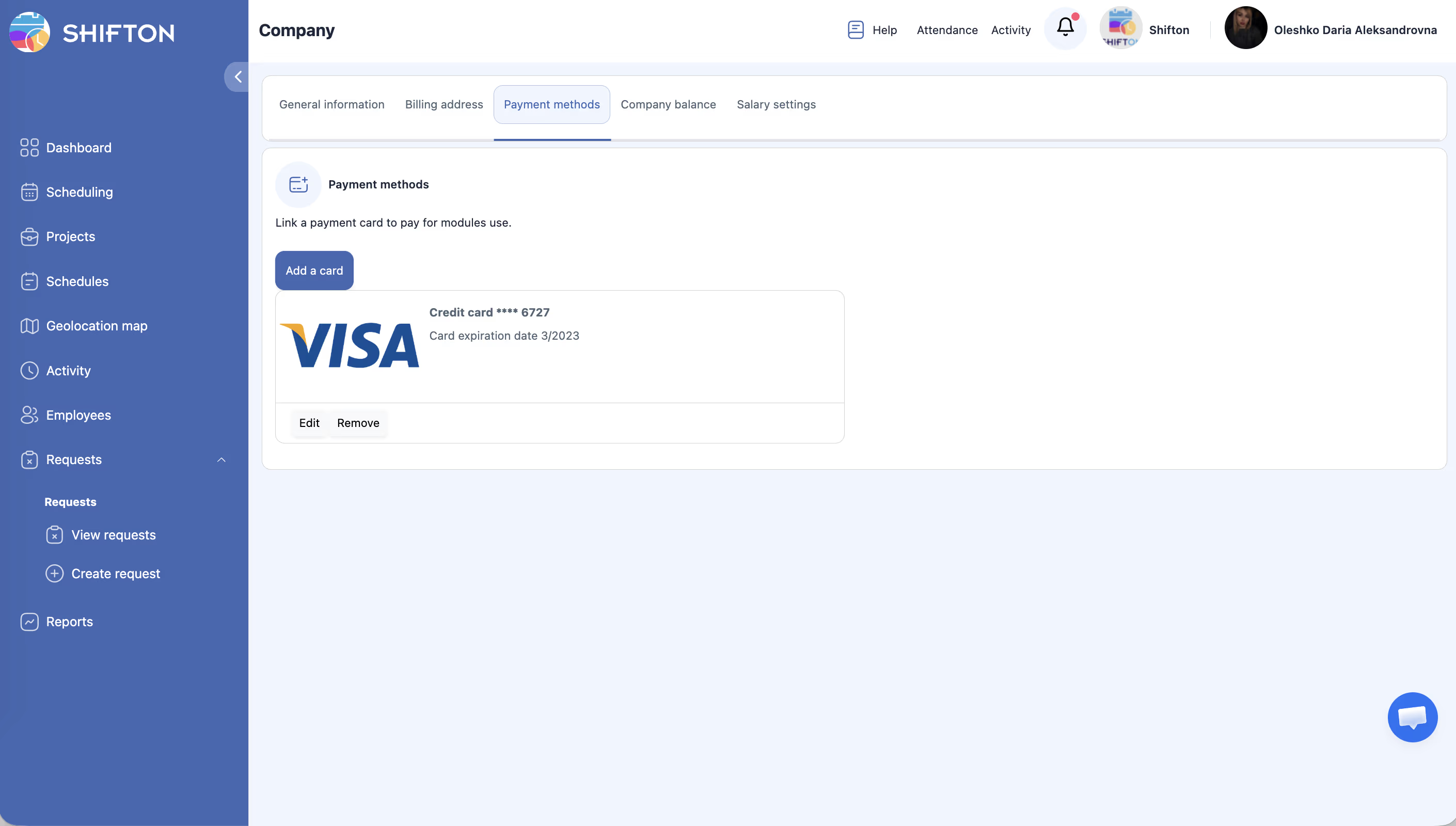
The Payment Methods tab lets you store one or more credit or debit cards that Shifton will charge automatically each billing cycle. When your subscription renews, the system processes payment using the card on file. If no valid payment method is stored, your account may be downgraded or suspended until payment is resolved.
You can access this tab by navigating to Company Settings > Payment Methods.
Prerequisites
- You must have an Owner role in Shifton. Only Owners can add or remove payment methods.
- You need a valid credit or debit card (Visa, Mastercard, or other supported networks).
- Your company must be on a paid plan or upgrading from a free trial.
Step-by-Step Instructions
Step 1: Open the Payment Methods Tab
Step 2: Add a New Card
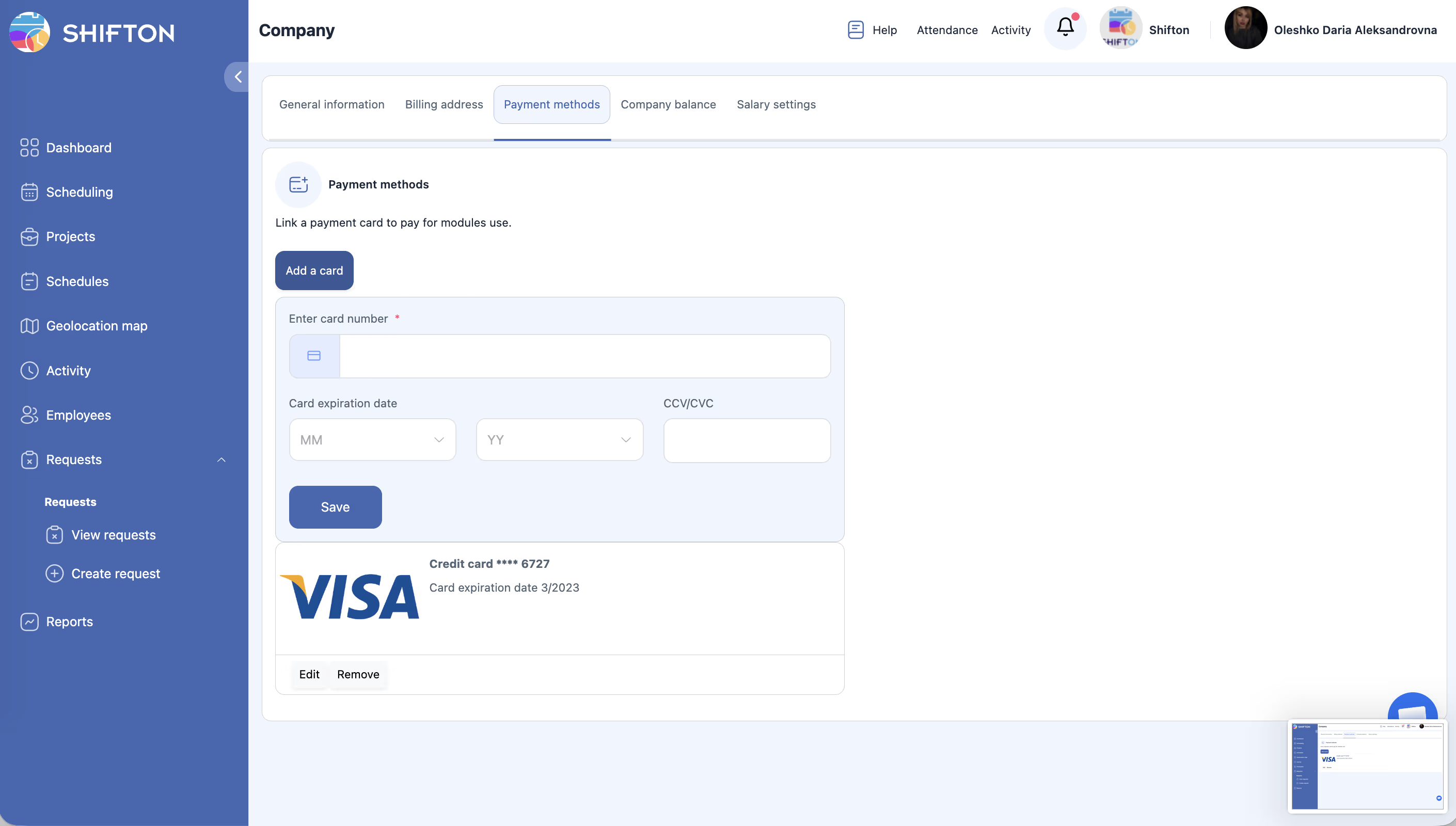
| Field | Description | Example |
|---|---|---|
| Card Number | The 16-digit number on the front of your card. | 4111 1111 1111 1111 |
| Expiration Date | The month and year the card expires (MM/YY). | 09/28 |
| CVV / CVC | The 3- or 4-digit security code on the back of your card. | 123 |
| Cardholder Name | The name printed on the card. | Jane Smith |
Step 3: Set a Default Payment Method (If Multiple Cards Exist)
Step 4: Remove a Payment Method
Access Permissions
| Role | View | Add / Remove |
|---|---|---|
| Owner | Yes | Yes |
| Administrator | No | No |
| Manager | No | No |
| Employee | No | No |
FAQ
Q1: Which card types does Shifton support?
A: Shifton accepts Visa and Mastercard. Support for other card networks may vary by region. If your card is declined, try an alternative card or contact Shifton support.
Q2: Is my card information stored securely?
A: Yes. Shifton uses industry-standard encryption and does not store your full card number on its servers. Payment processing is handled by a certified payment provider that complies with PCI DSS standards.
Q3: When will my card be charged?
A: Your card is charged automatically at the beginning of each billing cycle (monthly or annually, depending on your plan). You can see the next payment due date on the Company Balance & Invoices tab.
Q4: What happens if my card is declined?
A: Shifton will retry the charge and send you an email notification. If payment is not resolved within the grace period, your account features may be restricted. Update your card details or add a new card to restore service.
Q5: Can I use a prepaid card?
A: Prepaid cards may work if they support recurring transactions. However, some prepaid cards decline recurring charges. A standard credit or debit card is recommended for reliable billing.
Possible Issues and Solutions
| Issue | Cause | Solution |
|---|---|---|
| Card is declined when adding | The card may be expired, have insufficient funds, or not support online transactions. | Verify the card details, check with your bank, or try a different card. |
| “Add Payment Method” button is not visible | You do not have the Owner role. | Only the account Owner can manage payment methods. Contact your Owner. |
| Cannot remove the only card on file | The system may require at least one payment method for active paid plans. | Add a new card first, then remove the old one. Alternatively, downgrade your plan before removing the card. |
| Charged an unexpected amount | Price changes, plan upgrades, or prorated charges for mid-cycle changes. | Check the Company Balance & Invoices tab for a detailed invoice breakdown. Contact support if the charge is still unclear. |
| Card entry form does not load | Browser extensions (ad blockers, privacy tools) may block the payment form. | Disable browser extensions temporarily, or try a different browser. Ensure JavaScript is enabled. |