

Organize your workforce by grouping employees and schedules into projects. Projects are the top-level containers that help you separate teams, departments, or business units within Shifton.
What Is This?
The Projects page lets you create, view, and manage all of your company’s projects. Each project can have its own managers, employees, schedules, and color coding. Think of a project as a workspace — it keeps everything related to a specific team or function in one place.
Every Shifton company account comes with one free project. If you need additional projects, the Departments module is required at a cost of $1/month per additional project.
Prerequisites
Before you begin, make sure the following are in place:
| # | Prerequisite | Details |
|---|---|---|
| 1 | Active Shifton account | You must have a registered company account |
| 2 | Admin or Manager role | Only users with sufficient permissions can create and manage projects |
| 3 | Departments module (optional) | Required only if you need more than one project ($1/month per additional project) |
Step-by-Step Instructions
Viewing Your Projects
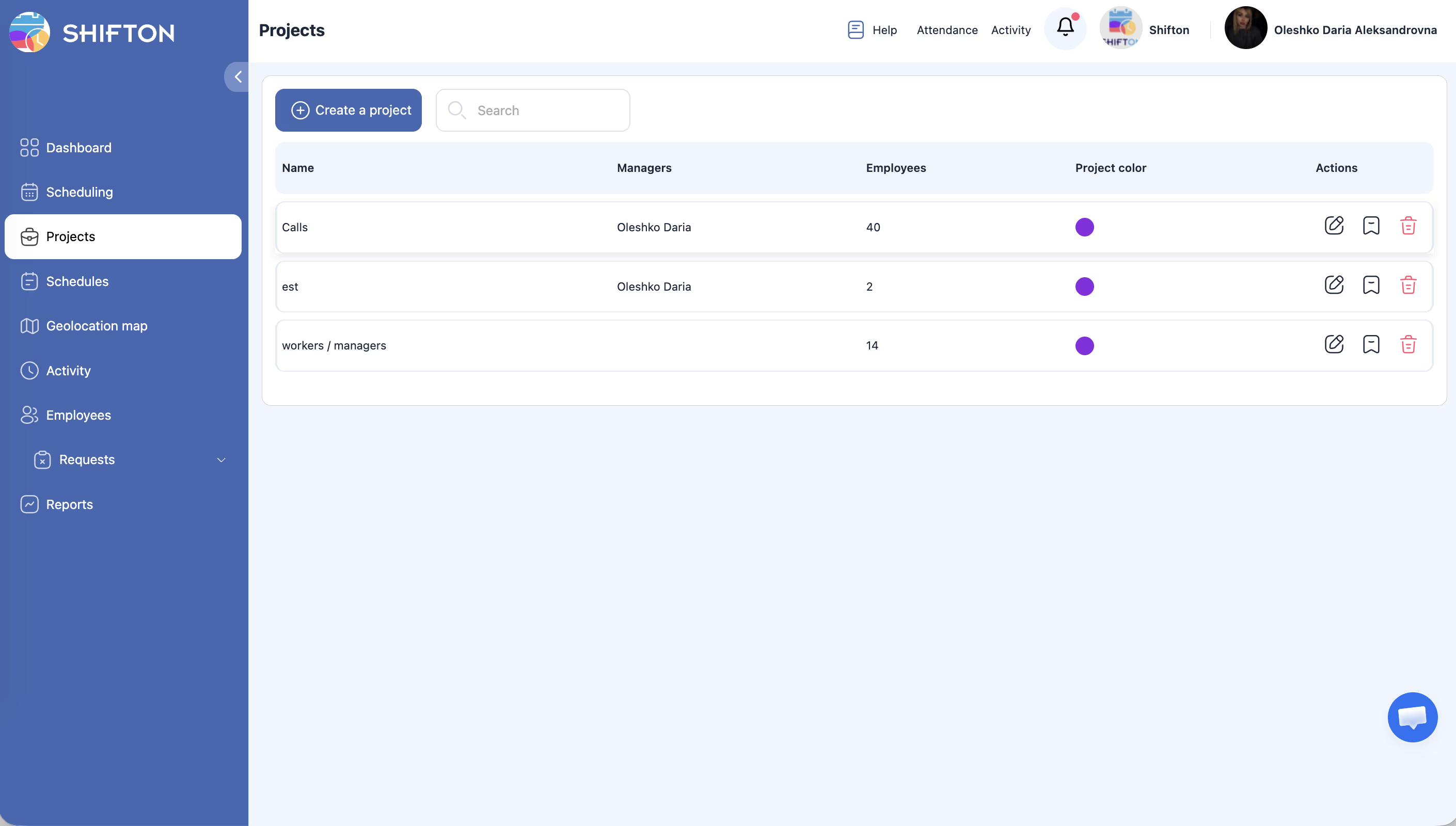
The projects table displays the following columns:
| Column | Description |
|---|---|
| Name | The project title you assigned during creation |
| Managers | Users assigned as managers of the project |
| Employees count | Total number of employees assigned to the project |
| Project color | The color label used to visually distinguish the project across schedules and reports |
| Actions | Available operations: Edit, Marks, Delete |
Searching for a Project
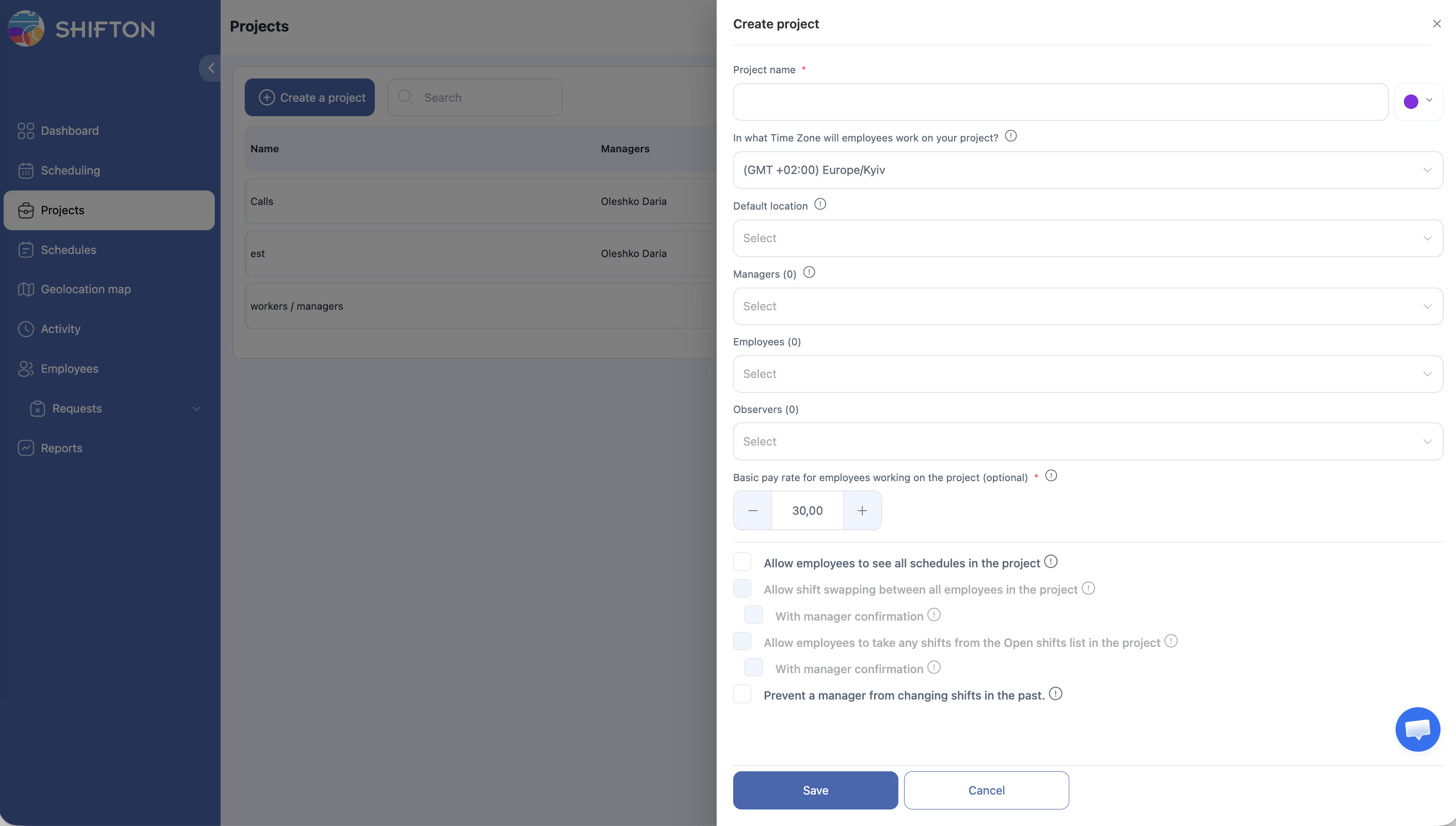
Creating a New Project
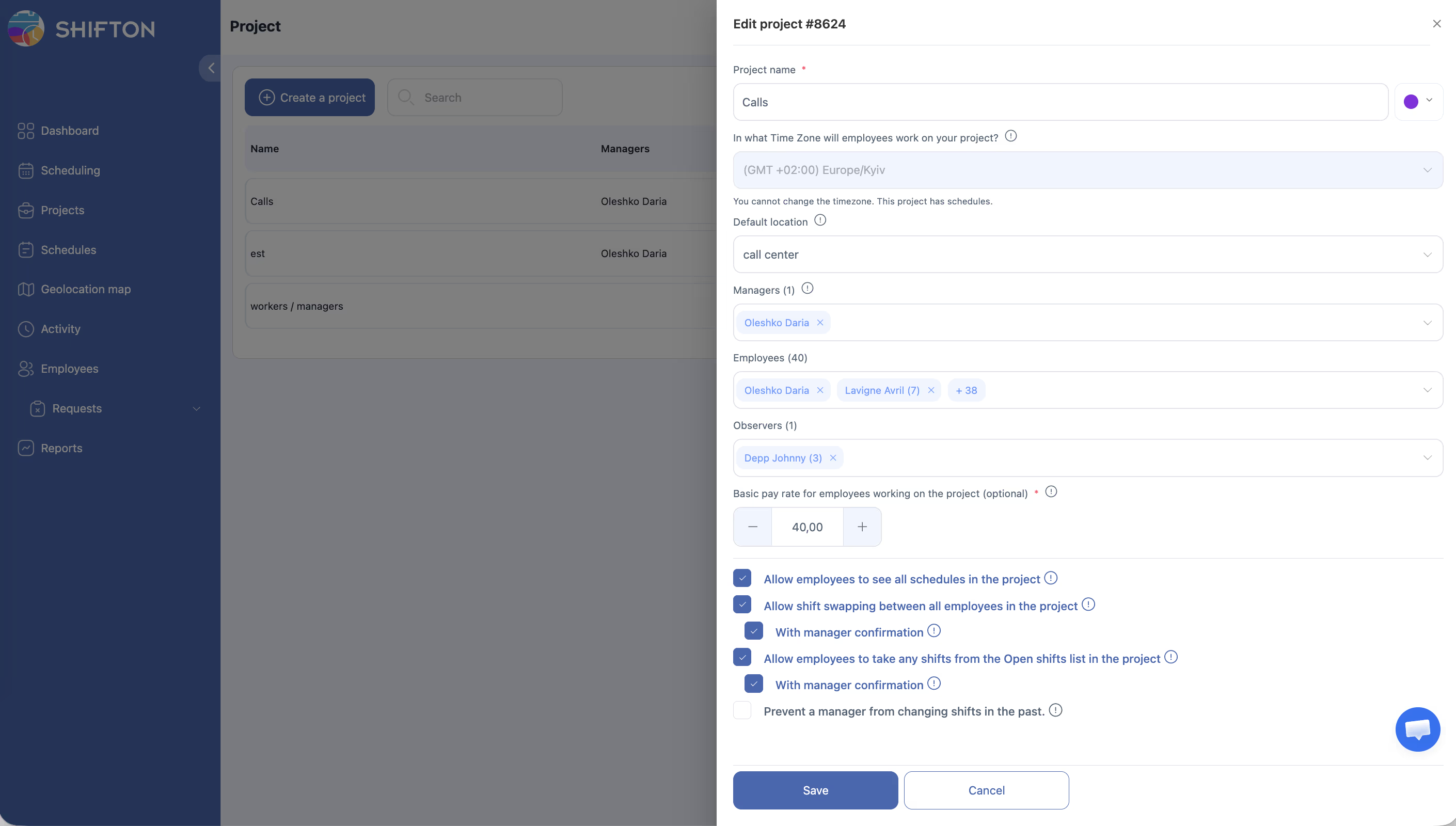
Editing a Project
Managing Project Marks
Each project can have its own set of marks (colored labels) for categorization. Marks can be attached to shifts and to employees in the schedule (Scheduled Team Members tab).
Note:
– Identify the work location (branch, department)
– Add extra information to a shift (work type, special instructions)
– Filter shifts on the schedule calendar by mark type
How to manage project marks:
Created marks become available when adding or editing shifts in this project.
For full details, see Tags and Marks.
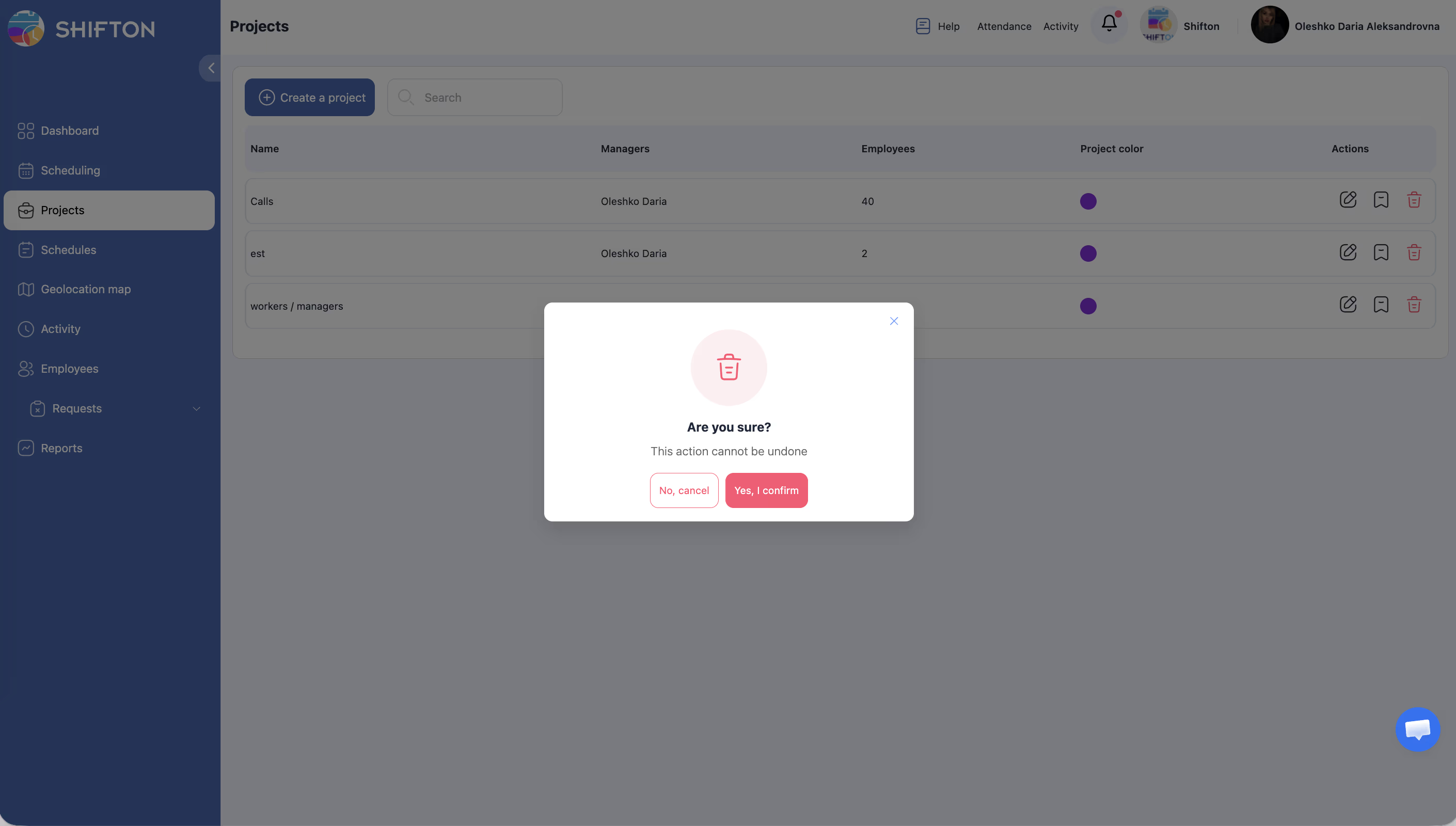
Deleting a Project
Access Permissions
| Role | View Projects | Create Project | Edit Project | Delete Project | Bookmark |
|---|---|---|---|---|---|
| Owner | Yes | Yes | Yes | Yes | Yes |
| Admin | Yes | Yes | Yes | Yes | Yes |
| Manager | Yes (assigned only) | No | Limited | No | Yes |
| Employee | Yes (assigned only) | No | No | No | No |
FAQ
Q: How many projects can I create for free?
A: Every Shifton account includes one free project. To add more, you need to activate the Departments module at $1/month per additional project.
Q: Can an employee belong to more than one project?
A: Yes, employees can be assigned to multiple projects simultaneously. Their schedules will be managed within each project independently.
Q: What happens to schedules if I delete a project?
A: All schedules, shifts, and related data within that project will be permanently deleted. Make sure to export any necessary data before deleting a project.
Q: Can I transfer employees from one project to another?
A: Yes. Edit the employee’s profile or the project settings to reassign them. You can also assign employees to a new project without removing them from the current one.
Q: Who can see the Projects page?
A: All users can see projects they are assigned to. Owners and Admins can see and manage all projects in the company account.
Possible Issues and Solutions
| Issue | Possible Cause | Solution |
|---|---|---|
| “Create a project” button is not visible | You have reached the free project limit | Activate the Departments module in your account settings |
| Cannot delete a project | Active schedules or employees are still assigned | Remove or reassign all employees and delete associated schedules first |
| Project color does not appear on the schedule | Browser cache issue | Refresh the page or clear your browser cache |
| Cannot assign a manager to the project | The user does not have a Manager or Admin role | Promote the user to Manager or Admin before assigning them |
| Search returns no results | Typo in the search query or the project was deleted | Double-check the spelling or verify the project still exists |