

Shifton Field Service lets you track everything that happens in your company using the Activity logs section. Here you can review every action performed over any period you choose, keep an eye on changes in the system, monitor employee activity and analyse the history of operations.
How to open the Activity logs
- Click your company name at the top of the interface.
- Select Activity logs in the drop-down menu.
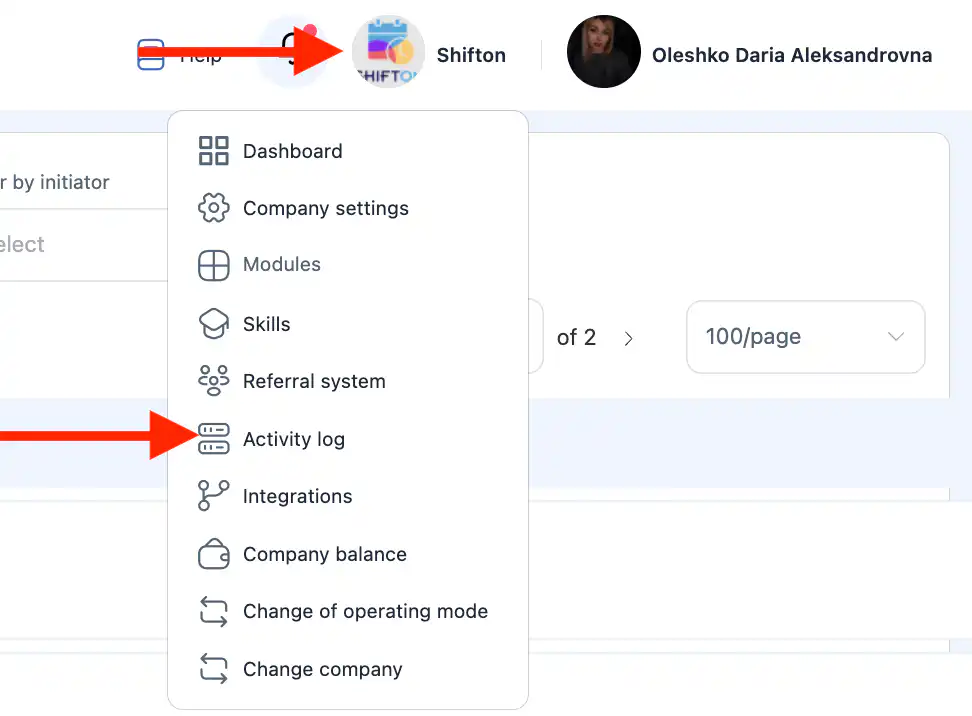
A page with all recorded actions opens.
What information the logs show
The activity logs contain the following data:
Action type
- created
- updated
- deleted
- restored
System section (feature)
- tasks
- checklists
- inventory
- employees
- statuses
- clients
- To Do
- service areas
Who performed the action
The employee who performed the action.
Date and time
When the action was performed.
Filtering the data
You can filter the activity logs by:
- time period;
- action type (created, updated, deleted, restored);
- system section (feature);
- initiator (employee).
This makes it easier to find specific events even in large volumes of data.
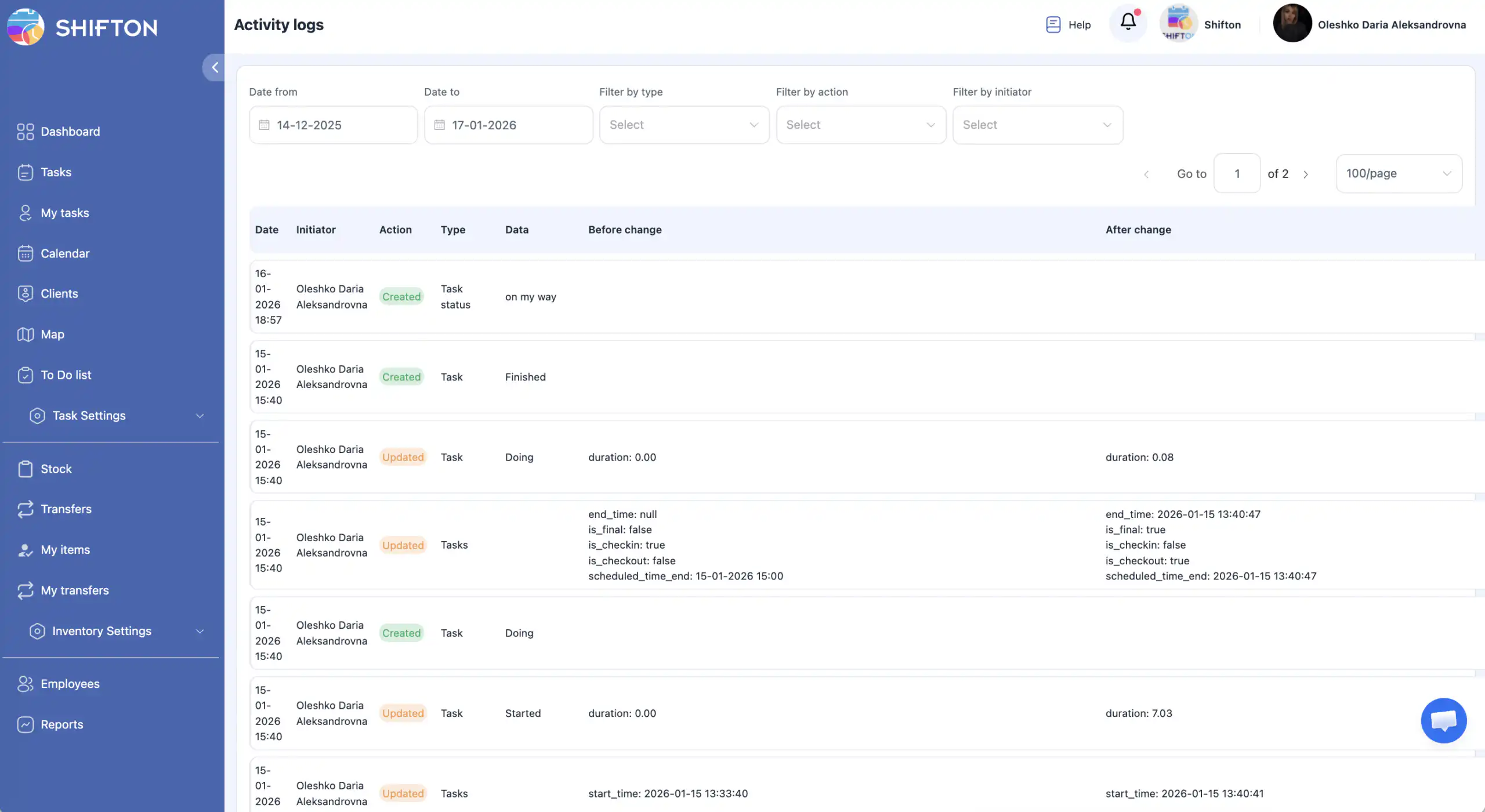
Access to activity logs
By default, the activity logs are available to the company owner only.
The owner can grant access to any employee.
How to grant access to an employee
- Open the Employees section in the side menu.
- Click the pencil icon next to the employee you need.
- In the side panel, turn on “Access to activity logs”.
- Click Save.
Important: if you do not click Save, the changes will not be applied.
FAQ
Question: Who has access to the Activity logs by default? Answer: Only the company owner.
Question: Can access be granted to a regular employee? Answer: Yes. The company owner can grant access to any employee through that employee’s profile settings.
Question: Why can’t I see the “Activity logs” section? Answer: Most likely you do not have the necessary permissions. Contact the company owner to request access.
Question: How long is the activity history kept? Answer: The activity logs are kept for the entire time the company works in the system.
Question: Can I see who changed a task or an inventory item? Answer: Yes. Every log entry shows the initiator — the employee who performed the action.
Question: Can I filter the logs to show only actions with inventory or tasks? Answer: Yes. Use the filter by system section to display only the type of events you need.
Question: Are the Activity logs updated in real time? Answer: Yes. New actions appear in the logs automatically, right after they are performed in the system.