

SMS to clients are paid for from a separate SMS balance — not out of your Shifton subscription. As long as there is money on it, notifications and reminders go out; when the balance is zero, SMS are simply not sent, and you will not see any error in the interface. This page shows the balance, the spending and everything that happens to it.
The page opens from the left menu: Customer Portal → SMS billing.
Emails, meanwhile, are free and do not depend on the SMS balance — if you want to avoid the expense, leave only the e-mail channel in the rules.
Five tabs
| Tab | What for |
|---|---|
| Overview | The balance, the spending for the period, the breakdown by country and message type |
| Sends | A log of every SMS sent: delivery, segments, debit status |
| Transactions | All balance movements: top-ups, debits, transfers, refunds |
| Top up | A one-off top-up from a saved card and a transfer between balances |
| Invoices | Payment documents: top-ups and overage charges |
Overview
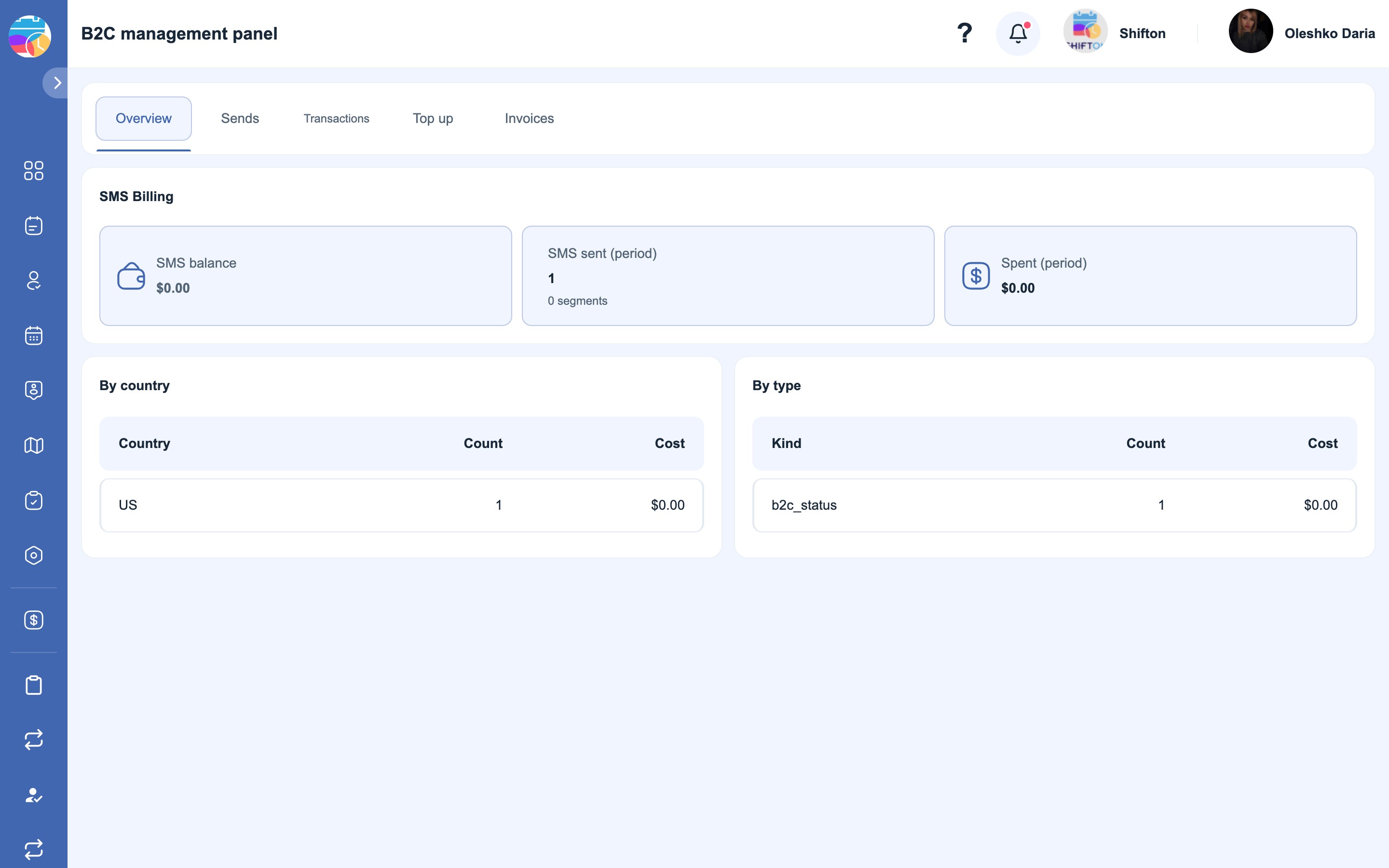
- SMS balance — how much money is available for sending right now.
- SMS sent (period) — the number of messages for the selected period and the number of segments.
- Spent (period) — the amount spent during the period.
- By country — the number and the cost by the recipient’s country. Rates differ from country to country, and this is exactly where you can see which country is eating up the budget.
- By type — the spending by message type, for example task status notifications.
If the balance is low, a forecast along the lines of “the balance will last about N days” is shown here as well — it is calculated from your current spending.
What a segment is
One SMS holds a limited number of characters. A long message is split into segments, and each segment is charged separately: a message of three segments costs as much as three SMS. That is why the length of the text in the rules directly affects the bill — especially if a long link is substituted into the text.
Sends
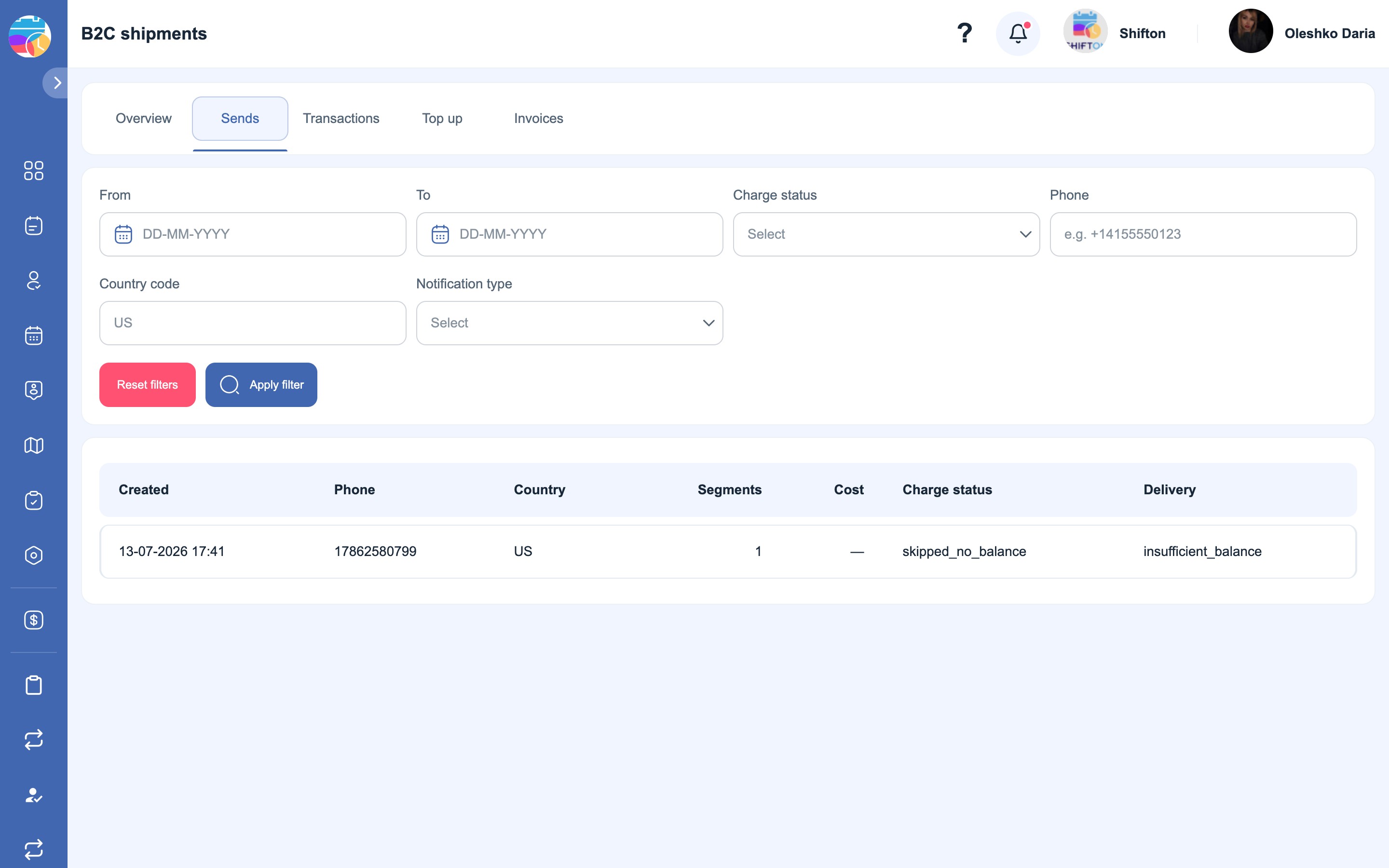
A log for every message: the recipient, the notification type, the number of segments, the delivery and the debit status. The debit status can be: Debited, Pending, Failed and Provider error — the last one means that the message was not accepted by the operator’s side rather than by Shifton.
This is the first place to look at when you get a “the client did not receive the SMS” complaint: you can see whether the message was sent at all and what the operator replied.
Transactions
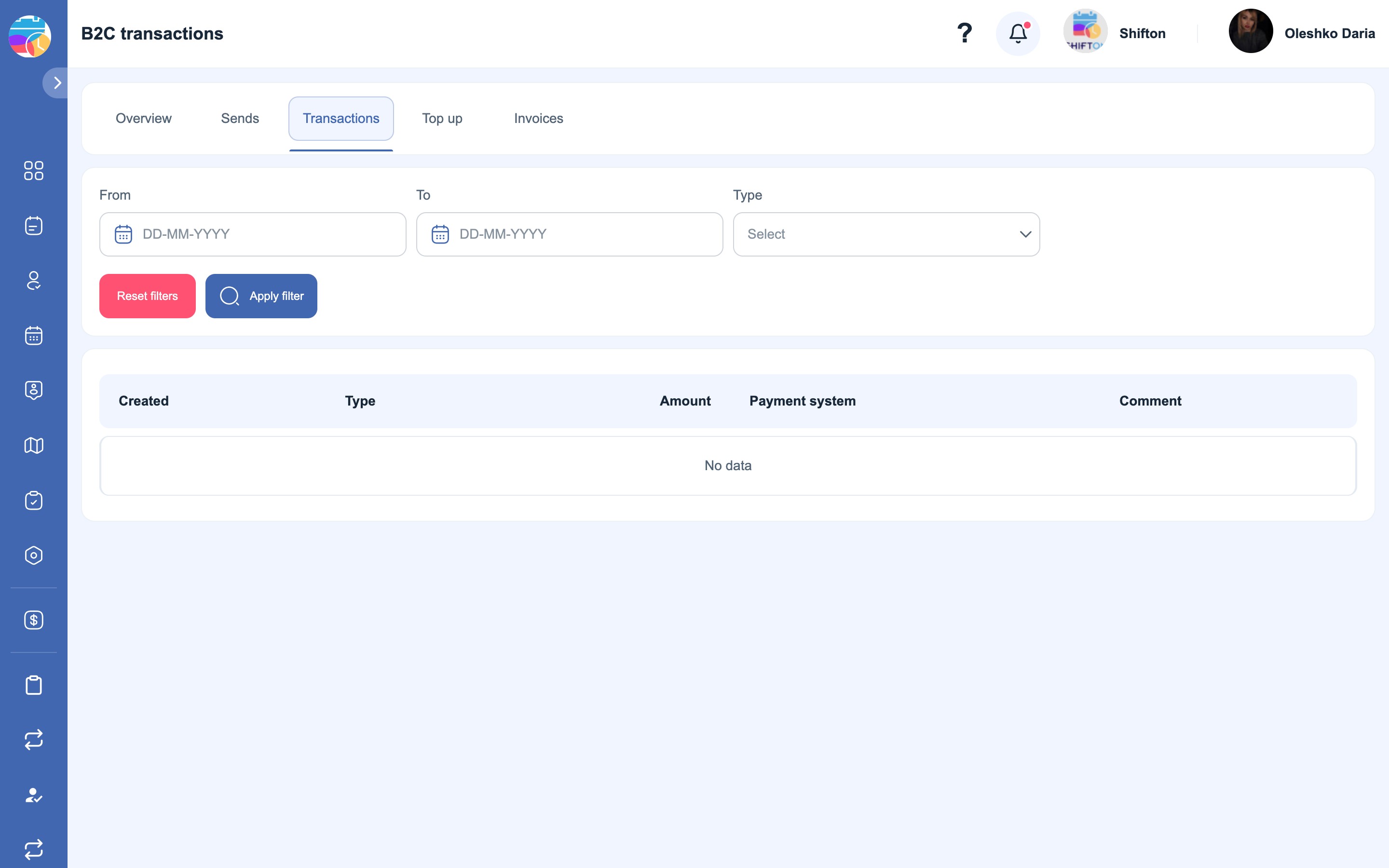
All balance movements with the type of operation:
- Top-up (Stripe) — a card payment.
- Top-up (manual) — a credit made by support.
- Promo credit — bonus funds.
- B2C debit — the cost of the SMS sent to clients.
- Incoming transfer / Outgoing transfer — moving money between the main balance and the SMS balance.
- Refund — the return of a previously debited amount.
- Overage — when messages were sent with a zero or negative balance.
Top up
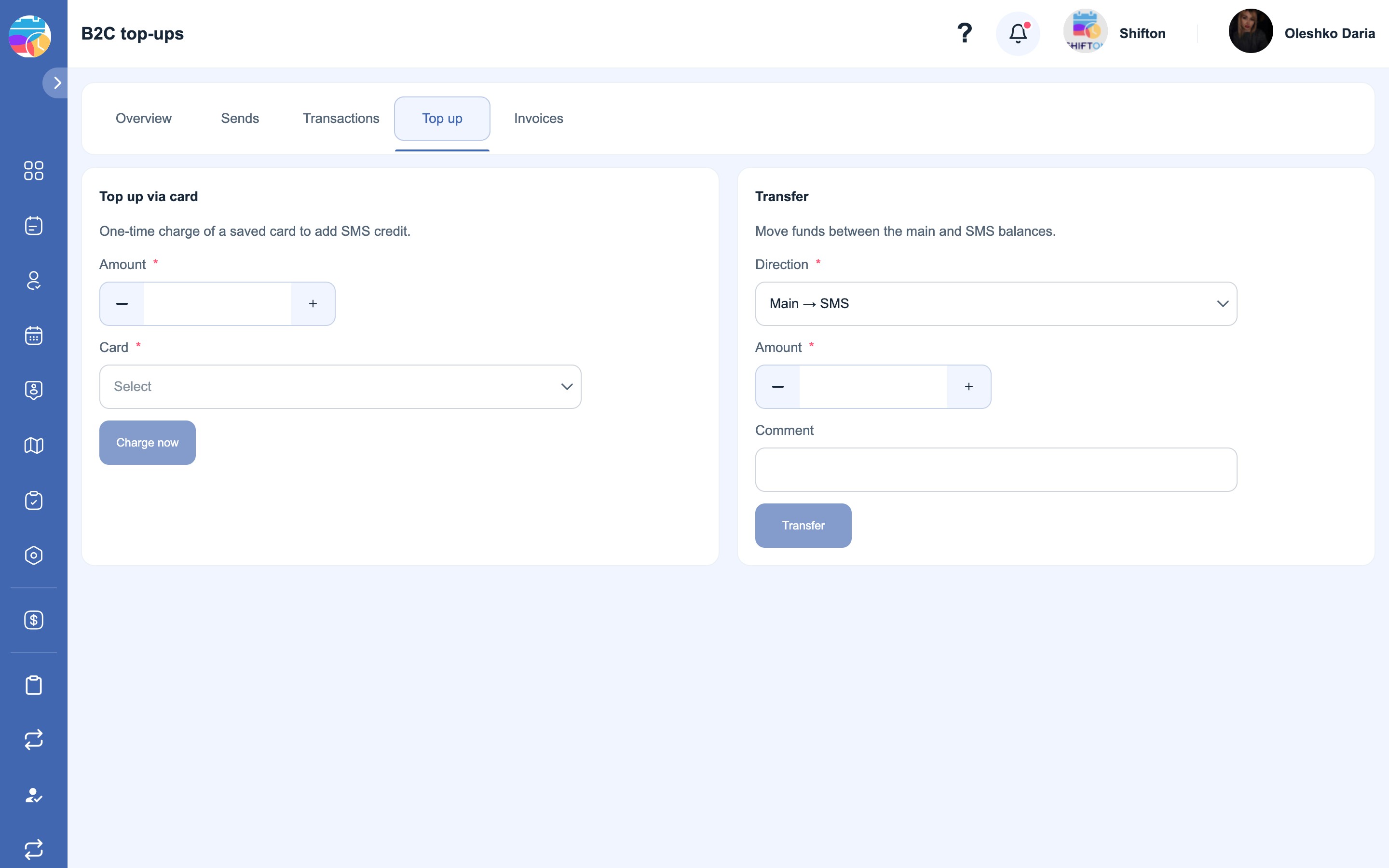
There are two different actions here:
- Top up via card — a one-off charge from a saved card. Select the card, specify the amount and click “Charge now”. After a successful top-up the balance is updated immediately, and the operation appears in Transactions.
- Transfer — moving funds between the company’s main balance and the SMS balance, in both directions: Main → SMS and SMS → Main. This is useful if the money is already on the main balance.
Automatic top-up
So that SMS do not run out at an inconvenient moment, there are automatic top-up rules — they are set in the module settings (Modules → Settings → Customer Portal), in the SMS billing settings block:
- Auto top-up mode — what will happen when the balance drops below the threshold: Off, Notify only or Auto-charge card.
- Top-up threshold — the amount below which the rule is triggered.
- Top-up amount — how much to charge with each automatic top-up.
- Max top-ups per day and Max top-up amount per day — safeguards against an avalanche of charges.
- Pause between top-ups — the minimum number of minutes between two automatic top-ups.
- Preferred card — the card the automatic charges are taken from.
- Alert emails — who else should be told about a low balance and an automatic top-up.
The “Notify only” mode is a sensible middle ground: money is not charged automatically, but you learn about a low balance in advance.
Invoices
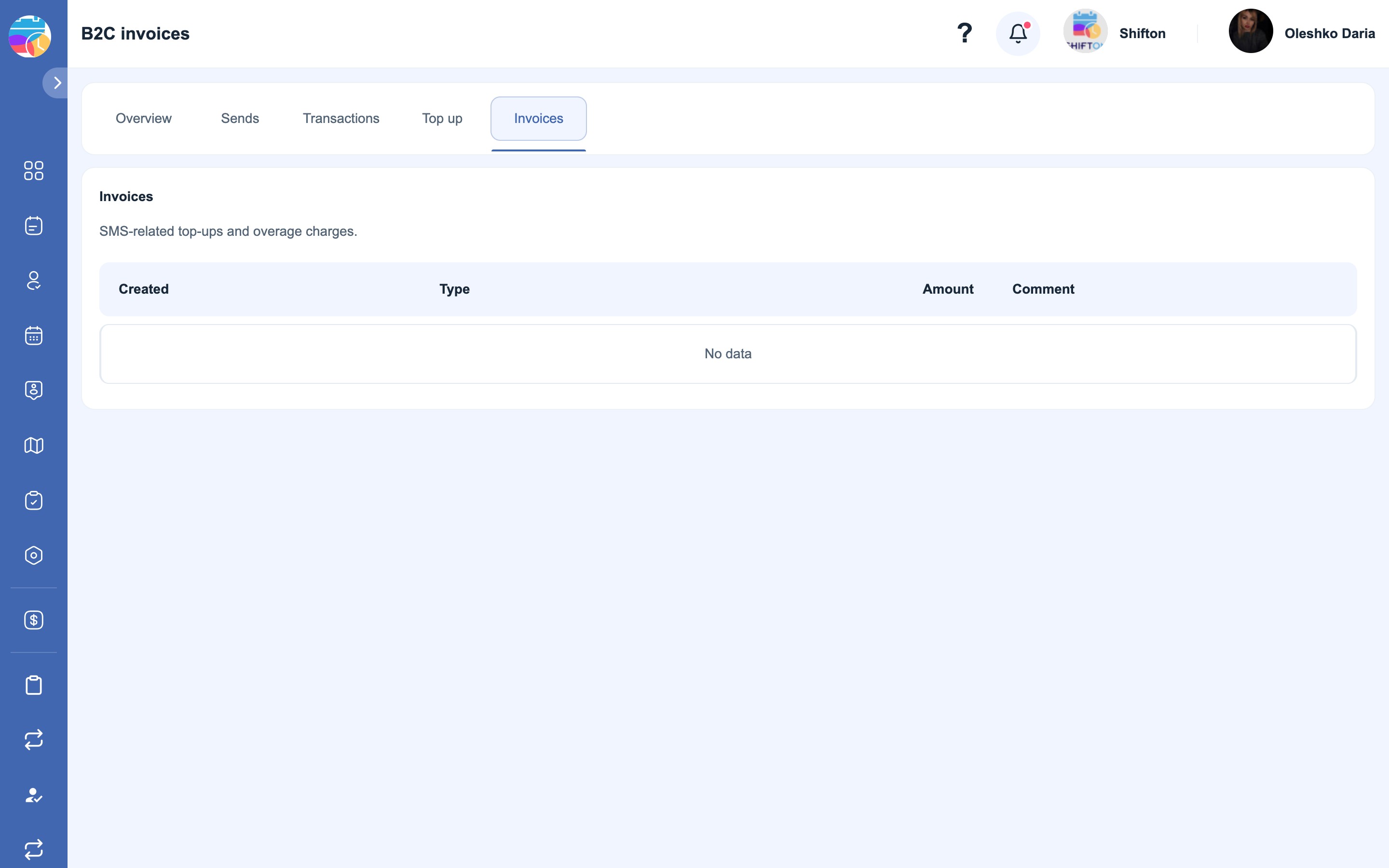
Payment documents for SMS: balance top-ups and overage charges. This is where they are taken from for accounting.
Possible problems and solutions
| Problem | Reason | Solution |
|---|---|---|
| Clients have stopped receiving SMS | A zero SMS balance | Top up on the Top up tab; to stop it happening again, enable automatic top-up or the “Notify only” mode |
| Emails arrive, SMS do not | The balance is used up, or the client has no phone | Check the balance and the client’s record: e-mail does not depend on the balance |
| The “Provider error” status in the Sends log | The message was not accepted by the telecom operator | Check the format of the client’s number (international, without a plus) |
| The spending is higher than expected | Long messages are split into segments, and rates differ from country to country | Look at By country and By type, and shorten the texts of the rules |
| The balance goes negative | Messages were sent with a zero balance — an Overage has been charged | Top up the balance; the overage amount will appear in Invoices |
| The automatic top-up did not work | The Off mode, no card selected, or the daily safeguard was triggered | Check the SMS billing settings block in the module settings |
| A document is needed for accounting | — | The Invoices tab |
FAQ
Question: Why is there a separate balance for SMS rather than a subscription? Answer: Every SMS is paid to the operator separately and costs a different amount in different countries, so the spending is counted as it happens and debited from a separate SMS balance.
Question: What happens when the balance runs out? Answer: SMS stop being sent. No error appears in the interface, so it is better to track a low balance in advance — through the forecast on the Overview tab or through notifications.
Question: Do emails use up the balance too? Answer: No, e-mail is free.
Question: What are segments and why are there more of them than messages? Answer: A long SMS is split into parts, and each is charged separately. Three segments = the cost of three messages.
Question: How can I reduce the spending? Answer: Shorten the texts of the rules (especially those with long links), turn off SMS for the statuses where an email is enough, and look at By country to see where the money goes.
Question: Can the balance be topped up other than by card? Answer: The Top up tab has a transfer from the company’s main balance. A manual credit is made by support — in the transactions it is shown as Top-up (manual).
Question: What is a transfer between balances? Answer: Moving money between the company’s main balance and the SMS balance, in both directions.
Question: How do I enable automatic top-up? Answer: In Modules → Settings → Customer Portal, the SMS billing settings block: choose the “Auto-charge card” mode and set the threshold, the amount and the card.
Question: Won’t automatic top-up drain the card? Answer: There are safeguards for that: the maximum number of top-ups per day, the maximum amount per day and the pause between top-ups.
Question: Can I only get warnings, without any charges? Answer: Yes, the “Notify only” mode. Recipients can be added in Alert emails.
Question: The client says the SMS did not arrive. Where do I start? Answer: With the Sends tab: it shows whether the message was sent, how many segments it had, and the delivery and debit statuses.
Question: The balance is negative — how is that possible? Answer: Messages may have been sent with a zero balance; in that case an Overage is charged and the amount appears in Invoices.
Question: Who can top up the balance and change the settings? Answer: The company owner and administrator.